37
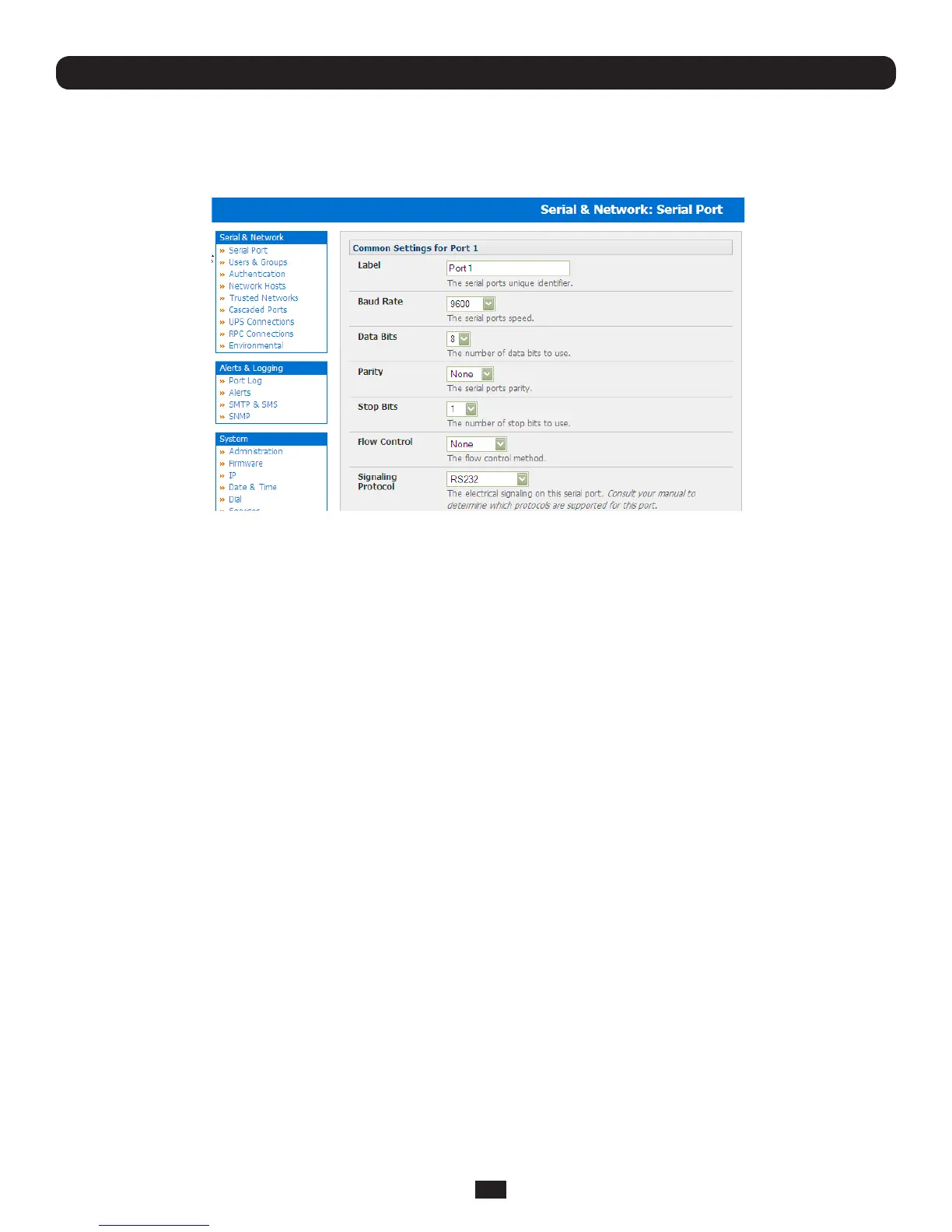
4.1.1 Common Settings
There are a number of common settings available for each serial port. These are independent of the mode in which the port
is being used. These serial port parameters must be set so they match the serial port parameters on the device which is
attached to that port.
• SelectSerial&Network:SerialPortandclickEdit
• Specifyalabelfortheport
• SelecttheappropriateBaudRate,Parity,DataBits,StopBitsandFlowControlforeachport(andensuretheymatchthe
settingsforserialdevicethatisconnected).TheSignalingProtocolishardconguredtobeRS232
Note: The serial ports are all set at the factory to RS232 9600 baud, no parity, 8 data bits, 1 stop bit and Console Server
Mode. The baud rate can be changed to 2400 – 230400 baud using the management console. Lower baud rates (50, 75,
110, 134, 150, 200, 300, 600, 1200, 1800 baud) can be configured from the command line as detailed in Chapter 14
Chapter 4: Serial Port, Device and User Configuration



 To Next Page