94
6.4 SDT Connector - Telnet or SSH Serial Device Connection
SDT ConnectorcanalsobeusedtoaccesstextconsolesondevicesthatareattachedtotheConsoleServer’sserialports.For
theseconnections,youmustconguretheSDT Connector client software with a Service that will access the target gateway
serialport,andthensetthegatewayupasahost:
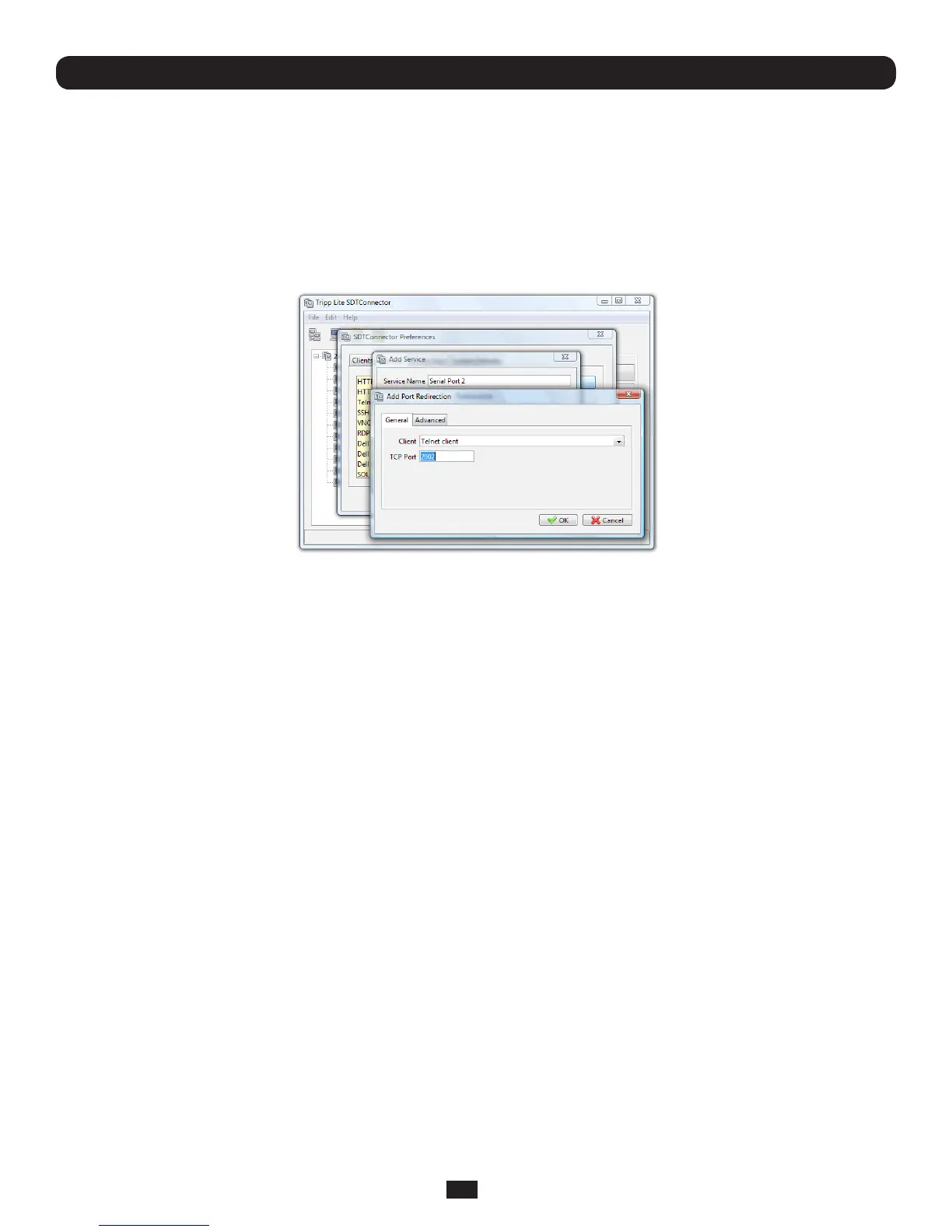
• LaunchSDT Connector on your computer. Select Edit: Preferences and click the Services tab. Click Add
• Enter“Serial Port 2” in Service Name and click Add
• SelectTelnet client as the Client. Enter 2002 in TCP Port. Click OK,thenClose and Close again
Chapter 6: Secure SSH Tunneling & SDT Connector
• AssumingyouhavealreadysetupthetargetConsoleServerasagatewayinyourSDT Connectorclient(withusername/
passwordetc),selectthisgateway and click the Hosticontocreateahost.Alternatively,selectFile: New Host.
• Enter127.0.0.1astheHost Address and select Serial Port 2 for Service. In Descriptive Name,entersomethingalong
thelinesofLoopbackports,orLocalserialports.ClickOK.
• ClickSerial Port 2 icon for Telnet access to the serial console on the device attached to serial port #2 on the gateway
To enable SDT Connectortoaccesstodevicesconnectedtothegateway’sserialports,youmustalsoconguretheConsole
Serveritselftoallowportforwardednetworkaccesstoitself,andenableaccesstothenominatedserialport:
• BrowsetotheConsoleServerandselectSerial Port from Serial & Network
• ClickEdittoselectedPort#(e.g.Port2ifthetargetdeviceisattachedtothesecondserialport).Ensuretheport’sserial
configuration is appropriate for the attached device
• ScrolldowntoConsole Server Setting and select Console Server Mode. Check Telnet(orSSH)andscrolltothebottom
and click Apply
• SelectNetwork Hosts from Serial & Network and click Add Host
• IntheIP Address/DNS Nameeld,enter127.0.0.1(thisistheConsoleServer’snetworkloopbackaddress)andenter
Loopback in Description
• RemoveallentriesunderPermitted Services and select TCP and enter 200n in Port.(ThiscongurestheTelnetport
enabledinthepreviousstep,soforPort2youwouldenter2002)
• ClickAdd then scroll to the bottom and click Apply
• Administratorsbydefaulthavegatewayandserialportaccessprivileges;howeverforUserstoaccessthegatewayandthe
serialport,youwillneedtogivethoseUserstherequiredaccessprivileges.SelectUsers & Groups from Serial & Network.
Click Add User. Enter a Username, Description and Password/Confirm. Select 127.0.0.1 from Accessible Host(s) and
selectPort2fromAccessiblePort(s).ClickApply.



 To Next Page