79
5.5.3 Port Forwarding
WhenusingIPMasquerading,devicesontheexternalnetworkcannotinitiateconnectionstodevicesontheinternalnetwork.
Toworkaroundthis,Port Forwardscanbesetuptoallowexternaluserstoconnecttoaspecicport,orrangeofportsonthe
externalinterfaceoftheConsoleServer,andhavetheConsoleServerredirectthedatatoaspeciedinternaladdressandport
range.
To setup a port forward:
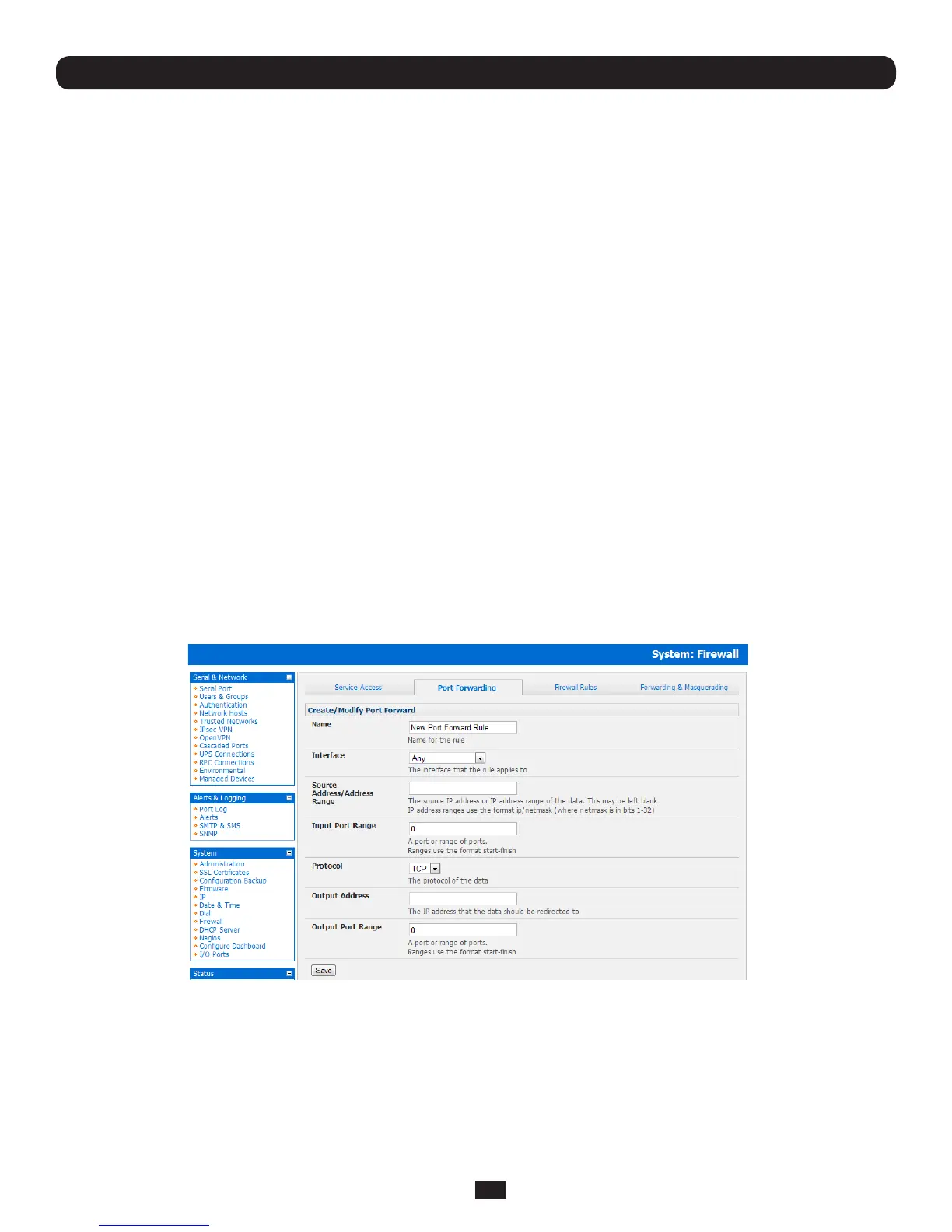
• NavigatetotheSystem: Firewallpage,andclickonthePort Forwarding tab
• ClickAdd New Port Forward
• Fillinthefollowingelds:
Name: Namefortheportforward.Thisshoulddescribethetargetandtheservicethattheportforwardisusedto
access
Input Interface: Thisallowstheusertoonlyforwardtheportfromaspecicinterface.Inmostcases,thisshouldbeleft
as"Any"
Source Address/
Address Range: This allows the user to restrict access to a port forward to a specific source IP address or IP address
rangeofthedata.Thismaybeleftblank.IPaddressrangesusetheformatip/netmask(wherenetmaskis
inbits1-32).
Input Port Range: TherangeofportstoforwardtothedestinationIP.Thesewillbetheport(s)speciedwhenaccessingthe
port forward. These ports need not be the same as the output port range.
Protocol: Theprotocolofthedatabeingforwarded.TheoptionsareTCPorUDP
Output Address: The target of the port forward. This is an address on the internal network where packets sent to the Input
Interface on the input port range are sent.
Output Port Range: TheportorportsthatthepacketswillberedirectedtoontheOutputAddress.
Chapter 5: Firewall, Failover and Out-of-Band
Forexample,toforwardport8443toaninternalHTTPSserveron192.168.10.2,thefollowingsettingswouldbeused:
Input Interface: Any
Input Port Range: 8443
Protocol: TCP
Output Address: 192.168.10.2
Output Port Range: 443



 To Next Page