29
3.5 Communications Software
YouneedtoconguretheaccessprotocolsthatthecommunicationssoftwareontheAdministratorandUserComputerwill
usewhenconnectingtotheConsoleServer(andwhenconnectingtoserialdevicesandnetworkhostswhichareattachedto
theConsoleServer).
This section provides an overview of the communications software tools that can be used on the remote computer. Tripp Lite
recommends the SDT Connector softwaretoolthatisprovidedwiththeConsoleServer;however,generictoolssuchasPuTTY
and SSHTerm may also be used.
3.5.1 SDT Connector
We recommend using the SDT Connector communications software for all communications with Console Servers. Each
Console Server is supplied with an unlimited number of SDT Connector licenses to use with that Console Server.
SDT ConnectorisalightweighttoolthatenablesUsersandAdministratorstosecurelyaccesstheConsoleServer,andthe
variouscomputers,networkdevicesandappliancesthatmaybeseriallyornetwork-connectedtotheConsoleServer.SDT
ConnectorcanbeinstalledonWindows2000,XP,2003,VistaandonmostLinux,UNIXandSolariscomputersasdetailedin
Chapter 6.
3.5.2 PuTTY
Communications packages like PuTTYcanbealsousedtoconnecttotheConsoleServercommandline(andtoconnectto
serially attached devices as covered in Chapter 4).PuTTYisafreewareimplementationofTelnetandSSHforWin32andUNIX
platforms. It runs as an executable application without needing to be installed onto your system. PuTTY(theTelnetandSSH
clientitself)canbedownloadedathttp://www.tucows.com/preview/195286.html
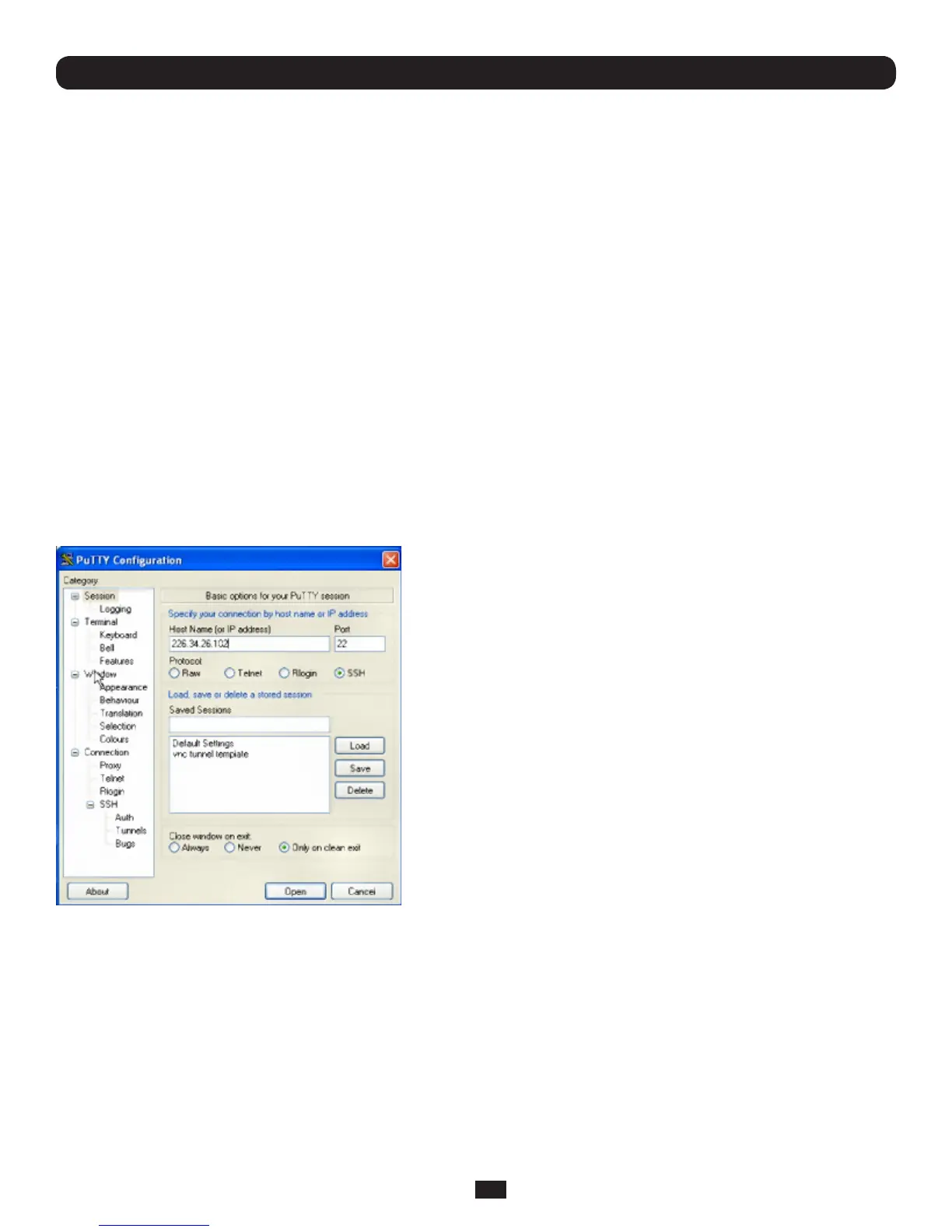
• TousePuTTYforanSSHterminalsessionfromaWindowsclient,
entertheConsoleServer’sIPaddressasthe‘HostName(orIP
address)’
• ToaccesstheConsoleServercommandline,select‘SSH’asthe
protocol and use the default IP Port 22
• Click‘Open’andtheConsoleServerloginpromptwillappear.(You
mayalsoreceivea‘SecurityAlert’thatthehost’skeyisnot
cached.Choose‘yes’tocontinue.)
• UsingtheTelnetprotocolissimilarlysimple,butyouneedtouse
the default port 23
Chapter 3: Initial System Configuration



 To Next Page