80
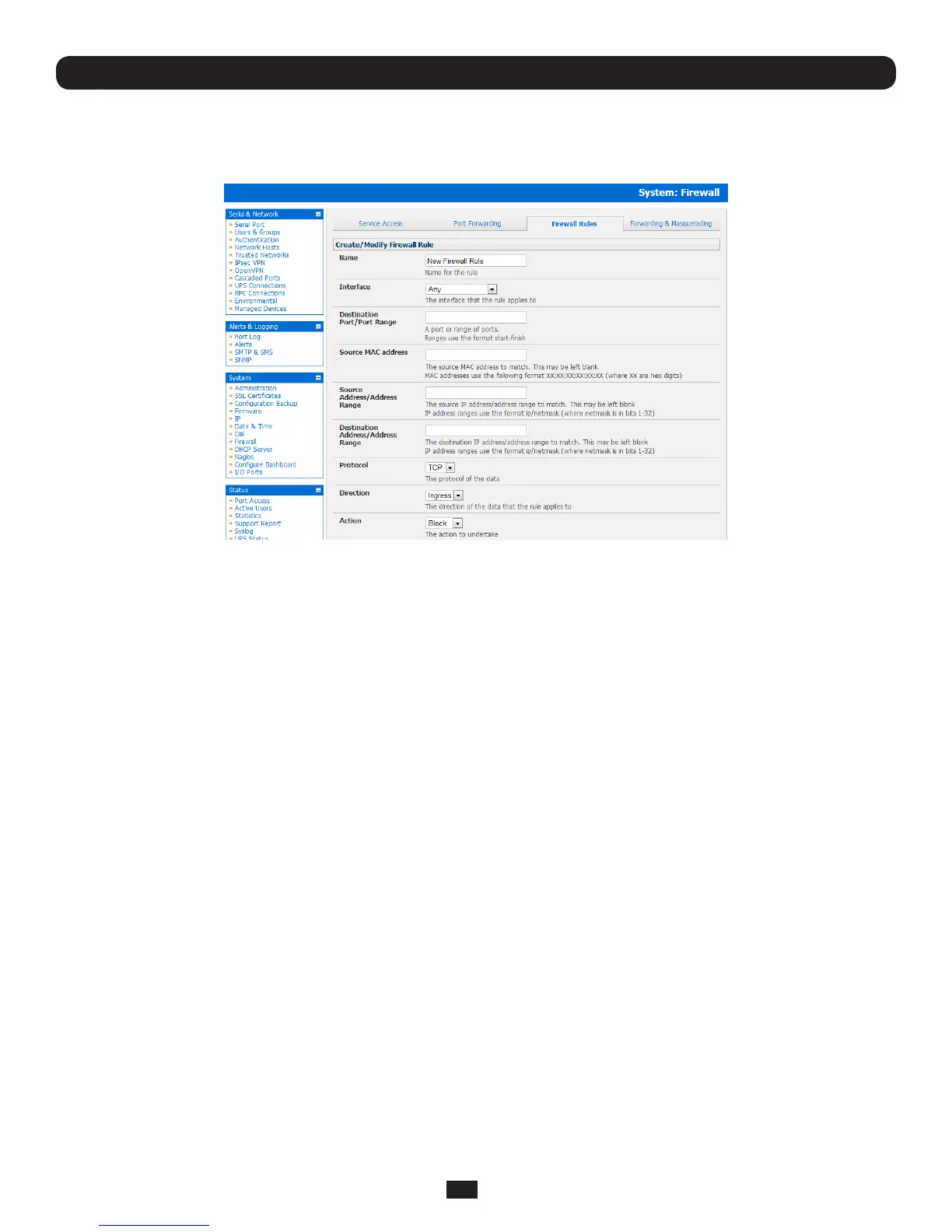
5.5.4 Firewall Rules
Firewallrulescanbeusedtoblockorallowtrafcthroughaninterfacebasedonportnumber,direction(ingressoregress)and
protocol.Thiscanbeusedtoallowcustomonboxservices,orblocktrafcbasedonpolicy.
Chapter 5: Firewall, Failover and Out-of-Band
To setup a firewall rule:
• NavigatetotheSystem: Firewall page,andclickonthe Firewall Rules tab
• ClickAdd New Firewall Rule
• Fillinthefollowingelds:
Name: Nametherewallrule.Thisnameshoulddescribethepolicytheportruleisbeingusedtoimplement
(e.g.block ftp)
Interface: Selecttheinterfacethattherewallrulewillbeappliedto(i.e.Any, Dialout/Cellular, VPN, Network
Interface, Dial-in etc)
Port Range: Specifytheportorrangeofports(e.g.1000–1500)thattherulewillapplyto.ThismaybeleftblankforAny
Source MAC
address: Specify the source MAC address to be matched. This may be left blank for any. MAC addresses use the
formatXX:XX:XX:XX:XX:XX,whereXXarehexdigits
Source Address
Range: SpecifythesourceIPaddress(oraddressrange)tomatch.IPaddressrangesusetheformatip/netmask
(wherenetmaskisinbits1-32).ThismaybeleftblankforAny
Destination Range: Specify the destination IP address/address range to match. IP address ranges use the format ip/netmask
(wherenetmaskisinbits1-32).Thismaybeleftblank.
Protocol: SelectiftherewallrulewillapplytoTCPorUDP
Direction: Selectthetrafcdirectionthattherewallrulewillapplyto(Ingress = incoming or Egress)
Action: Selecttheaction(Accept or Block)thatwillbeappliedtothepacketsdetectedthatmatchtheInterface+
PortRange+Source/destinationAddressRange+Protocol+Direction
Forexample,toblockSSHtrafcfromleavingDialoutInterface,thefollowingsettingscanbeused:
Interface: Dialout
Port Range: 22
Protocol: TCP
Direction: Egress
Action: Block



 To Next Page