34
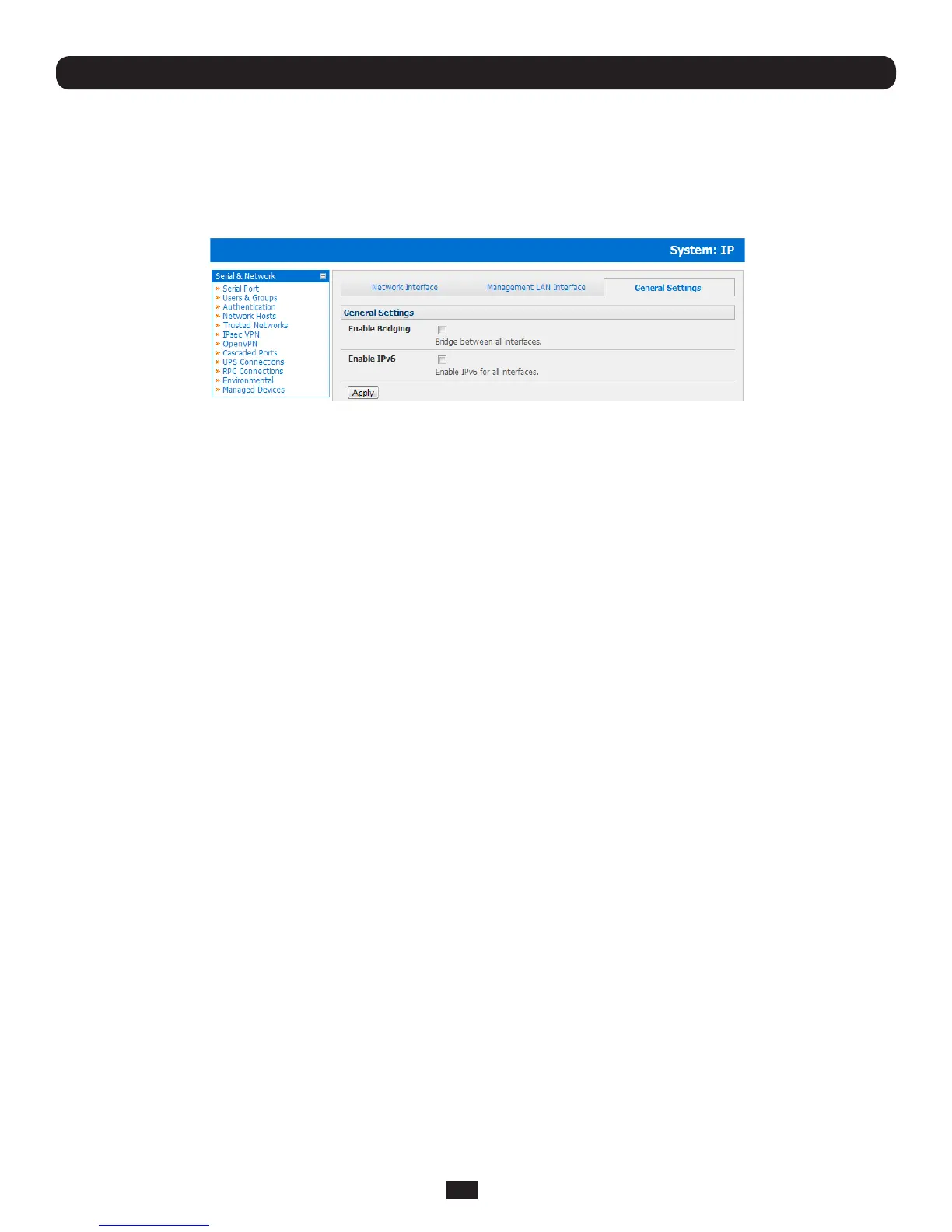
3.6.4 Bridging the network ports
BydefaulttheB096-048/016ConsoleServer'sManagementLANnetworkportcanonlybeaccessedusingSSHtunneling/
portforwardingorbyestablishinganIPsecVPNtunneltotheConsoleServer.
However the network ports on the Console Servers can be bridged.
• SelectEnable Bridging on the System: IP General Settings menu
With bridging enabled:
• theEthernetportsaretransparentlyinterconnectedatthedatalinklayer(layer2)
• theEthernetportsareconguredcollectivelyusingtheNetwork Interface menu
• networktrafcisforwardedbetweenallEthernetportswithnorewallrestrictions
• the Management LAN Interface and Out-of-Band/Failover Interface functions are removed and the DHCP Server is
disabled
Analternatetobridgingistousetherewall/routingfunctions(packetltering,portforwarding,masquerading)functions
detailedinchapter5.ThiscanproviderewalledremoteIPaccesstodevicesontheManagementLAN.
3.6.5 Wireless LAN
ConsoleServerscanbettedexternallywithanexternal802.11wirelessUSBdongle.Thewirelessdevicewillthenbeauto-
detected on power up and you will be presented with a Wireless LAN Interface menu in the System: IP menu
• ThewirelessLANisdeactivatedbydefaultsotoactivateitrstuncheckDisable
ToconguretheIPsettingsofthewirelessLAN:
• SelectDHCPorStaticfortheCongurationMethod
o If you selected Static then manually enter the new IP Address, Subnet Mask, Gateway and DNS server details.
ThisselectionautomaticallydisablestheDHCPclient
o If you selected DHCPtheConsoleServerwilllookforcongurationdetailsfromaDHCPserveronyour
managementLAN.Thisselectionautomaticallydisablesanystaticaddress.TheConsoleServerMACaddresscan
be found on a label on the base plate
• ThewirelessLANwhenenabledwilloperateasthemainnetworkconnectiontotheconsole server so failover is available
(thoughitnotenabledbydefault).UseFailover Interface to select the device to failover to in case of wireless outage
and specify Probe Addresses of the peers to probed for connectivity detection
• ConguretheWirelessClienttoselectthelocalwirelessnetworkwhichwillserveasthemainnetworkconnectiontothe
Console Server.
o Enter the appropriate SSID(SetServiceIdentier)ofthewirelessaccesspointtoconnectto
o Select the Wireless Network Type where Infrastructure is used to connect to an access point and Ad-hoc to
connect directly to a computer
o Select the Wireless Securitymodeofthewirelessnetwork(WEP,WPAetc)andentertherequired
Key/ Authentication/ Encryption settings
Note: The Wireless screen in Status: Statistics will display all the locally accessible wireless LANs (with SSID and Encryption/
Authentication settings). You can also use this screen to confirm you have successfully connected to the selected access point.
Chapter 3: Initial System Configuration



 To Next Page