85
6.2.2 Configuring a new gateway in the SDT Connector client
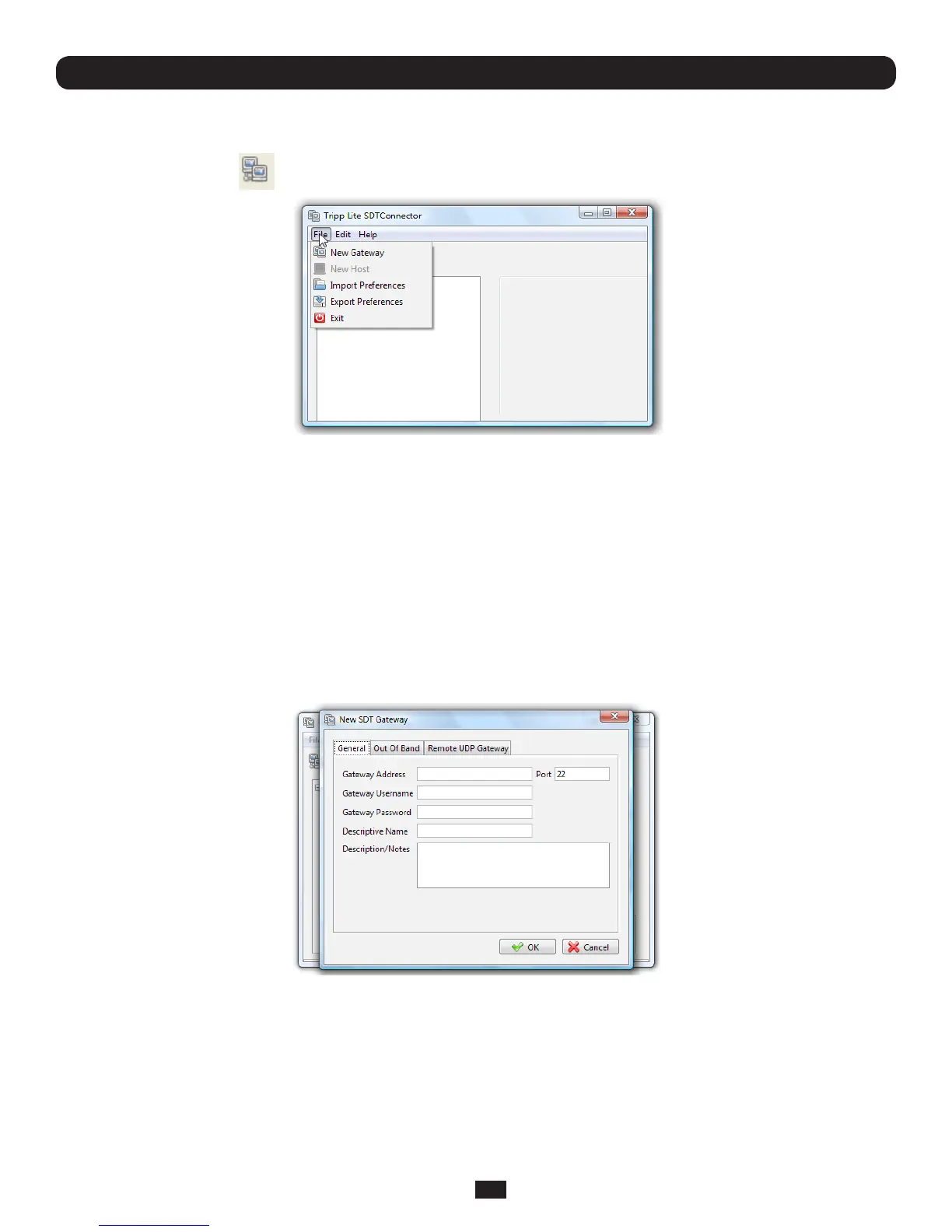
To create a secure SSH tunnel to a new Console Server:
• ClicktheNewGateway icon or select the File: New Gateway menu option
• EntertheIPorDNSAddressoftheConsoleServerandtheSSHportthatwillbeused(typically22)
Note: If SDT Connector is connecting to a remote Console Server through the public Internet or routed network, you will need to:
• Determine the public IP address of the Console Server (or of the router/ firewall that connects the Console Server to the
Internet) as assigned by the ISP. One way to find the public IP address is to access http://checkip.dyndns.org/ or http://
www.whatismyip.com/ from a computer on the same network as the Console Server and note the reported IP address
• Set port forwarding for TCP port 22 through any firewall/NAT/router that is located between SDT Connector and the
Console Server so that it points to the Console Server. http://www.portforward.com has port forwarding instructions for a
range of routers. Also you can use the Open Port Check tool from http://www.canyouseeme.org to check if port forwarding
through local firewall/NAT/router devices has been properly configured
• EntertheUsername and Password of a user on the gateway that has been enabled to connect via SSH and/or create
SSH port redirections
• Optionally,youcanenteraDescriptive NametodisplayinsteadoftheIPorDNSaddress,andanyNotes or
a Descriptionofthisgateway(suchasitsrmwareversion,sitelocationoranythingspecialaboutitsnetwork
conguration).
• ClickOK and an icon for the new gateway will now appear in the SDT Connector home page
Note: For an SDT Connector user to access a Console Server (and then access specific hosts or serial devices connected to
that Console Server), that user must first be set up on the Console Server, and must be authorized to access the specific ports
/ hosts (refer to Chapter 5). Only these permitted services will be forwarded through by SDT to the Host. All other services
(TCP/UDP ports) will be blocked.
Chapter 6: Secure SSH Tunneling & SDT Connector



 To Next Page