35
Chapter 3: Initial System Configuration
TheConsoleServerenablesaccessandcontrolofserially-attacheddevicesandnetwork-attacheddevices(hosts).The
Administratormustcongureaccessprivilegesforeachofthesedevices,andspecifytheservicesthatcanbeusedtocontrol
thedevices.TheAdministratorcanalsosetupnewusersandspecifyeachuser’sindividualaccessandcontrolprivileges.
This chapter covers each of the steps in configuring hosts and serially attached devices:
• Configure Serial Ports–settinguptheprotocolstobeusedinaccessingserially-connecteddevices
• Users & Groups – setting up users and defining the access permissions for each of these users
• Authentication – this is covered in more detail in Chapter 9
• Network Hosts –conguringaccesstolocalnetworkconnectedcomputersorappliances(hosts)
• Configuring Trusted Networks-nominatespecicIPaddressesthattrustedusersaccessfrom
• Cascading and Redirection of Serial Console Ports
• Connecting to Power (UPS PDU and IPMI) and Environmental Monitoring (EMD) devices
• Serial Port Redirection – using the VirtualPort windows and Linux clients
• Managed Devices-presentsaconsolidatedviewofalltheconnections
• IPSec–enablingIPSecVPNconnection
• OpenVPN-enablingIPSecOpenVPNconnection
• PPTP – setting up point to point connection
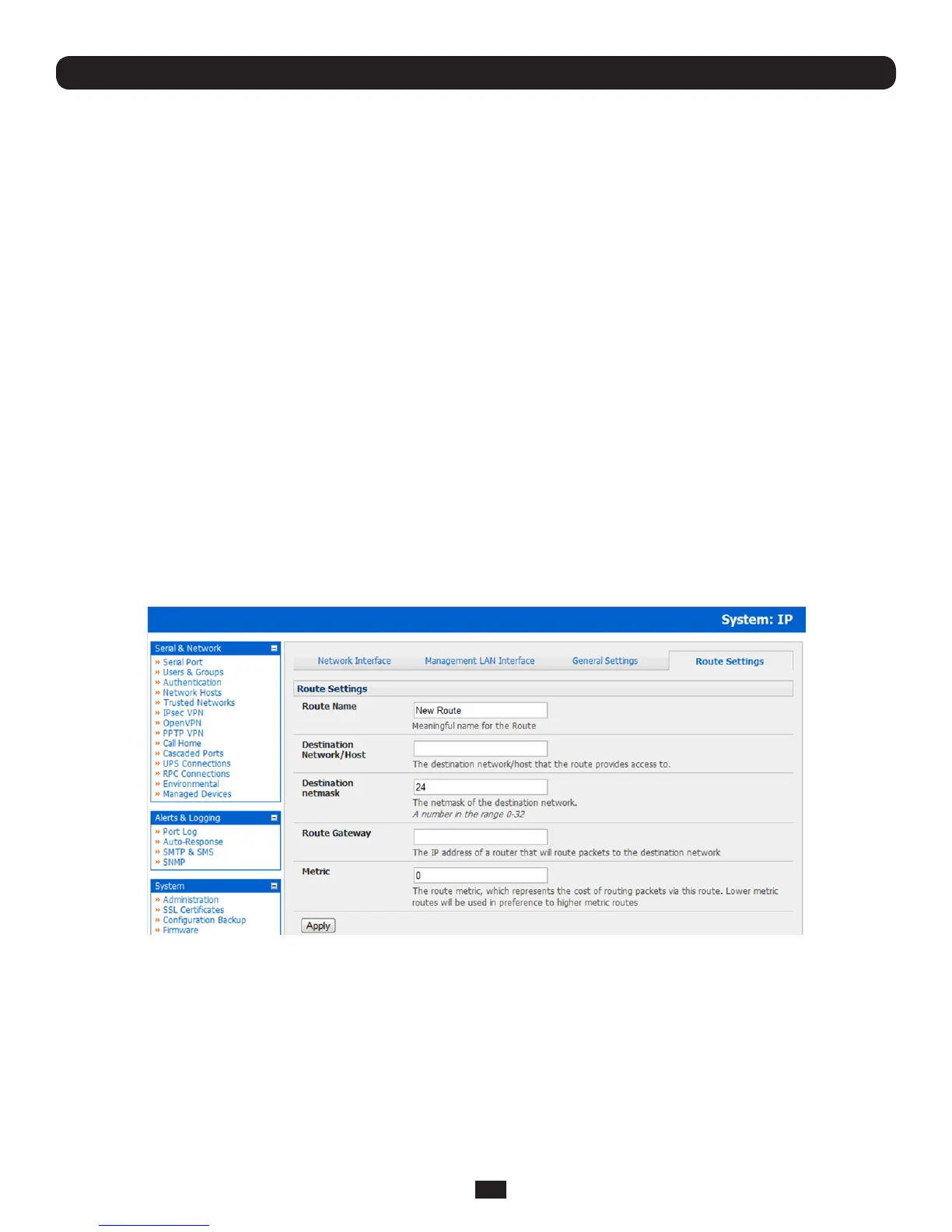
3.6.6 Static routes
Firmware3.4andlatersupportstaticrouteswhichprovideaveryquickwaytoroutedatafromonesubnettoanother.You
can hard code a path that specifies to the console server/router which path to take to get to a particular subnet. This may be
usefulforremotelyaccessingvarioussubnetsataremotesitewhenusingthecellularOoBconnection.
To add to the static route to the route table of the system:
• SelecttheRoute Settings tab on the System: IP General Settings menu
• EnterameaningfulRoute Name for the route
• IntheDestination Network/Hosteld,entertheIPaddressofthedestinationnetwork/hostthattherouteprovidesaccessto
• EnteravalueintheDestination netmaskeldthatidentiesthedestinationnetworkorhost.Useanynumberbetween
0 and 32. A subnet mask of 32 identifies a host route.
• IntheRoute Gatewayeld,entertheIPaddressofarouterthatwillroutepacketstothedestinationnetwork
• EnteravalueintheMetric field that represents the metric of this connection. This generally only has to be set if two or
moreroutesconictorhaveoverlappingtargets.Useanynumberequaltoorgreaterthan0
• ClickApply



 To Next Page