239
Chapter 16: Thin Client
16.1.3 Connect: VNC
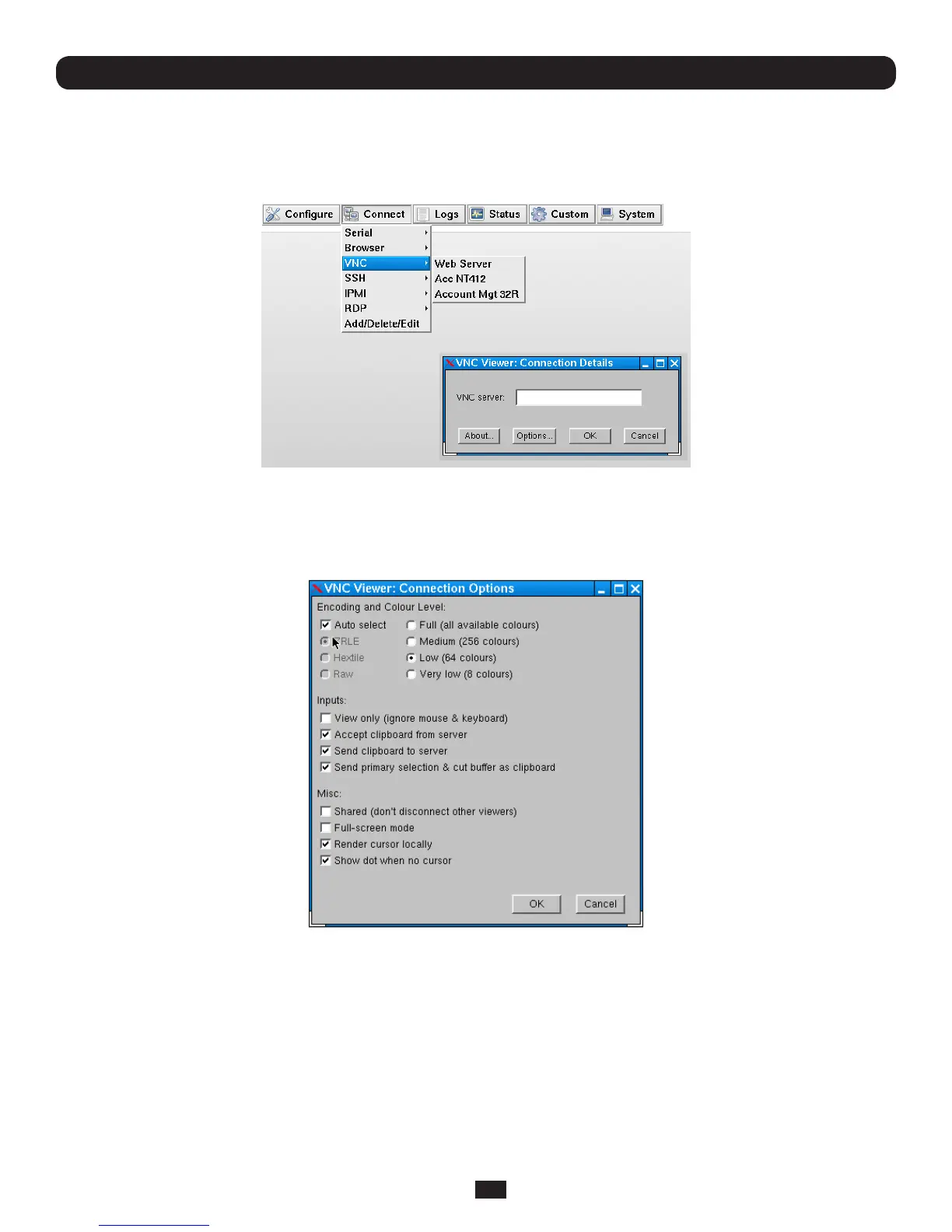
• SelectConnect: VNConthecontrolpanelandclickontheVNCserverHosttobeaccessed
• TheVNCViewerclientinyourB092-016willbestartedandaVNCconnectionwindowtotheselectedserverwillbe
opened
• IftheHostNamewasleftblankwhentheVNCserverconnectionwascongured,thentheVNCViewerwillstartwitha
requestfortheVNCserver.
• SelectingOptionsatthisstageenablesyoutoconguretheVNCViewer
• Alternately,youcanselectOptionsbyright-clickingontheVNCViewertaskBaricon
You can find more details on configuration options in http://www.realvnc.com/products/free/4.1/man/vncviewer.html



 To Next Page