66
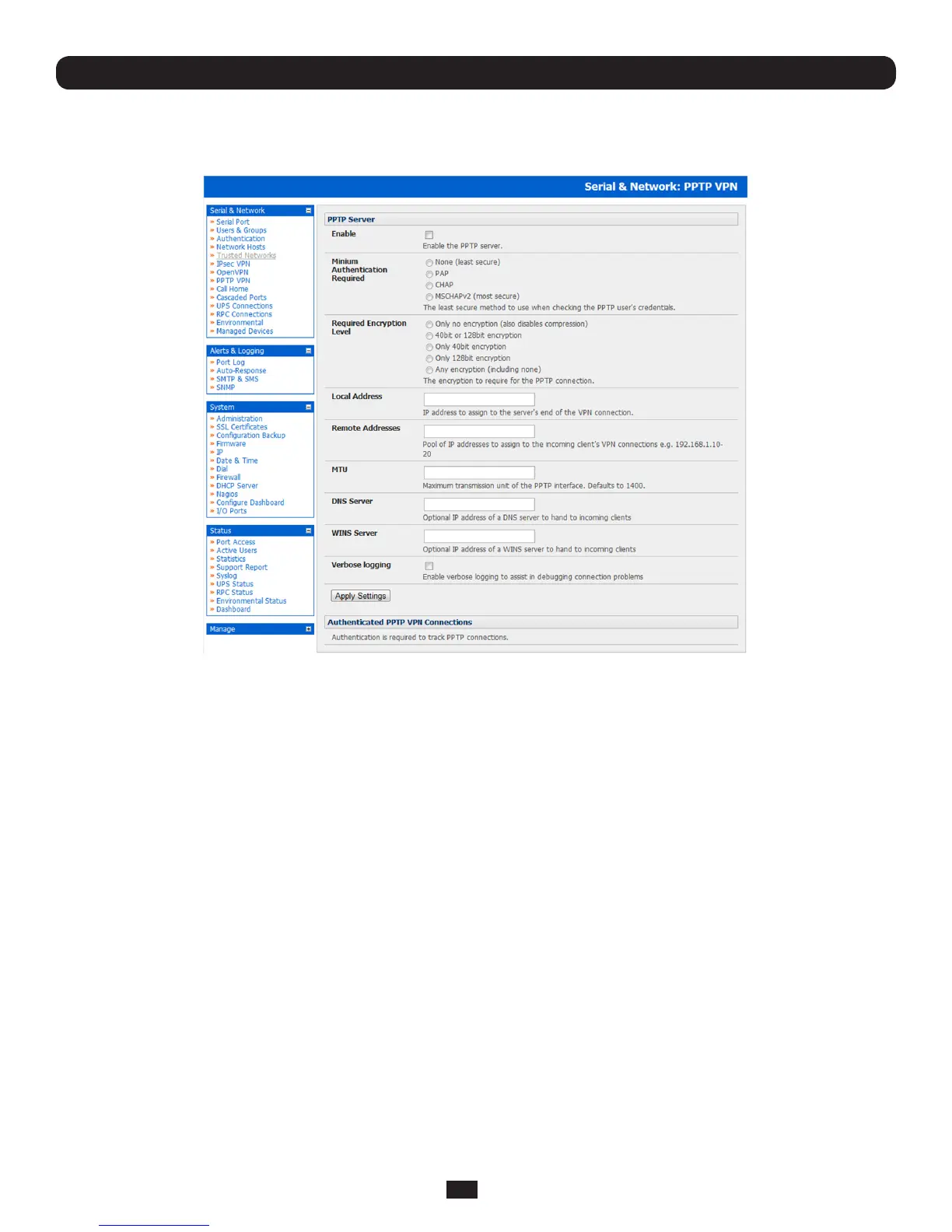
4.11.1 Enable the PPTP VPN server
• SelectPPTP VPN on the Serial & Networks menu
• SelecttheEnable check box to enable the PPTP Server
• SelecttheMinimum Authentication Required. Access is denied to remote users attempting to connect using an
authenticationschemeweakerthantheselectedscheme.Theschemesaredescribedbelow,fromstrongesttoweakest.
o Encrypted Authentication (MS-CHAP v2): The strongest type of authentication to use; this is the recommended option
o Weakly Encrypted Authentication (CHAP): This is the weakest type of encrypted password authentication to use.
It is not recommended that clients connect using this as it provides very little password protection. Also note that
clients connecting using CHAP are unable to encrypt traffic
o Unencrypted Authentication (PAP): This is plain text password authentication. When using this type of
authentication,theclientpasswordistransmittedunencrypted.
o None
• SelecttheRequired Encryption Level. Access is denied to remote users attempting to connect not using this encryption
level.Strong40bitor128bitencryptionisrecommended
• InLocal Address,enterIPaddresstoassigntotheserver'sendoftheVPNconnection
• InRemote Addresses,enterthepoolofIPaddressestoassigntotheincomingclient'sVPNconnections(e.g.
192.168.1.10-20).ThismustbeafreeIPaddress(orarangeoffreeIPaddresses),fromthenetwork(typicallytheLAN)
that remote users are assigned while connected to the appliance
• EnterthedesiredvalueoftheMaximumTransmissionUnit(MTU)forthePPTPinterfacesintotheMTUeld(defaultsto1400)
• IntheDNS Servereld,entertheIPaddressoftheDNSserverthatassignsIPaddressestoconnectingPPTPclients
• IntheWINS Servereld,entertheIPaddressoftheWINSserverthatassignsIPaddressestoconnectingPPTPclient
• EnableVerbose Logging to assist in debugging connection problems
• ClickApply Settings
Chapter 4: Serial Port, Device and User Configuration



 To Next Page