86
6.2.3 Auto-configure SDT Connector client with the user’s access privileges
Each user on the Console Server has an access profile. This has been configured with the specific connected hosts and serial
portdevicestheuserhasauthoritytoaccess,andaspecicsetoftheenabledservicesforeachofthem.Thisconguration
canbeauto-uploadedintotheSDTConnectorclient:
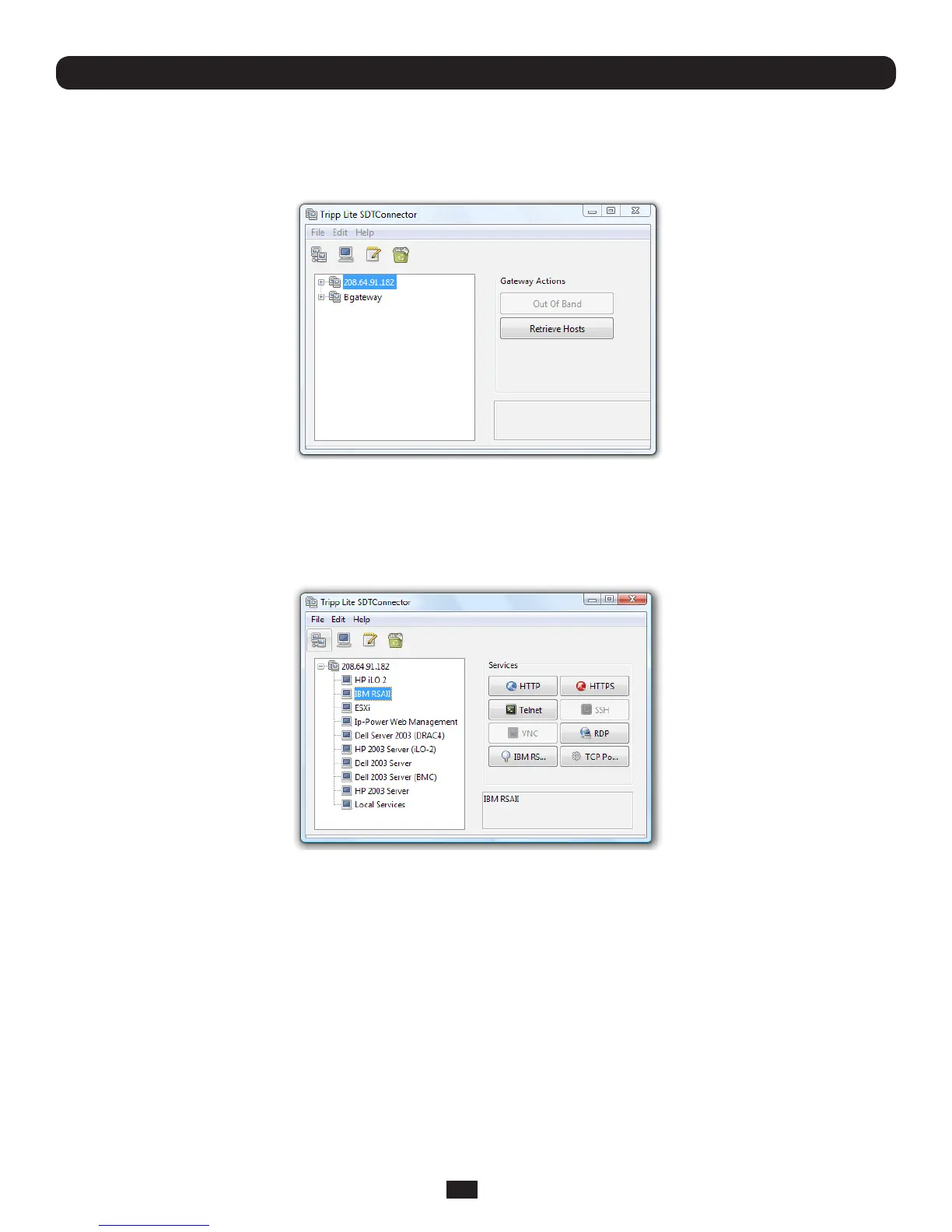
• Clickonthenewgatewayiconandselect Retrieve Hosts. This will:
o congureaccesstonetwork-connectedHoststhattheuserisauthorizedtoaccessandsetup(foreachofthese
Hosts)theservices(e.g.HTTPS,IPMI2.0)andtherelatedIPportsbeingredirected
o congureaccesstotheConsoleServeritself(thisisshownasaLocal Serviceshost)
o configure access with the enabled services for the serial port devices connected to the Console Server
Note: The Retrieve Hosts function will auto-configure all classes of user (i.e. they can be members of user or admin or some
other group or no group). SDT Connector will, however, not auto-configure the root (and it is recommended that this account
is only used for initial config and for adding an initial admin account to the Console Server)
Chapter 6: Secure SSH Tunneling & SDT Connector



 To Next Page