46
4.3 Authentication
Refer to Chapter 9.1 - Remote Authentication Configuration for authentication configuration details
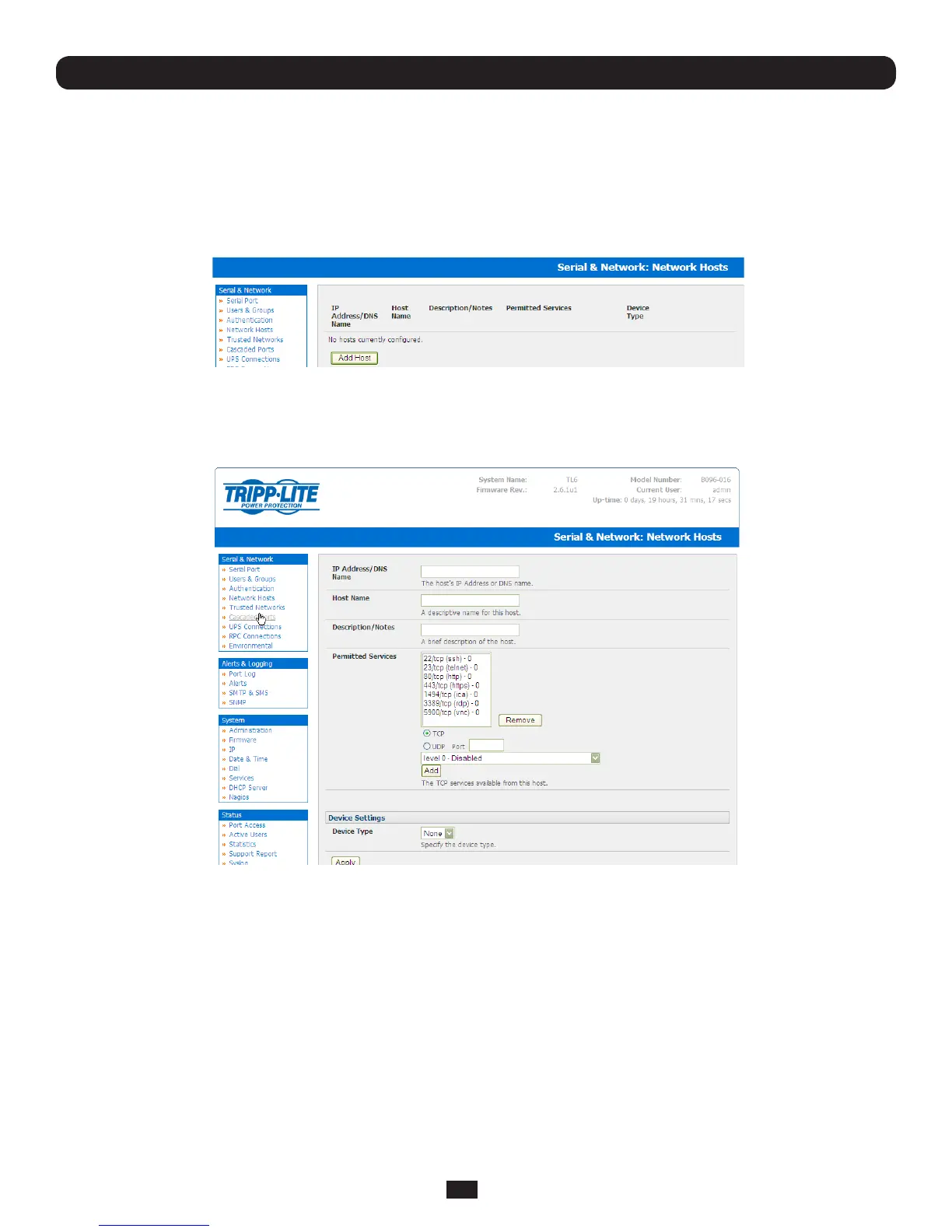
4.4 Network Hosts
Toaccessalocallynetworkedcomputerordevice(referredtoasaHost)youmustidentifytheHostandspecifytheTCPor
UDPports/servicesthatwillbeusedtocontrolthatHost:
• SelectingSerial & Network: Network Hosts presents all the network connected Hosts that have been enabled for
access,andtherelatedaccessTCPports/services
• ClickAdd HosttoenableaccesstoanewHost(orselectEdittoupdatethesettingsforexistingHost)
Chapter 4: Serial Port, Device and User Configuration
• EntertheIP Address or DNS Name and a Host Name(upto254alphanumericcharacters)forthenewnetwork
connectedHost(andoptionallyenteraDescription-uptocharacters)
• AddoreditthePermitted Services(orTCP/UDPportnumbers)thatareauthorizedtobeusedincontrollingthishost.Only
these permitted serviceswillbeforwardedthroughbySDTtotheHost.Allotherservices(TCP/UDPports)willbeblocked.
• The Logging LevelspeciesthelevelofinformationtobeloggedandmonitoredforeachHostaccess(referChapter 7 -
Alerts and Logging)
• IftheHostisanetworkedserverwithIPMIpowercontrol,thenspecifyRPC(forIPMIandPDU)orUPS and the Device
Type. The Administrator can then configure these devices and enable which users have permissions to remotely cycle
poweretc(referChapter 8).OtherwiseleavetheDeviceTypesettoNone
• IftheConsoleServerhasbeenconguredwithdistributedNagiosmonitoringenabledthenyouwillalsobepresentedwith
Nagios SettingsoptionstoenablenominatedservicesontheHosttobemonitored(refer Chapter 10 – Nagios Integration)
• ClickApply.ThiswillcreatethenewHostandalsocreateanewManagedDevice(withthesamename)



 To Next Page