45
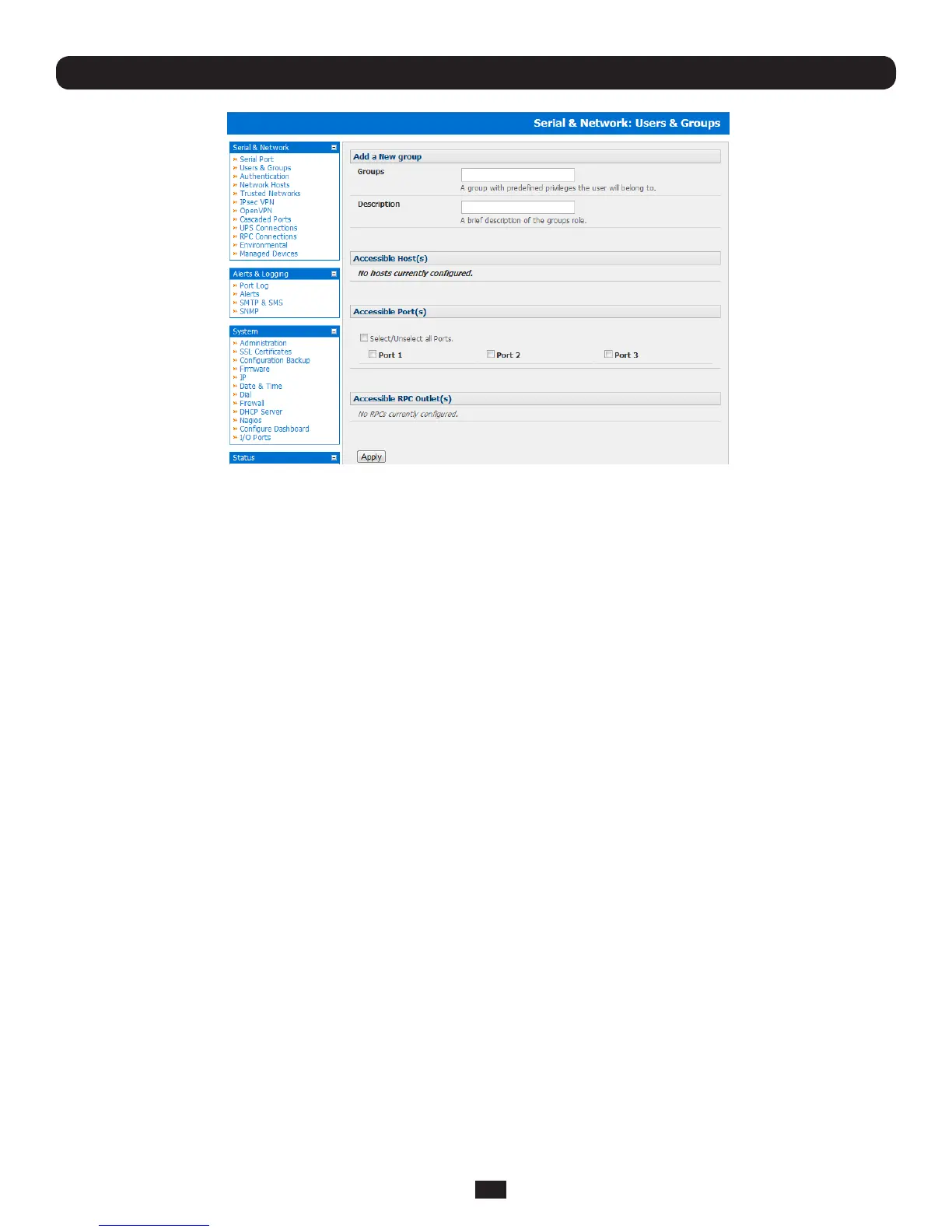
• AddaGroup name and DescriptionforeachnewGroup,thennominatetheAccessible Hosts, Accessible Ports and
Accessible RPC Outlets(s) that you wish any users in this new Group to be able to access
• ClickApply
• ClickAdd User to add a new user
• AddaUsername and a confirmed Passwordforeachnewuser.Youmayalsoincludeinformationrelatedtotheuser(e.g.
contactdetails)intheDescription field
Note: The User Name can contain from 1 to 127 alphanumeric characters (however you can also use the special characters
"-" "_" and "." ). There are no restrictions on the characters that can be used in the user Password (which each can contain
up to 254 characters). However, only the first eight Password characters are used to make the password hash.
• SpecifywhichGroup(orGroups)youwishtheusertobeamemberof
• CheckspecicAccessible Hosts and/or Accessible Ports to nominate the serial ports and network connected hosts you
wish the user to have access privileges to
• IfthereareconguredRPCsyoucancheckAccessible RPC Outlets to specify which outlets the user is able to control
(i.e.PowerOn/Off)
• ClickApply.ThenewuserwillnowbeabletoaccesstheNetworkDevices,PortsandRPCOutletsyounominatedas
accessibleplus,iftheuserisaGroupmembertheycanalsoaccessanyotherdevice/port/outletthatwassetupas
accessible to the Group
Note: There are no specific limits on the number of users you can set up; nor on the number of users per serial port or host.
So multiple users (Users and Administrators) can control /monitor the one port or host. Similarly there are no specific limits
on the number of Groups and each user can be a member of a number of Groups (in which case they take on the cumulative
access privileges of each of those Groups). A user does not have to be a member of any Groups (but if the User is not even a
member of the default user group then they will not be able to use the Management Console to manage ports).
Howeverwhiletherearenospeciclimitsthetimetore-conguredoesincreaseasthenumberandcomplexityincreasesso
werecommendtheaggregatenumberifusersandgroupsbekeptunder250(1000forB092-016)
The Administrator can also edit the access settings for any existing users:
• SelectSerial&Network:Users&GroupsandclickEditfortheUsertobemodied
Note: For more information on enabling the SDT Connector so each user has secure tunneled remote RPD/VNC/Telnet/HHTP/
HTTPS/SoL access to the network connected hosts refer Chapter 6.
Chapter 4: Serial Port, Device and User Configuration



 To Next Page