153
Chapter 10: Nagios Integration
10.3.1 Enable Nagios on the Console Server
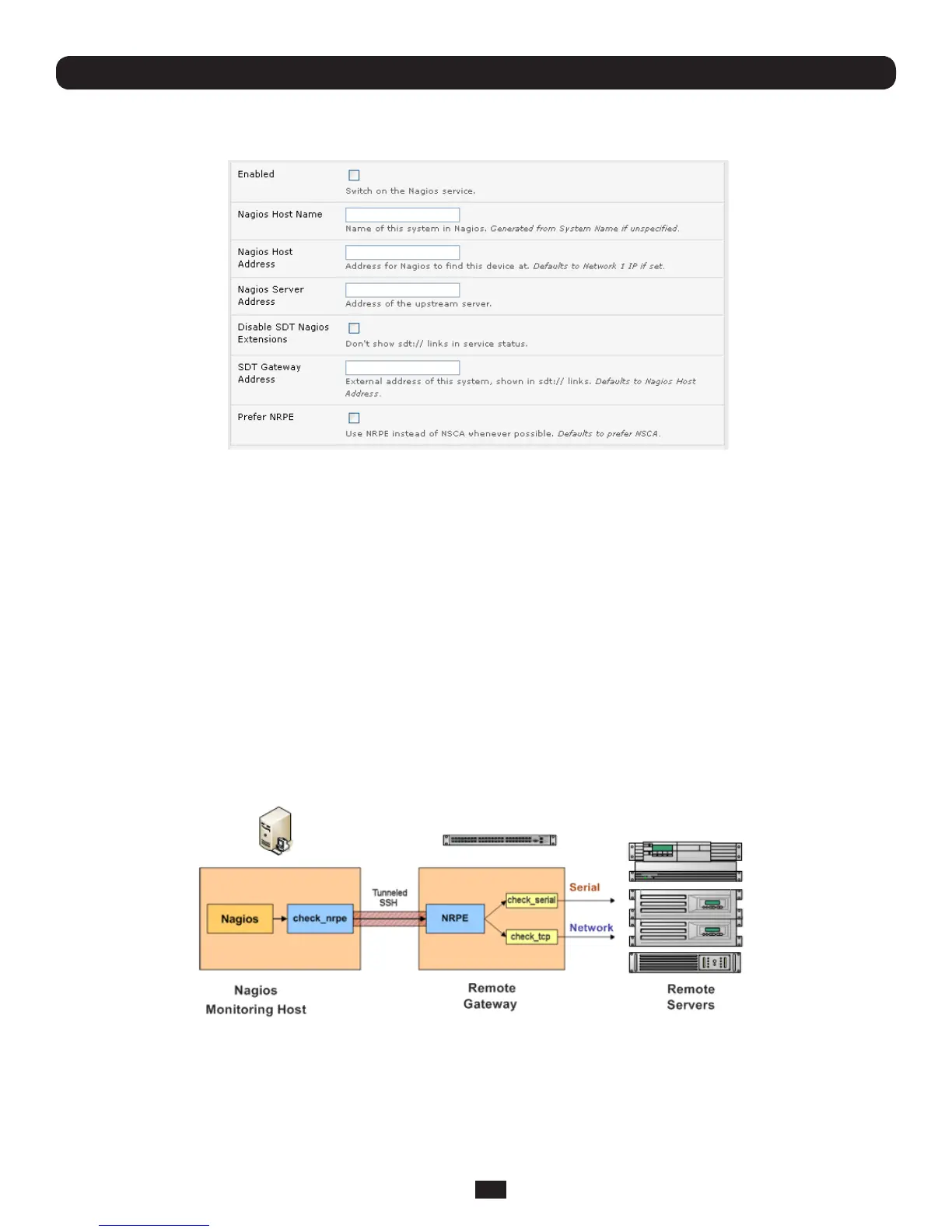
• SelectSystem: NagiosontheConsoleServerManagementConsoleandticktheNagiosserviceEnabled
• EntertheNagios Host NamethattheConsoleServerwillbereferredtointheNagioscentralserver–thiswillbe
generatedfromlocalSystemName(enteredinSystem: Administration)ifunspecied
• In Nagios Host Address,entertheIPaddressorDNSnamethattheupstreamNagiosserverwillusetoreachthe
ConsoleServer–ifunspeciedthiswilldefaulttotherstnetworkport’sIPasenteredinSystem: IP)
• InNagios Server Address,entertheIPaddressorDNSnamethattheConsoleServerwillusetoreachtheupstream
Nagiosmonitoringserver
• ChecktheDisable SDT Nagios ExtensionsoptionifyouwishtodisabletheSDTConnectorintegrationwithyourNagios
serverattheheadend–thiswouldonlybecheckedifyouwanttorunavanillaNagiosmonitoring
• Ifnot,entertheIPaddressorDNSnametheSDTNagiosclientswillusetoreachtheConsoleServerinSDT Gateway
Address
• WhenNRPEandNSCAarebothenabled,NSCAispreferredmethodforcommunicatingwiththeupstreamNagiosserver–
check Prefer NRPEtouseNRPEwheneverpossible(i.e.forallcommunicationexceptforalerts)
10.3.2 Enable NRPE monitoring
EnablingNRPEallowsyoutoexecuteplug-ins(suchascheck_tcp and check_ping)ontheremoteConsoleServertomonitor
serialornetworkattachedremoteservers.ThiswillofoadCPUloadfromtheupstreamNagiosmonitoringmachinewhichis
especiallyvaluableifyouaremonitoringhundredsorthousandsofhosts.ToenableNRPE:



 To Next Page