175
Chapter 13: Management
13.3.1.1 Web Terminal to Command Line
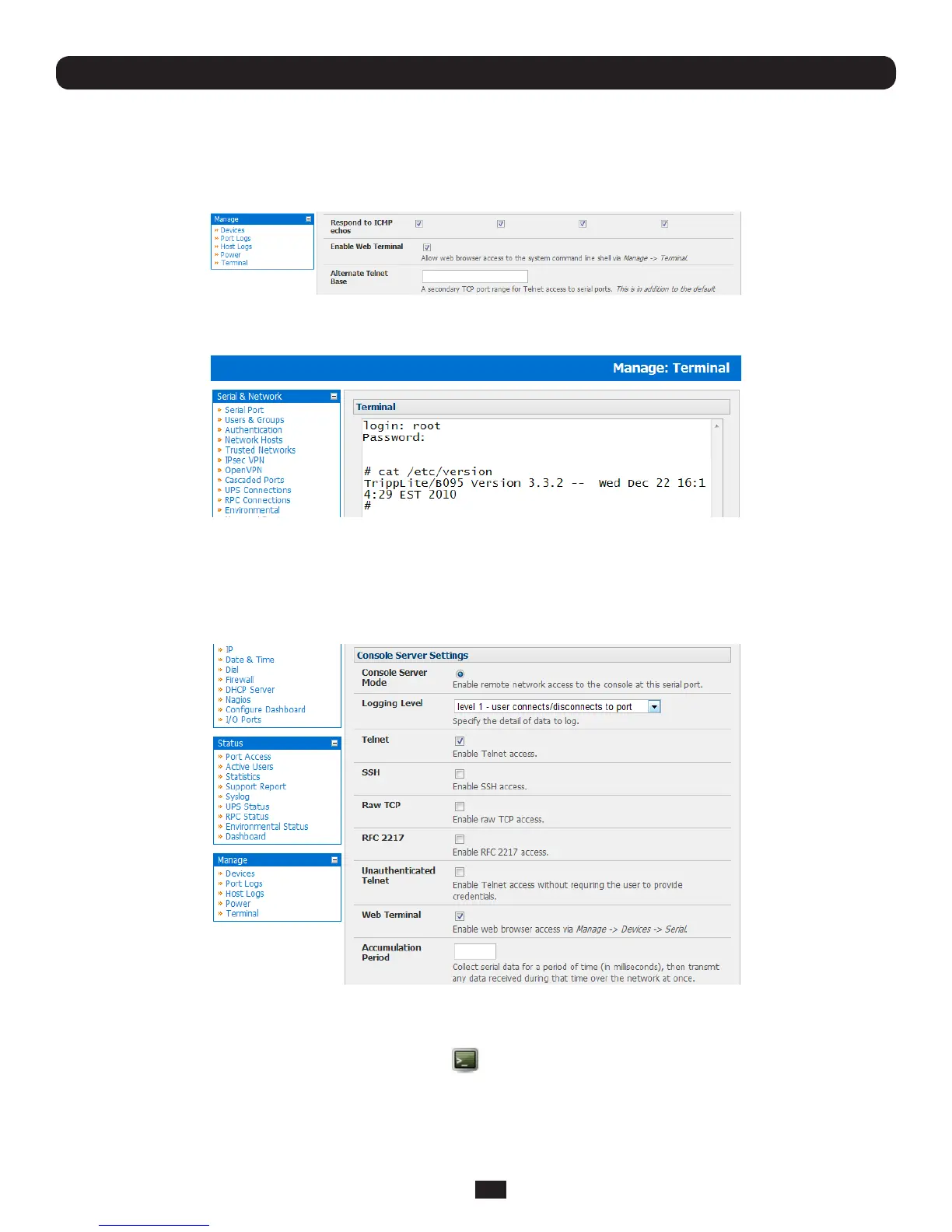
To enable the Web Terminal service for the console server
• SelectthetabintheSystem: Firewall menu
• CheckEnable Web Terminal and click Apply
Administrators can now communicate directly with the Console Server command line from their browser:
• SelectManage: Terminal to display the Web Terminal from which you can log in to the Console Server command line
13.3.1.2 Web Terminal to Serial Device
To enable the Web Terminal service for each serial port you want to access:
• SelectSerial & Network: Serial Port and click Edit. Ensure the serial port is in Console Server Mode
• CheckWeb Terminal and click Apply
AdministratorandUserscancommunicatedirectlywithserialportattacheddevicesfromtheirbrowser:
• SelecttheSerial tab on the Manage: Devices menu
• UndertheActioncolumn,clicktheWeb Terminal icon todisplaytheWebTerminal,connecteddirectlytothe
attached serial device



 To Next Page