52
4.7.2 Configure the VirtualPort client
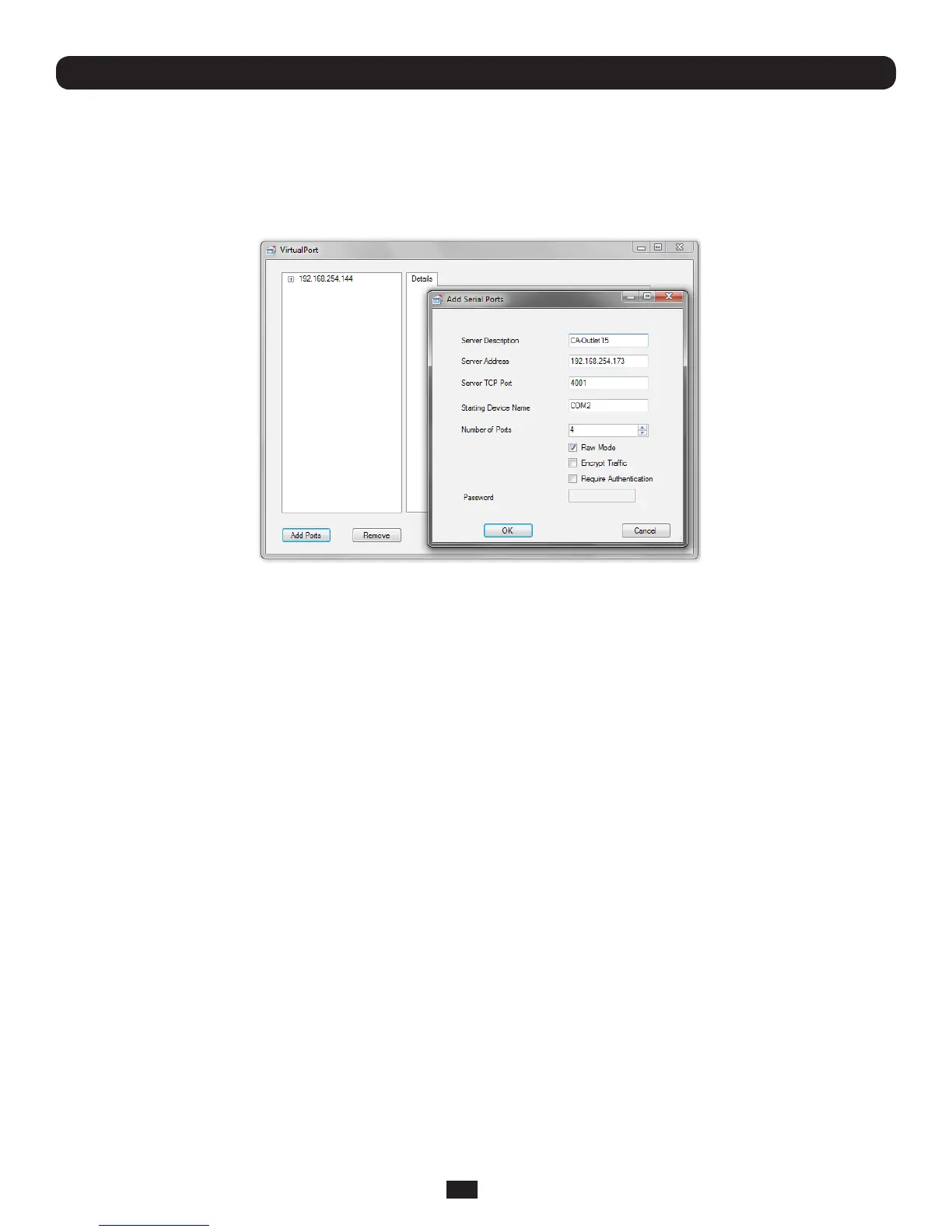
Creating the VirtualPort client connection will initiate a virtual serial port data redirection to the remote Console Server using
TCP/IP protocol
• ClickonAdd Ports
• Specifyanametoidentifythisconnectioninthe"ServerDescription"tab
• EntertheConsoleServer'sIPaddress(ornetworkname)
• Enterthe Server TCP Port number that matches the port you have configured for the serial device on the remote Console
Server. Ensure this port isn't blocked by firewall
o Telnet RFC2217 mode is configured by default so the range of port numbers available on a 16 port console server
wouldbe5001-5016
o Alternately check RAWmode(4001-4048ona48portconsoleserver)
o Select Encrypted to enable SSL/TLS encryption of the data going to the port. You will need to enter a Password
• SelectthestartingCOMport(COM1toCOM4096)
• Specifythenumberofportsyouwanttoadd.SequentialportnumberswillbeassignedautomaticallyhoweverifaCOM
port # is already being used by other applications that # will be skipped
• ClickOKtoaddthespeciedCOMports
Chapter 4: Serial Port, Device and User Configuration



 To Next Page