76
Chapter 5: Firewall, Failover and Out-of-Band
5.5 Firewall & Forwarding
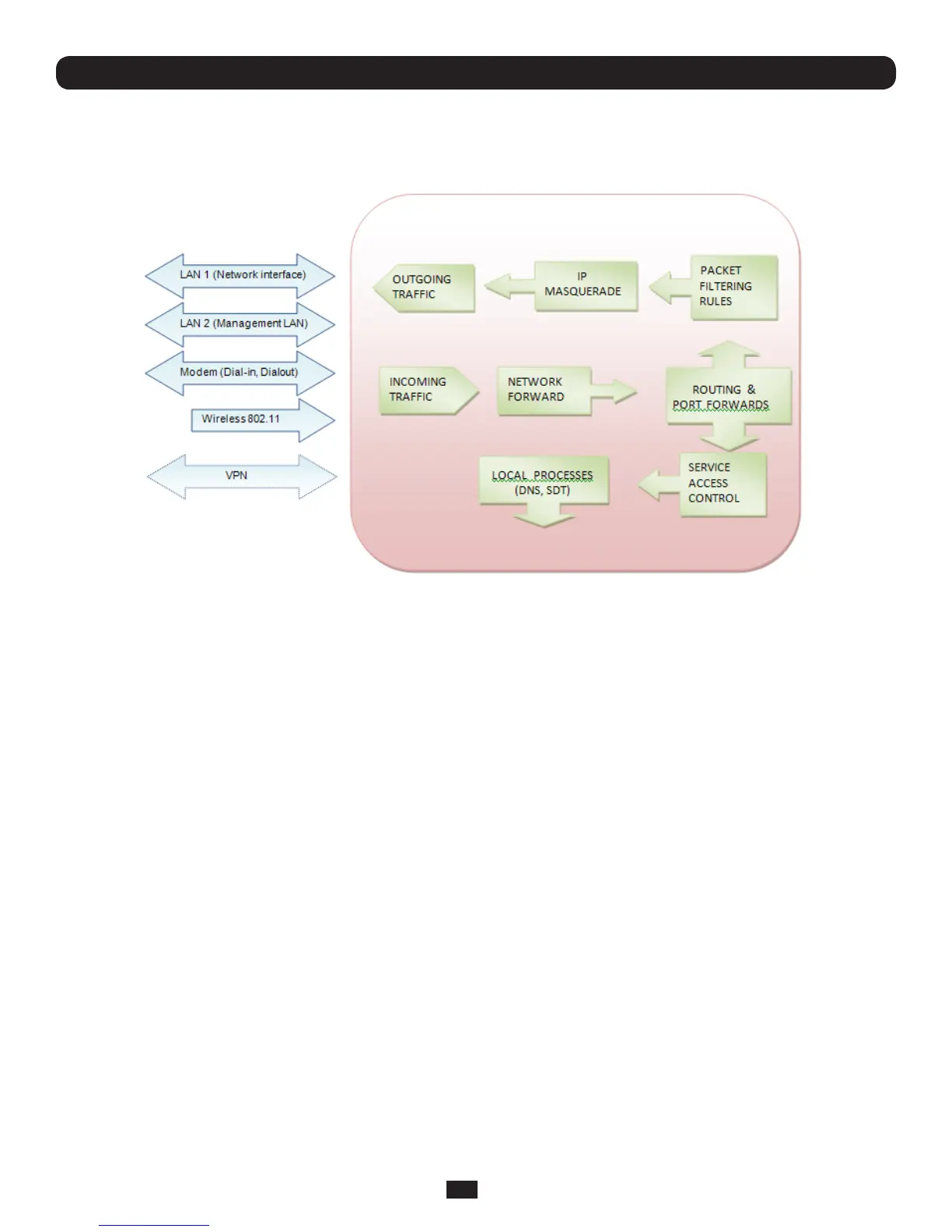
ConsoleServersprovidebasicrewalledrouting,NAT(NetworkAddressTranslation),packetlteringandportforwarding
support on all network interfaces.
5.5.1 Configuring network forwarding and IP masquerading
To use a Console Server as an Internet or external network gateway requires establishing an external network connection and
then setting up forwarding and masquerading.
Note: Network forwarding allows the network packets on one network interface (i.e. LAN1/ eth0) to be forwarded to another
network interface (i.e. LAN2/eth1 or dial-out/cellular) so that locally networked devices can connect to IP through the Console
Server to devices on remote networks. IP masquerading is used to allow all the devices on your local private network to hide
behind and share the one public IP address when connecting to a public network. This type of translation is only used for
connections originating within the private network destined for the outside public network, and each outbound connection is
maintained by using a different source IP port number.
Bydefault,allConsoleServermodelsareconguredsothattheywillnotroutetrafcbetweennetworks.TousetheConsole
ServerasanInternetorexternalnetworkgateway,forwardingmustbeenabledsothattrafccanberoutedfromtheinternal
network to the Internet/external network:
• NavigatetotheSystem: Firewallpage,andthenclickontheForwarding &Masquerading tab



 To Next Page