96
Chapter 6: Secure SSH Tunneling & SDT Connector
TomaketheOoBconnectionusingSDT Connector:
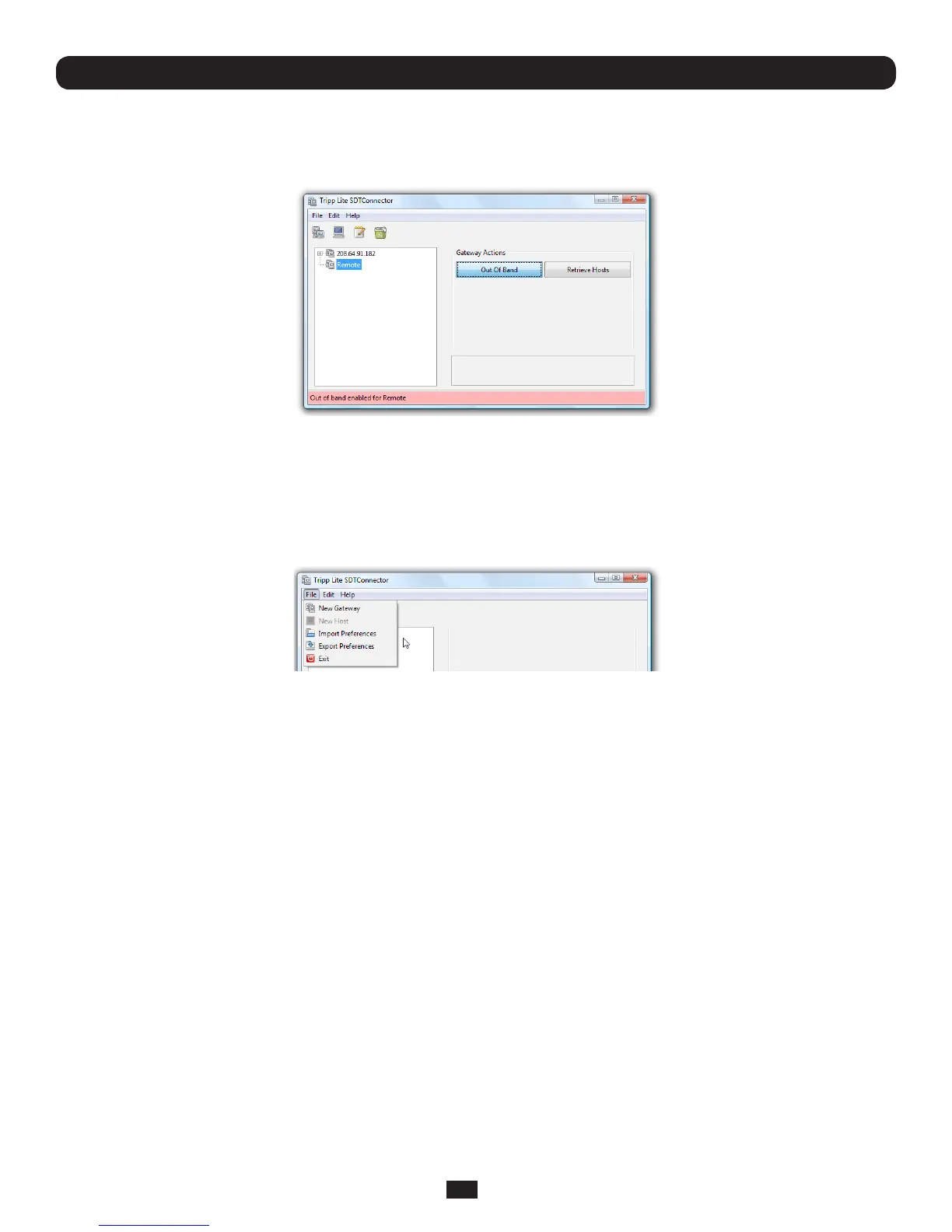
• SelectthegatewayandclickOutOfBand.Thestatusbarwillchangecolortoindicatethisgatewayisnowbeingaccessusing
theOoBlinkratherthantheprimarylink
Whenyouconnecttoaserviceonahostbehindthegateway,ortotheConsoleServergatewayitself,SDT Connector will
initiatetheOoBconnectionusingtheprovidedStartCommand.TheOoBconnectionisn'tstopped(usingtheprovidedStop
Command)untilOutOfBandunderGatewayActionsisclickedoff,atwhichpointthestatusbarwillreturntoitsnormalcolor.
6.6 Importing (and Exporting) Preferences
Toenablethedistributionofpre-conguredclientcongles,SDT Connector has an Export/Import facility:
• Tosaveaconguration.xmlle(forbackuporforimportingintootherSDT Connector clients),selectFile: Export
Preferences and select the location to save the configuration file
• Toimportaconguration,selectFile: Import Preferences and select the .xml configuration file to be installed



 To Next Page