49
Chapter 4: Serial Port, Device and User Configuration
4.6.2 Manually generate and upload SSH keys
AlternatelyifyouhaveaRSAorDSAkeypairyoucanmanuallyuploadthemtotheMasterandSlaveConsoleServers.
Note: If you do not already have RSA or DSA key pair and you do not wish to use you will need to create a key pair using ssh-
keygen, PuTTYgen or a similar tool as detailed in Chapter 15.6
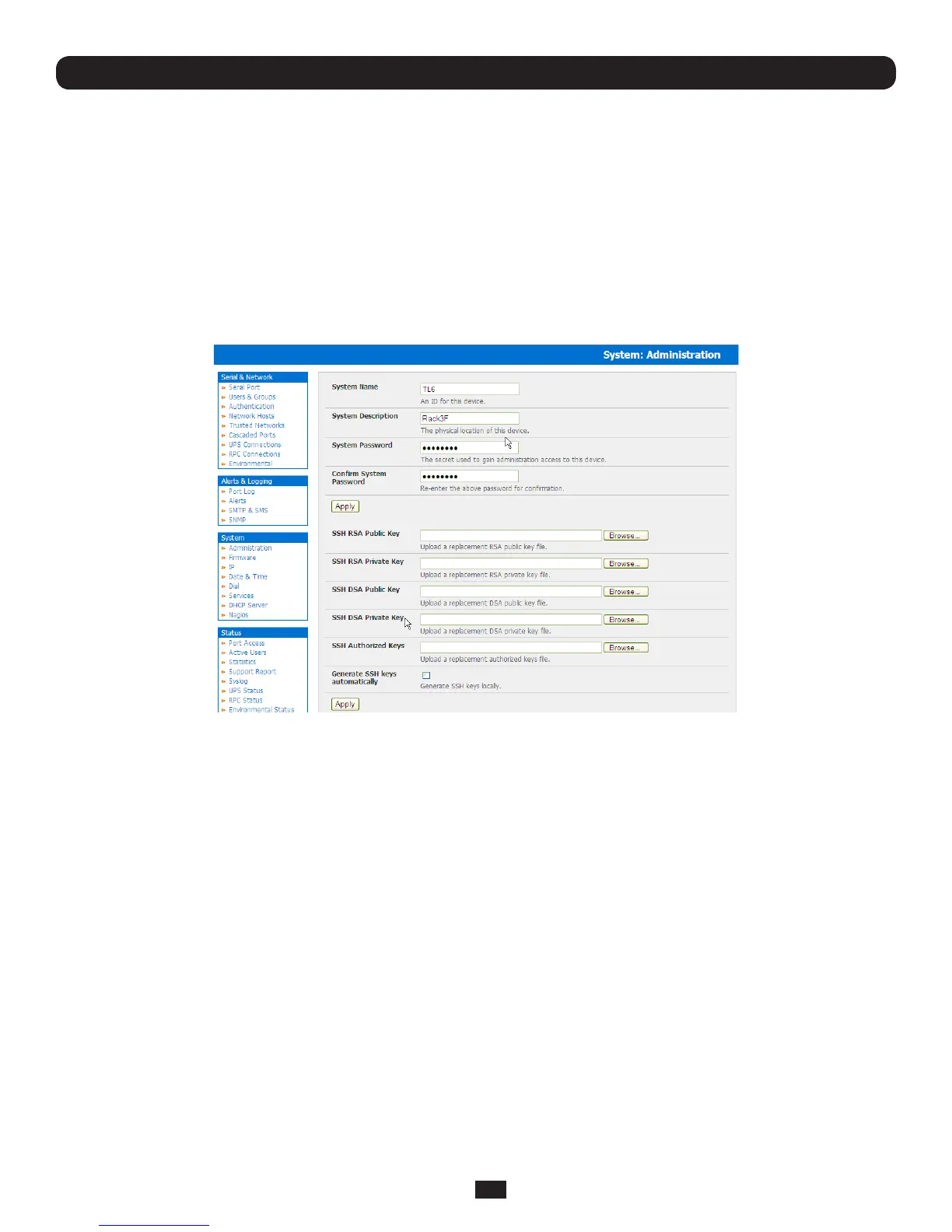
To manually upload the key public and private key pair to the Master Console Server:
• SelectSystem: AdministrationonMaster’sManagementConsole
• BrowsetothelocationyouhavestoredRSA(orDSA)PublicKeyanduploadittoSSH RSA (DSA) Public Key
• BrowsetothestoredRSA(orDSA)PrivateKeyanduploadittoSSH RSA (DSA) Private Key
• ClickApply
Next,youmustregisterthePublicKeyasanAuthorizedKeyontheSlave.InthesimplecasewithonlyoneMasterwith
multipleSlaves,youneedonlyuploadtheoneRSAorDSApublickeyforeachSlave.
Note: The use of key pairs can be confusing as in many cases one file (Public Key) fulfills two roles – Public Key and
Authorized Key. For a more detailed explanation refer the Authorized Keys section of Chapter 15.6. Also refer to this
chapter if you need to use more than one set of Authorized Keys in the Slave
• SelectSystem: AdministrationontheSlave’sManagementConsole
• BrowseagaintothestoredRSA(orDSA)PublicKeyanduploadittoSlave’s SSH Authorized Key
• ClickApply
The next step is to FingerprinteachnewSlave-Masterconnection.Thisonce-offstepwillvalidatethatyouareestablishingan
SSHsessiontowhoyouthinkyouare.OntherstconnectiontheSlavewillreceiveafingerprint from the Master which will be
used on all future connections:
• ToestablishthengerprintrstlogintheMasterserverasrootandestablishanSSHconnectiontotheSlaveremotehost:
# ssh remhost
OncetheSSHconnectionhasbeenestablishedyouwillbeaskedtoacceptthekey.Answeryesandthefingerprint will be
added to the list of known hosts. For more details on Fingerprinting refer Chapter 15.6
• Ifyouareaskedtosupplyapassword,thentherehasbeenaproblemwithuploadingkeys.Thekeysshouldremoveany
need to supply a password



 To Next Page