166
Chapter 11: System Management
11.4 Configuration Backup
ItisrecommendedthatyoubackuptheConsoleServercongurationwheneveryoumakesignicantchanges(suchasadding
newUsersorManagedDevices)orbeforeperformingarmwareupgrade.
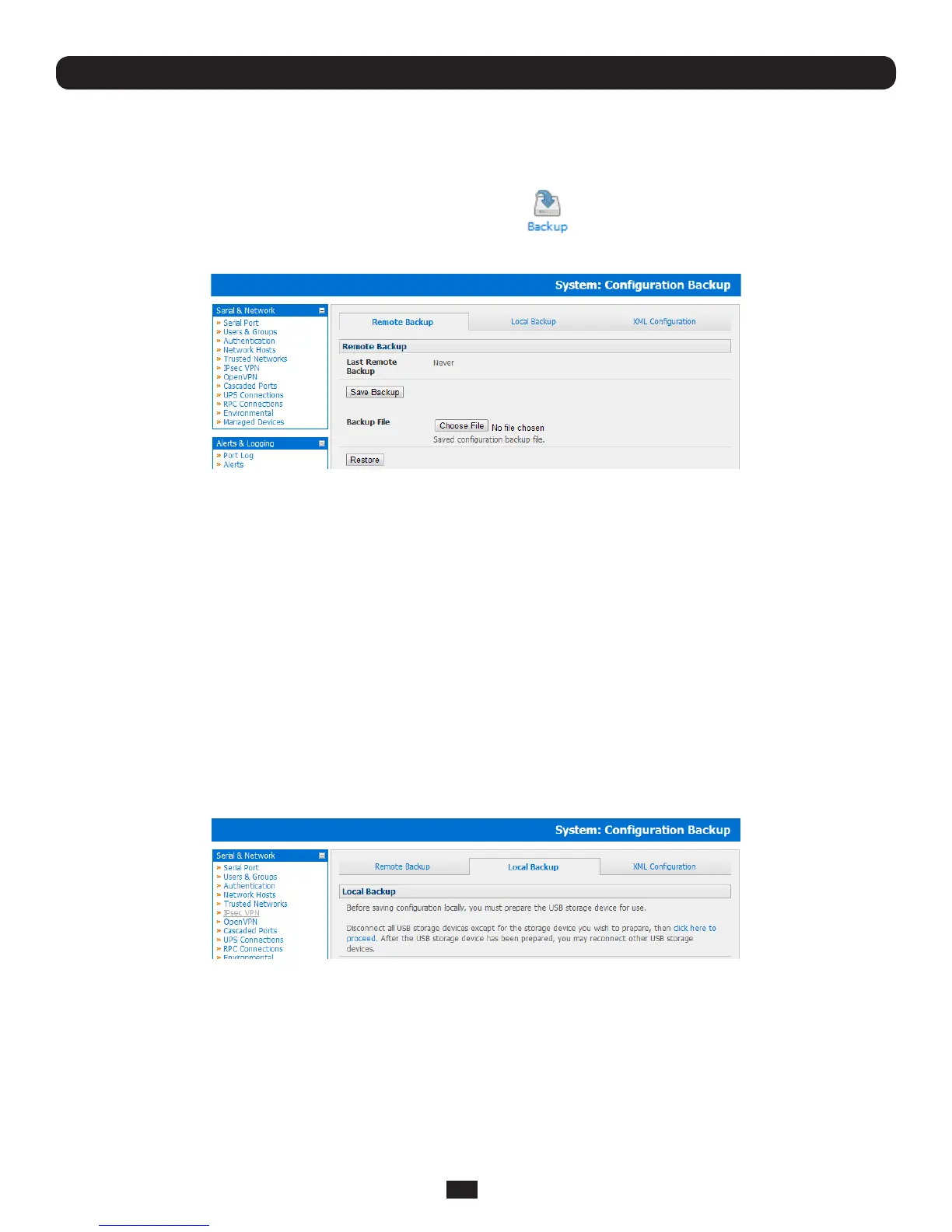
• SelecttheSystem:CongurationBackupmenuoptionorclickthe icon
Note: The configuration files can also be backed up from the command line (refer Chapter 14)
You can save the backup file remotely on your PC and you can restore configurations from remote locations:
• ClickSave Backup in the Remote Configuration Backup menu
• Thecongbackuple(System Name_date_config.opg)willbedownloadedtoyourPCandsavedinthelocationyou
nominate
To restore a remote backup:
• ClickBrowse in the Remote Configuration Backup menu and select the Backup File you wish to restore
• ClickRestore and click OK. This will overwrite all the current configuration settings in your Console Server
AlternatelyyoucansavethebackuplelocallyontotheUSBstorage.TodothisyourConsoleServermustsupportUSBand
youmusthaveaninternalorexternalUSBashdriveinstalled.
TobackupandrestoreusingUSB:
• EnsuretheUSBashistheonlyUSBdeviceattachedtotheConsoleServer
• SelecttheLocal Backup tab and click here to proceed.ThiswillsetaVolumeLabelontheUSBstoragedevice.This
preparationstepisonlynecessarythersttime,andwillnotaffectanyotherinformationyouhavesavedontotheUSB
storagedevice.HoweveritisrecommendedthatyoubackupanycriticaldatafromtheUSBstoragedevicebeforeusingit
withyourConsoleServer.IftherearemultipleUSBdevicesinstalledyouwillbewarnedtoremovethem
• TobackuptotheUSBenterabriefDescription of the backup in the Local Backup menu and select Save Backup
• TheLocalBackupmenuwilldisplayallthecongurationbackuplesyouhavestoredontotheUSBash
• TorestoreabackupfromtheUSBsimplyselectRestore on the particular backup you wish to restore and click Apply



 To Next Page