154
Chapter 10: Nagios Integration
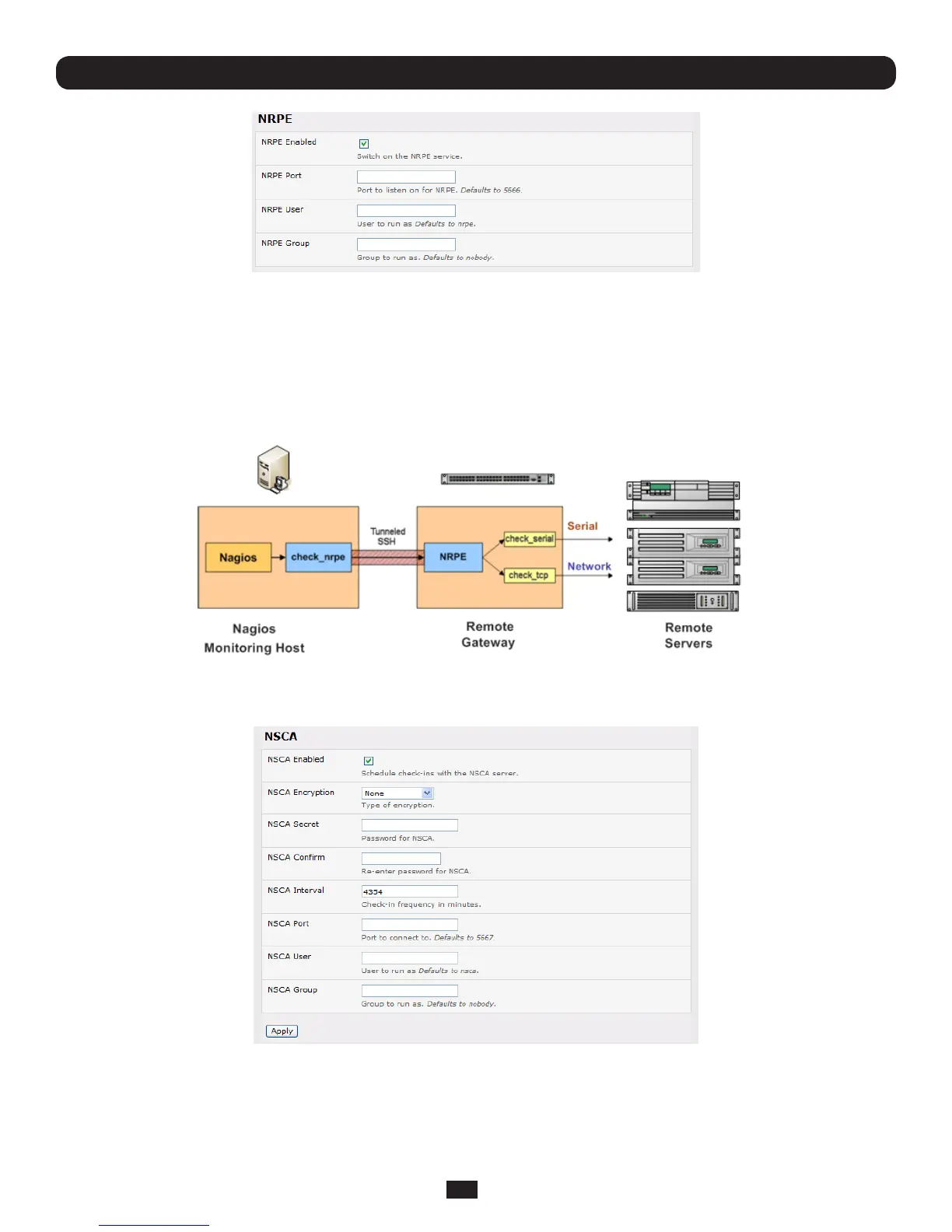
• SelectSystem: Nagios and check NRPE Enabled
• EnterthedetailsfortheuserconnectiontotheupstreamNagiosmonitoringserver.Again,refertothesampleNagios
congurationexamplebelowfordetailsofconguringspecicNRPEchecks
Bydefault,theConsoleServerwillacceptaconnectionbetweentheupstreamNagiosmonitoringserverandtheNRPEserver
withSSLencryption,withoutSSL,ortunneledthroughSSH.ThesecurityfortheconnectionisconguredattheNagiosserver.
10.3.3 Enable NSCA monitoring
NSCAisthemechanismthatallowsyoutosendpassivecheckresultsfromtheremoteConsoleServertotheNagiosdaemon
runningonthemonitoringserver.ToenableNSCA:
• SelectSystem: Nagios and check NSCA Enabled
• SelecttheEncryptiontobeusedfromthedrop-downmenu,thenenteraSecret password and specify a check Interval
• ReferthesampleNagioscongurationsectionbelowforsomeexamplesofconguringspecicNSCAchecks



 To Next Page