48
Chapter 4: Serial Port, Device and User Configuration
4.6 Serial Port Cascading
CascadedPortsenablesyoutoclusterdistributedConsoleServerssothatalargenumberofserialports(upto1000)canbe
conguredandaccessedthroughoneIPaddressandmanagedthroughtheoneManagementConsole.OneConsoleServer,
theMaster,controlsotherConsoleServersasSlaveunitsandalltheserialportsontheSlaveunitsappearasiftheyarepart
of the Master.
Each Slave connects to the Master with an SSH connection using public key authentication. So the Master accesses each
SlaveusinganSSHkeypair,ratherthanusingpasswords,ensuringsecureauthenticatedcommunications.SotheSlave
ConsoleServerunitscanbedistributedlocallyonaLANorremotelyoverpublicnetworksaroundtheworld.
4.6.1 Automatically generate and upload SSH keys
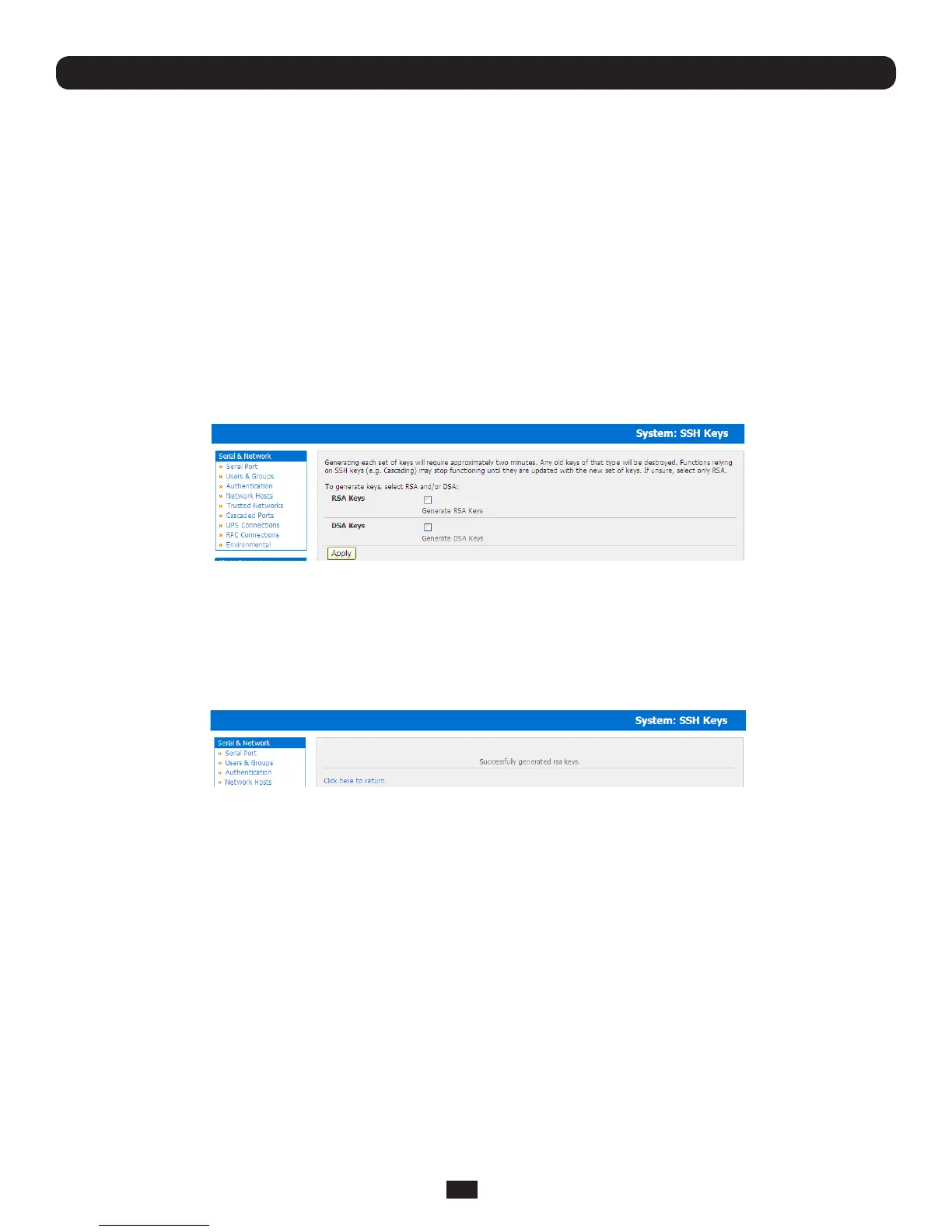
TosetuppublickeyauthenticationyoumustrstgenerateanRSAorDSAkeypairanduploadthemintotheMasterandSlave
Console Servers. This can all be done automatically from the Master:
• SelectSystem: AdministrationonMaster’sManagementConsole
• Check Generate SSH keys automatically and click Apply
NextyoumustselectwhethertogeneratekeysusingRSAand/orDSA(ifunsure,selectonlyRSA).Generatingeachsetof
keys will require approximately two minutes and the new keys will destroy any old keys of that type that may previously been
uploaded.AlsowhilethenewgenerationisunderwayonthemasterfunctionsrelyingonSSHkeys(e.g.cascading)maystop
functioning until they are updated with the new set of keys. To generate keys:
• SelectRSA Keys and/or DSA Keys
• ClickApply
• OncethenewkeyshavebeensuccessfullygeneratedsimplyClickhere to return and the keys will automatically be
uploaded to the Master and connected Slaves



 To Next Page