42
Refer to Chapter 6.6 - Using SDT Connector to Telnet or SSH connect to devices that are serially attached to the
Console Server for configuration details
4.1.4 Device (RPC, UPS, EMD) Mode
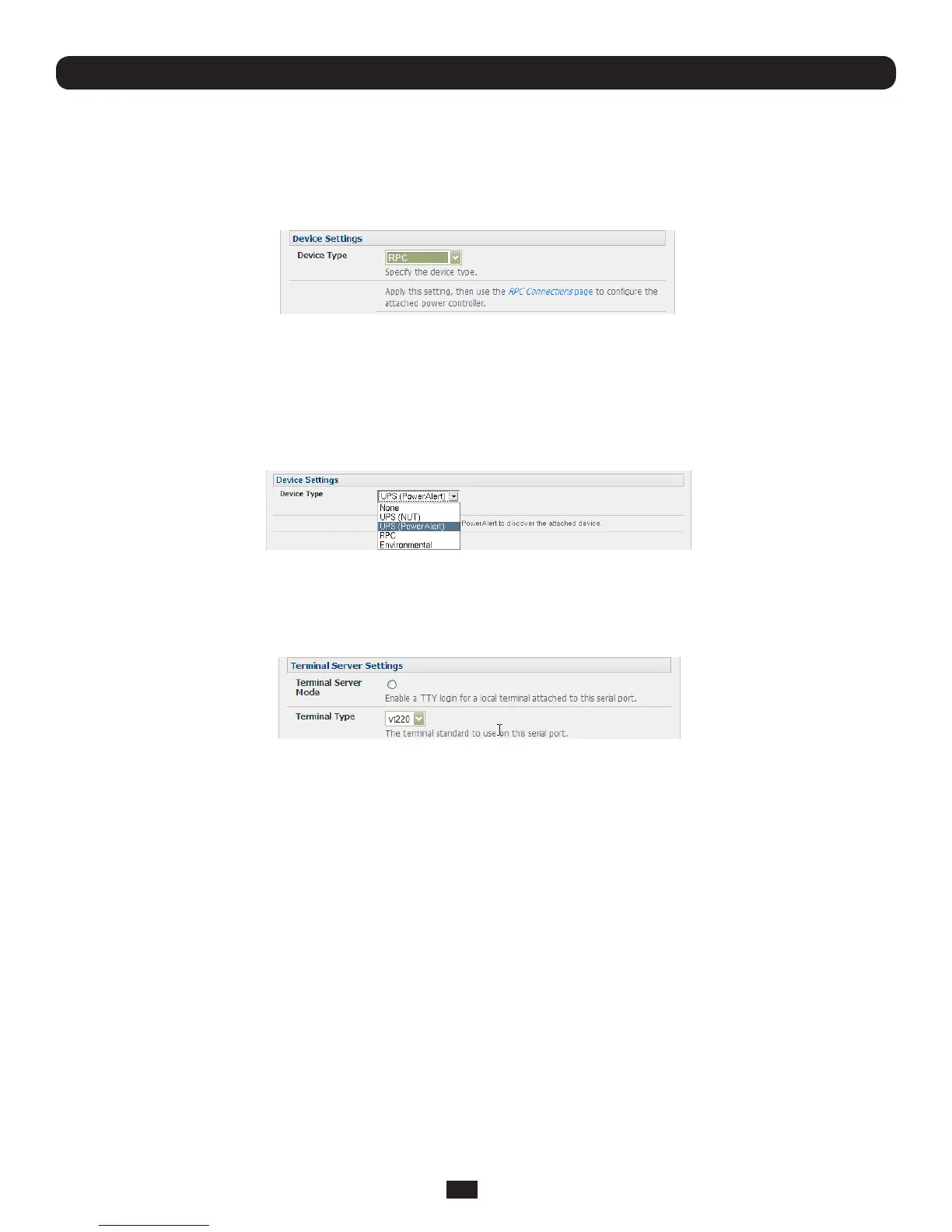
ThismodecongurestheselectedserialporttocommunicatewithaserialcontrolledUninterruptiblePowerSupply(UPS),
serialRemotePowerController/PowerDistributionUnit(RPC)orEnvironmentalMonitoringDevice(EMD)
• SelectthedesiredDevice Type(UPS,RPCorEMD)
• Proceedtotheappropriatedevicecongurationpage(Serial & Network: UPS Connections, RPC Connection or
Environmental)asdetailedinChapter 8 - Power & Environmental Management. TheB092-016ConsoleServeralso
allowsyoutocongureportsasUPSdevicesthatPowerAlertwillmanage.PowerAlertwilldiscovertheattachedUPS
deviceandauto-congure.Seewww.tripplite.com/EN/support/PowerAlert/Downloads.cfmforacompletePowerAlert
manual.
4.1.5 Terminal Server Mode
• SelectTerminal Server Mode and the Terminal Type(vt220,vt102,vt100,LinuxorANSI)toenableagetty on the
selected serial port
The getty will then configure the port and wait for a connection to be made. An active connection on a serial device is usually
indicatedbytheDataCarrierDetect(DCD)pinontheserialdevicebeingraised.Whenaconnectionisdetected,thegetty
programissuesalogin:prompt,andtheninvokestheloginprogramtohandletheactualsystemlogin.
Note: Selecting Terminal Server mode will disable Port Manager for that serial port, so data is no longer logged for alerts etc.
Chapter 4: Serial Port, Device and User Configuration



 To Next Page