54
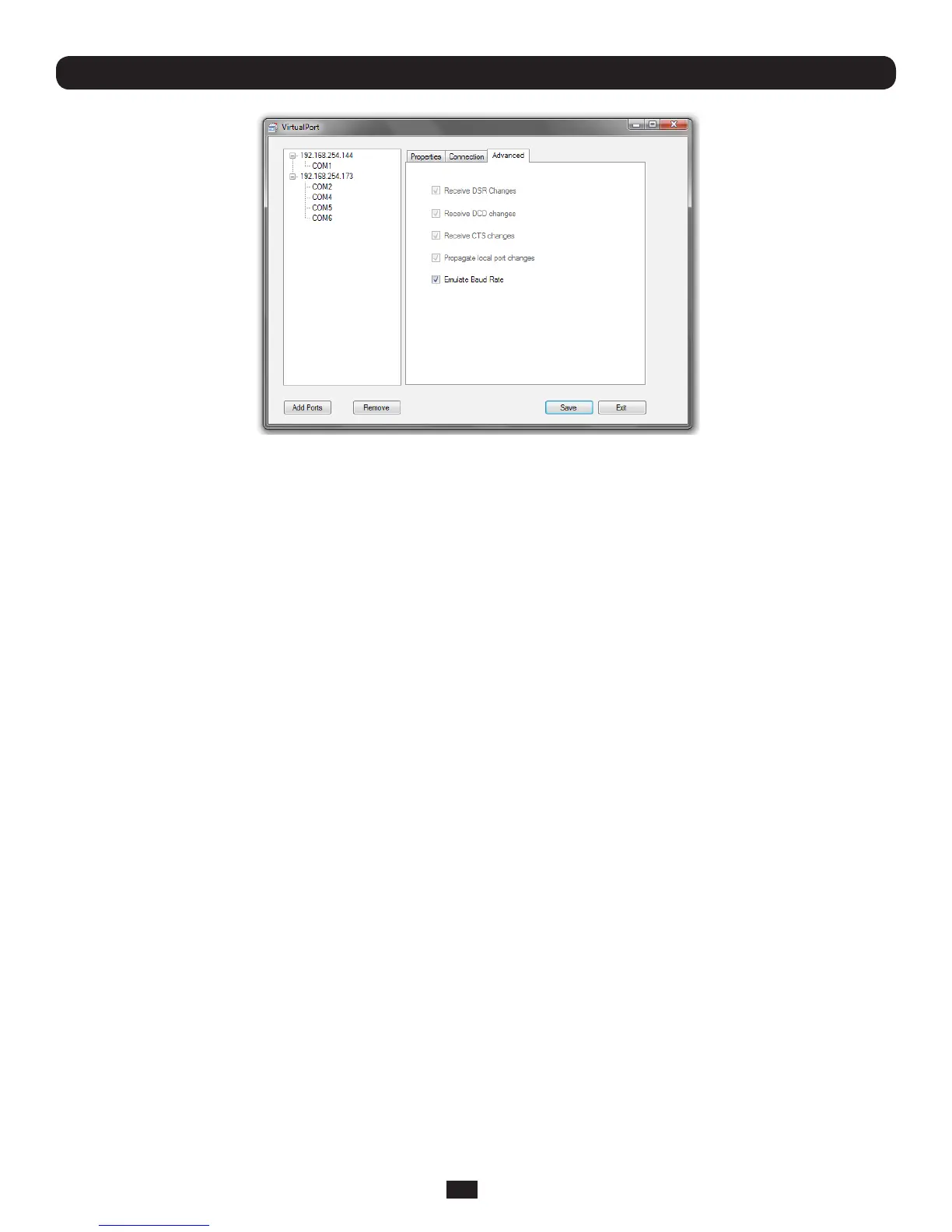
• CheckReceive DSR/DCD/CTS changesiftheowcontrolsignalstatusfromthephysicalserialportonConsoleServeristo
bereectedbacktotheWindowsCOMportdriver(assomeserialcommunicationsapplicationsprefertorunwithoutany
hardwareowcontroli.e.in“twowire”mode)
• ThePropagate local port changes allows complete serial device control by the Windows application so it operates exactly
likeadirectlyconnectedserialCOMport.ItprovidesacompleteCOMportinterfacebetweentheattachedserialdevice
andthenetwork,providinghardwareandsoftwareowcontrol.Sothebaudrateetcoftheremoteserialportiscontrolled
bythesettingsforthatCOMportonWindowscomputer.Ifnotselectedthentheportserialcongurationparametersare
set on the Console Server.
• WiththeEmulate Baud Rate selected VirtualPort will only send data out at the baud rate configured by the local
ApplicationusingtheCOMport
4.7.3 To remove a configured port
AtanystageyoucandeleteasingleconguredCOMport,ordeletetheConsole Serverconnection(andalltheCOMports
conguredonthatConsoleServer)
• SelecttheconsoleserverorCOMportonthelefthandmenuandclicktheRemove button
4.7.4 Configure the remote serial device connection
Ensure the remote serial device is connected to your remote Console Server. Then configure the serial port as detailed in the
UserGuide
• SettheRS232CommonSettings(e.g.baudrate)
• SelectConsoleservermodeandspecifytheappropriateprotocoltobeused:
o RAW TCPallowsconnectionsdirectlytoaTCPsocketandthedefaultTCPportaddressis4000+serialport#
(i.e.theaddressofthesecondserialportisIP Address _ 4002)
o RFC2217enablesserialportredirectiononthatportandthedefaultportaddressisIPAddress_Port(5000+
serialport#)i.e.5001–5048ona48portConsole Server
o VirtualPort Securemodeenablesencryptedcommunication(Thisfeaturewillbeavailablemid2010)
Chapter 4: Serial Port, Device and User Configuration



 To Next Page