14
Chapter 2: Installation
This chapter describes the physical installation of the Console Server hardware and connection to controlled devices
2.1 Models
ThereareanumberofConsoleServermodels,eachwithadifferentnumberofnetwork,USBandserialportsandpower
supplies:
Console Server Model Serial Ports Network Ports Console Port USB Port Modem Power
B096-048 48 2 1 1+2 Internal DualACUniversalInput
B096-016 16 2 1 1+2 Internal DualACUniversalInput
B092-016 16 1 1+KVM 4 - SingleACUniversalInput
B095-004-1E 4 1 1 1 - ExternalDCSupply
B095-003-1E-M 3 1 1 1 Internal ExternalDCSupply
B094-008-2E-M-F 8 2 1 2 Internal ExternalDCSupply
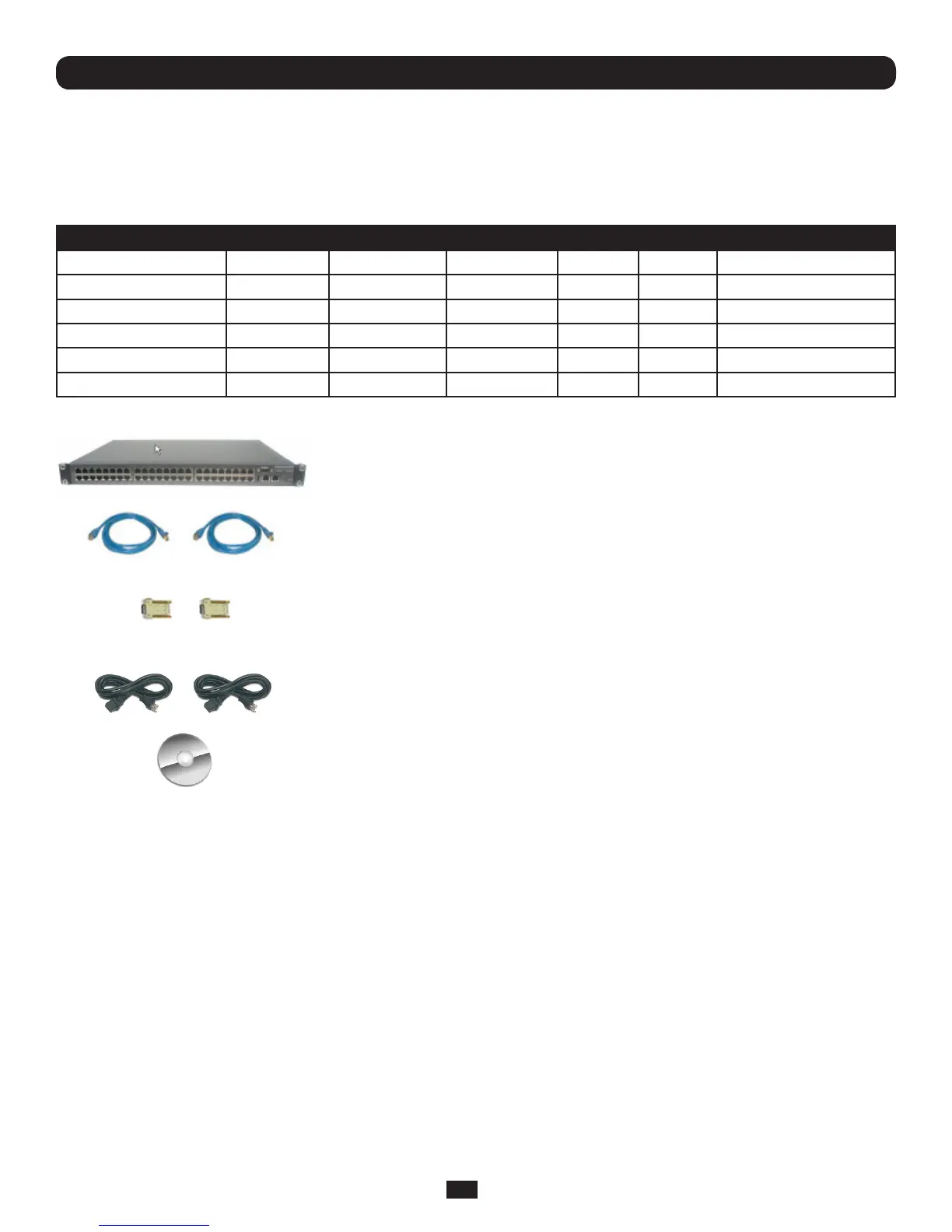
2.1.1 Kit components: B096-048 and B096-016 Console Server Management Switch
B096-048orB096-016
Console Server Management Switch
2xCableUTPCat5blue
Connectors
DB9F-RJ45Sstraightandcross-over
DualIECACpowercords
QuickStartGuideandCD-ROM
• UnpackyourConsoleServerManagementSwitchkitandverifyyouhaveallthepartsshownabove,andthattheyall
appear in good working order
• IfyouareinstallingyourConsoleServerManagementSwitchinarackyouwillneedtoattachtherackmountingbrackets
suppliedwiththeunit,andinstalltheunitintherack.TakecaretoheadtheSafetyPrecautions
• ConnectyourConsoleServerManagementSwitchtothenetwork,totheserialportsofthecontrolleddevices,andto
power as outlined below



 To Next Page