244
Chapter 16: Thin Client
16.2 Advanced Control Panel
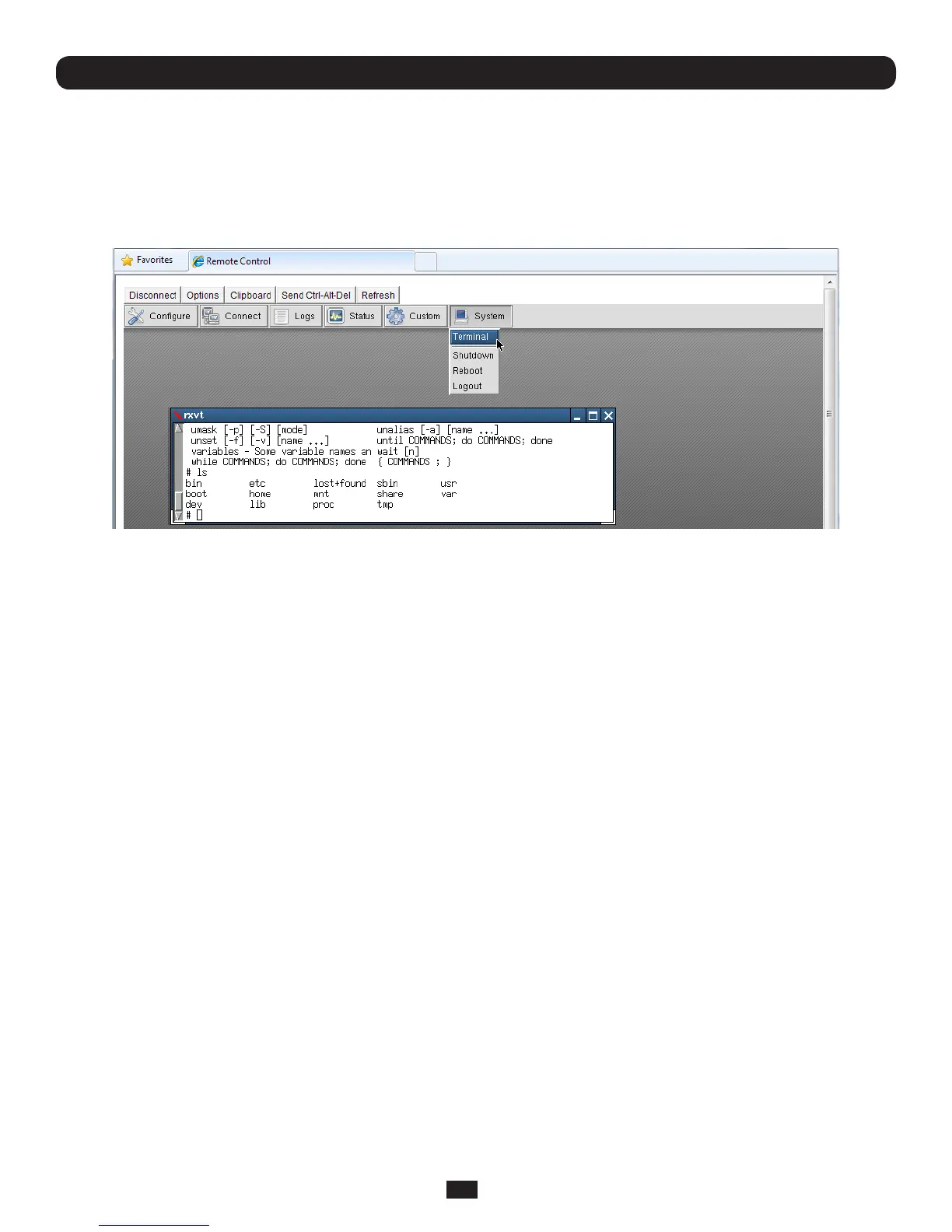
16.2.1 System: Terminal
SelectingSystem:TerminalonthecontrolpanellogsyouinatthecommandlinetotheB092-016Linuxkernel.Asdetailed
inChapters14and15,thisenablesyoutocongureandcustomizeyourB092-016usingthecongandportmanager
commands or general Linux commands.
16.2.2 System: Shutdown / Reboot
Clicking System: ShutdownonthecontrolpanelwillshutdowntheB092-016system.Youwillneedtocyclethepowerto
reactivatetheB092-01.
Similarly,byclicking System: Reboot,youwillinitiateasoftreset.Withasoftreset,theB092-016rebootswithallsettings
suchastheassignednetworkIPaddress,preserved.HoweverasoftresetdisconnectsallUsersandendsanySSHsessions
that had been established.
A softresetwillalsooccurwhenyouswitchOFFpowerfromtheB092-016,andthenswitchthepowerbackON.However,
ifyoucyclethepowerwhiletheunitiswritingtoash,youcouldcorruptorlosedata,sothesoftwareShutdown or Reboot
from the control panel is the safer option.
16.2.3 System: Logout
Clicking System: Logoutclosesthelocaluserloginsession(andremovesthecontrolpanel).However,thisdoesnotlogout
remoteuserswhomaybeloggedintotheB092-016ConsoleServer,oraccessingattacheddevicesusingSSHtunneling.
16.2.4 Custom
TheCustombuttononthecontrolpanelenablesyoutocustomizeyourB092-016byaddingbuttonstothecontrolpanelthat
execute bash and other Linux commands you specify.
16.2.5 Status
These menu items give the user a snapshot of the serial port and IPMI device status.
16.2.6 Logs
ThesemenuitemsgivetheuseranauditlogofB092-016activity.



 To Next Page