53
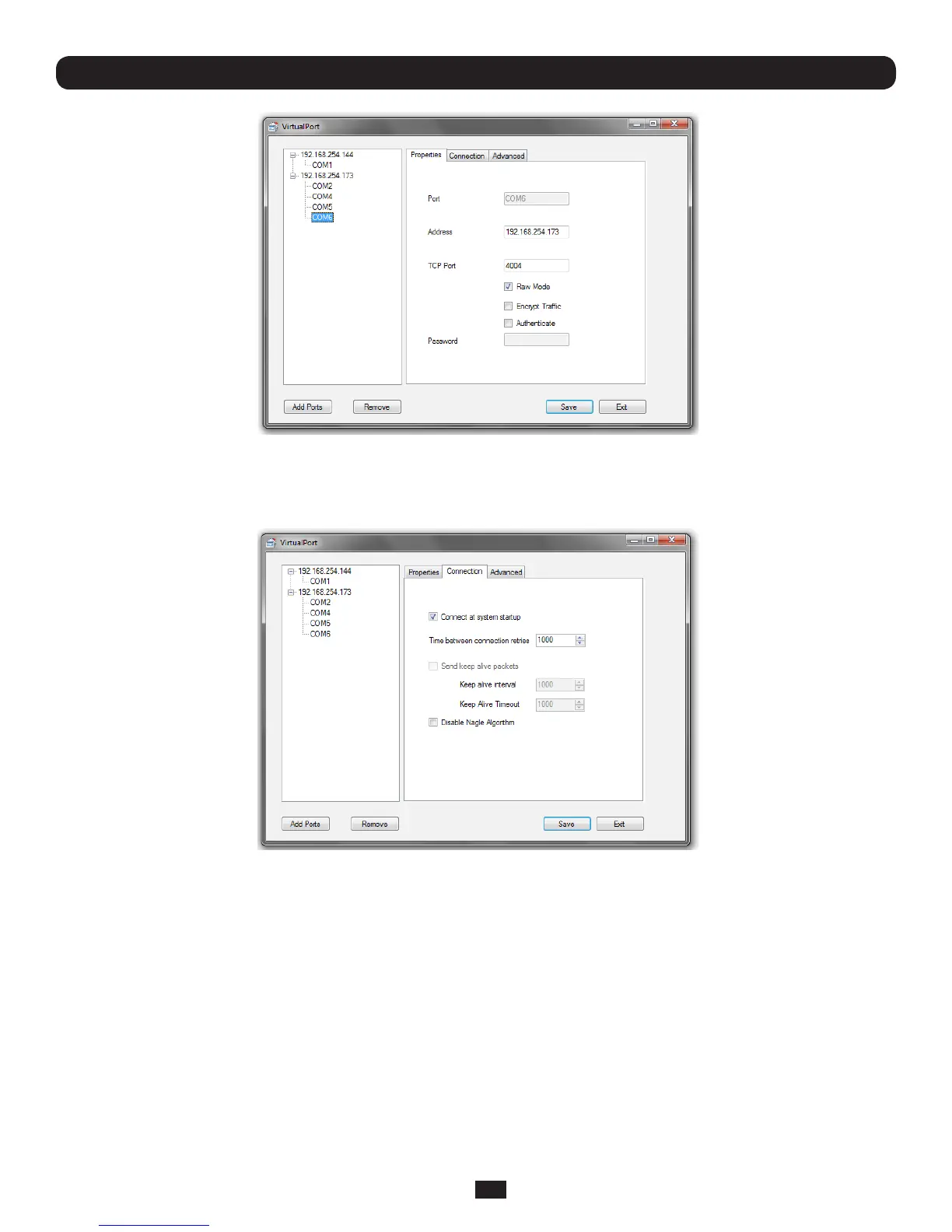
• TocongureaCOMportyouhavecreatedsimplyclickonthedesiredCOMxlabelinthelefthandmenutree
• InthePropertieswindowyoucanedittheIPAddressorTCPPorttobeusedtoconnecttothatCOMport
• YoucanthenconguretheCOMportintheConnectionandAdvancedwindows:
• Connect at system startup—When enabled VirtualPort will try to connect to the Console Server when the VirtualPort
servicestarts(asopposedtowaitingfortheapplicationtoopentheserialportbeforeinitiatingtheconnectiontothe
ConsoleServer)
• TheTime between connection retries speciesthenumberofsecondsbetweenTCPconnectionretriesafteraclient-
initiatedconnectionfailure.Validvaluesare1-255(Thedefaultis1secondandVirtualPort will continue attempting to
reconnectforevertotheConsoleServeratthisinterval)
• TheSend keep alive packets option tests if the TCP connection is still up when no data has been sent for a while by
sendingkeep-alivemessages.Selectthisoptionandspecifyperiodoftime(inmilliseconds)afterwhichVirtualPort sends
a command to remote Console Server end in order to verify connection's integrity and keep the connection alive
• TheKeep Alive Intervalspeciesthenumberofsecondstowaitonanidleconnectionbeforesendingakeep-alive
message. The default is 1 second. The Keep Alive Timeout specifies how long VirtualPort should wait for a keep alive
response before timing out the connection.
• Disable Nagle Algorithm —theNagleAlgorithmisenabledbydefaultanditreducesthenumberofsmallpacketssentby
VirtualPort across the network
Chapter 4: Serial Port, Device and User Configuration



 To Next Page