128
Chapter 8: Power and Environment
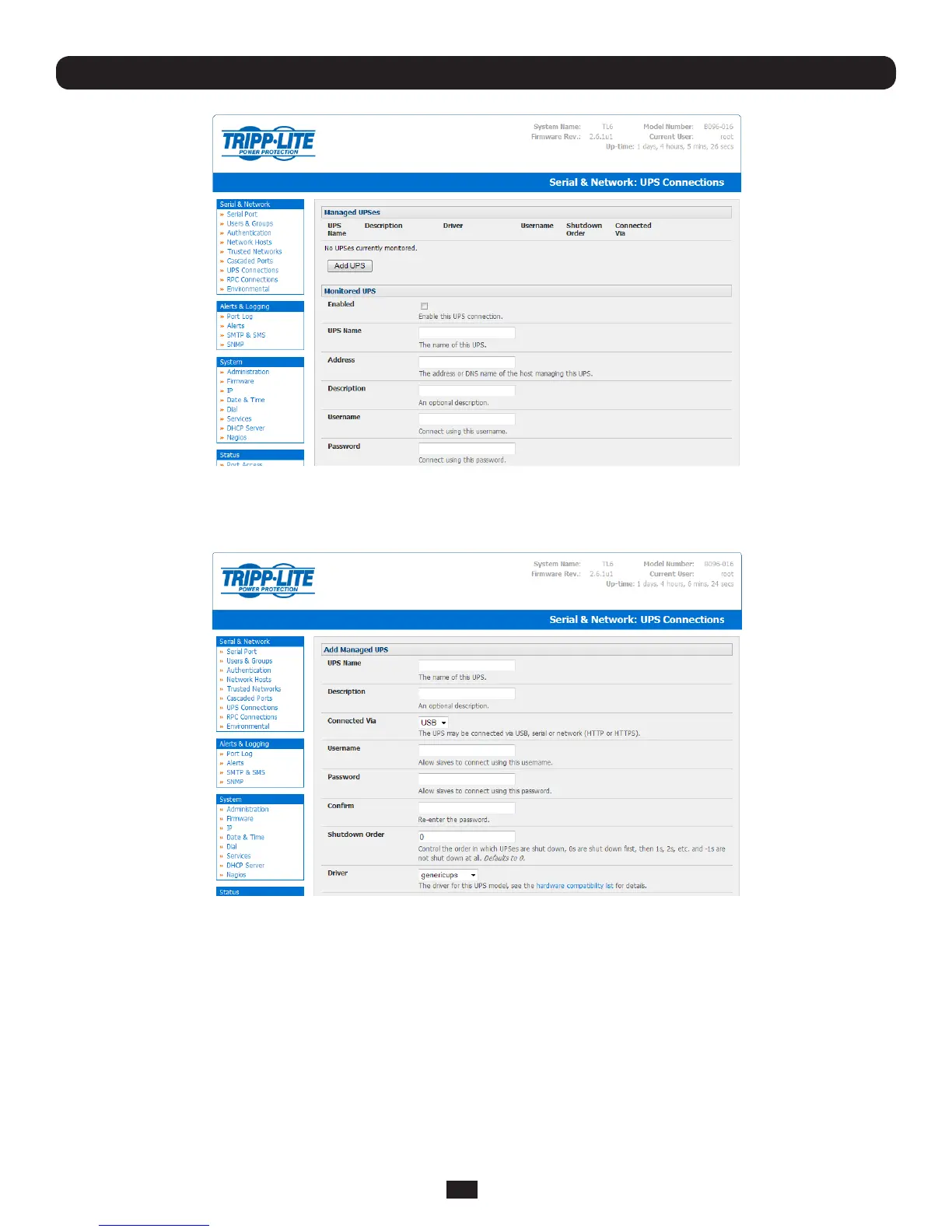
• Select the Serial & Network: UPS Connections menu. The Managed UPSessectionwilldisplayalltheUPS
connections that have already been configured.
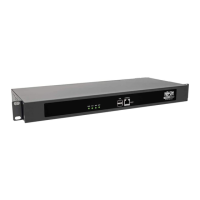
• Click Add UPS
• Enter a UPS Name and Description(optional)andidentifyiftheUPSwillbeConnected ViaUSBoroverpre-congured
serial port or via HTTP/HTTPS over the preconfigured network Host connection
• EntertheUPSlogindetails.ThisUsername and PasswordisusedbySlavesofthisUPS(i.e.othercomputersthatare
drawingpowerthroughthisUPS)toconnecttotheConsoleServerformonitoringoftheUPSstatusandshutdownwhen
battery power is low. Monitoring will typically be performed using the upsmon client running on the Slave server. See
section 8.5.4 for details on setting up upsmononSlaveserverspoweredbytheUPS
Note: These login credentials are not related to the Users and access privileges you will have configured in Serial &
Networks: Users & Groups
• IfyouhavemultipleUPS’sandrequirethemtobeshutdowninaspecicorder,specifytheShutdown OrderforthisUPS.
Thisisapositivewholenumber,or-1. 0sareshutdownrst,then1s, 2s,etc.-1sarenotshutdownatall.Defaultsto0


 To Next Page