40
SSH ItisrecommendedthattheUserorAdministratorusesSSHastheprotocolforconnectingtoserial
consoles attached to the Console Server when communicating over the Internet or any other public
network.Thiswillprovideanauthenticated,encryptedconnectionbetweentheSSHclientprogram
ontheremoteuser’scomputerandtheConsoleServer.Theuser’scommunicationwiththeserial
device attached to the Console Server is therefore secure.
ItisrecommendedforUsersandAdministratorstouseSDTConnectorwhenmakinganSSH
connectiontotheconsolesondevicesattachedtotheConsoleServer’sserialports.Congurethe
SDTConnectorwiththeConsoleServerasagateway,thenasahost,andenableSSHserviceon
Port(3000+serialport#)i.e.3001-3048(refertoChapter 6).
Youcanalsousecommoncommunicationspackages,likePuTTY or SSHTerm to SSH connect
directlytoportaddressIPAddress_Port(3000+serialport#)i.e.3001–3048.
Alternately SSH connections can be configured using the standard SSH port 22. The serial port
being accessed is then identified by appending a descriptor to the username. This syntax supports
any of:
<username>:<portXX>
<username>:<port label>
<username>:<ttySX>
<username>:<serial>
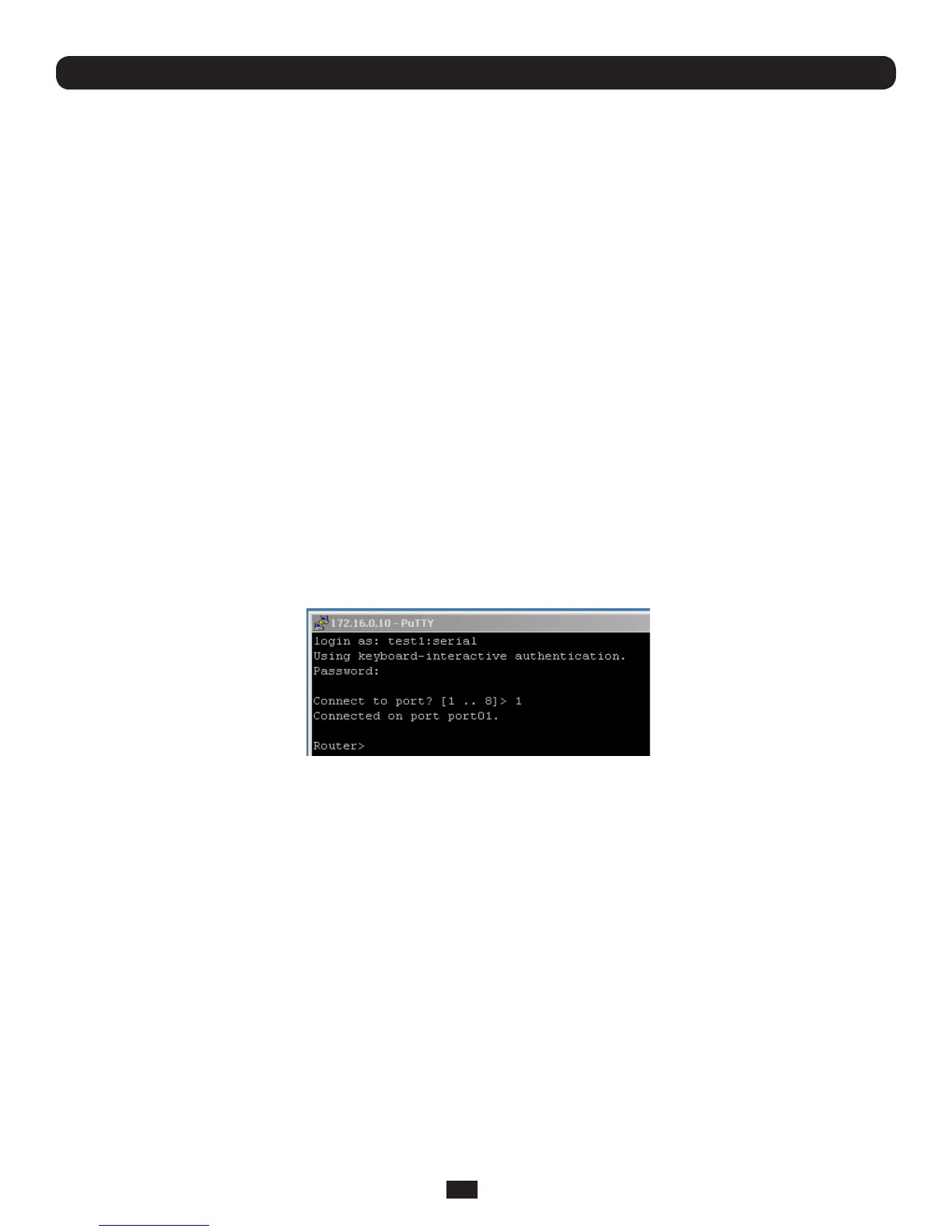
Soforausernamed'fred'toaccessserialport2,whensettinguptheSSHTermorthePuTTYSSH
client,insteadoftypingusername = fred and ssh port = 3002,thealternateistotypeusername
= fred:port02(orusername = fred:ttyS1)andssh port = 22.
Or,bytypingusername=fred:serial and ssh port = 22,theuserispresentedwithaportselection
option:
This syntax enables users to set up SSH tunnels to all serial ports with only a single IP port 22
having to be opened in their firewall/gateway.
TCP RAW TCP allows connections directly to a TCP socket. Communications programs such as PuTTY
alsosupportRAWTCP;however,thisprotocolwouldusuallybeusedbyacustomapplication.For
RAWTCP,thedefaultportaddressisIPAddress_Port(4000+serialport#)i.e.4001–4048.
RAWTCPalsoenablestheserialporttobetunneledtoaremoteConsoleServer,sotwoserialport
devicescanbetransparentlyinterconnectedoveranetwork(seeChapter 4.1.6 – Serial Bridging).
RFC2217 Selecting RFC2217enablesserialportredirectiononthatport.ForRFC2217,thedefaultport
addressisIPAddress_Port(5000+serialport#)i.e.5001–5048.
Youwillalsoneedtorunserialportredirectorsoftwareonyourdesktopcomputer.Thissoftware,
whichsupportsRFC2217virtualcomports,isavailablecommerciallyandasfreeware,forWindows
UNIXandLinux,anditallowsyoutouseaserialdeviceconnectedtotheremoteConsoleServeras
if it were connected to your local serial port.
Chapter 4: Serial Port, Device and User Configuration



 To Next Page