Next Step
47
Chapter 2 Trying It Out
Chapter 2
Changing the Sample Names
The A3000 has set non-descriptive default names for your new samples: _NewSample,
_NewSample 1, and _NewSample 2. We will now change the names to Voice AH,
Voice EE, and Voice OH, respectively.
Procedure
1.
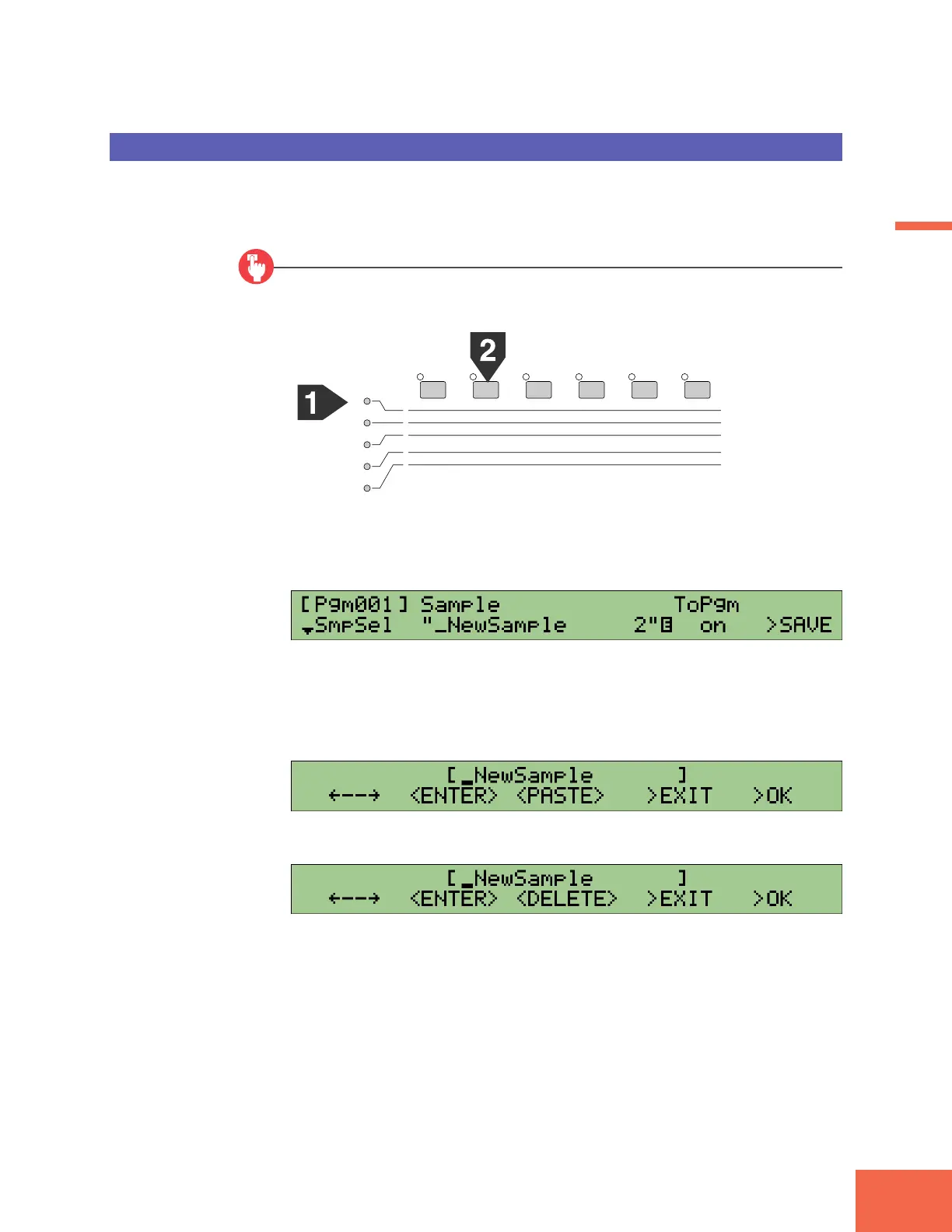
Select PLAY mode, SAMPLE function.
2.
Turn Knob 1 to select the SmpSel (Sample Select) page.
▼The screen should now look like this.
3.
Turn Knob 2 or Knob 3 to select _NewSample as the sample.
4.
Press Knob 2 or Knob 3.
5.
Turn Knob 3 to select <DELETE>.
PLAY
EDIT
REC
DISK
UTILITY
PROGRAM
TRIM / LOOP
RECORD
PROGRAM
TOTAL EQ
SAMPLE
MAP / OUT
SETUP
SAMPLE
PANEL PLAY
EASY EDIT
FILTER
METER
SEQUENCE
SEQUENCE
EFFECT
EG
EFFECT
VOLUME
MASTER
SETUP
LFO
EXT CTRL
DISK
SYSTEM
CONTROL
MIDI / CTRL
MONITOR
IMPORT
MIDI



 To Next Page