Next Step
48
Chapter 2 Trying It Out
6.
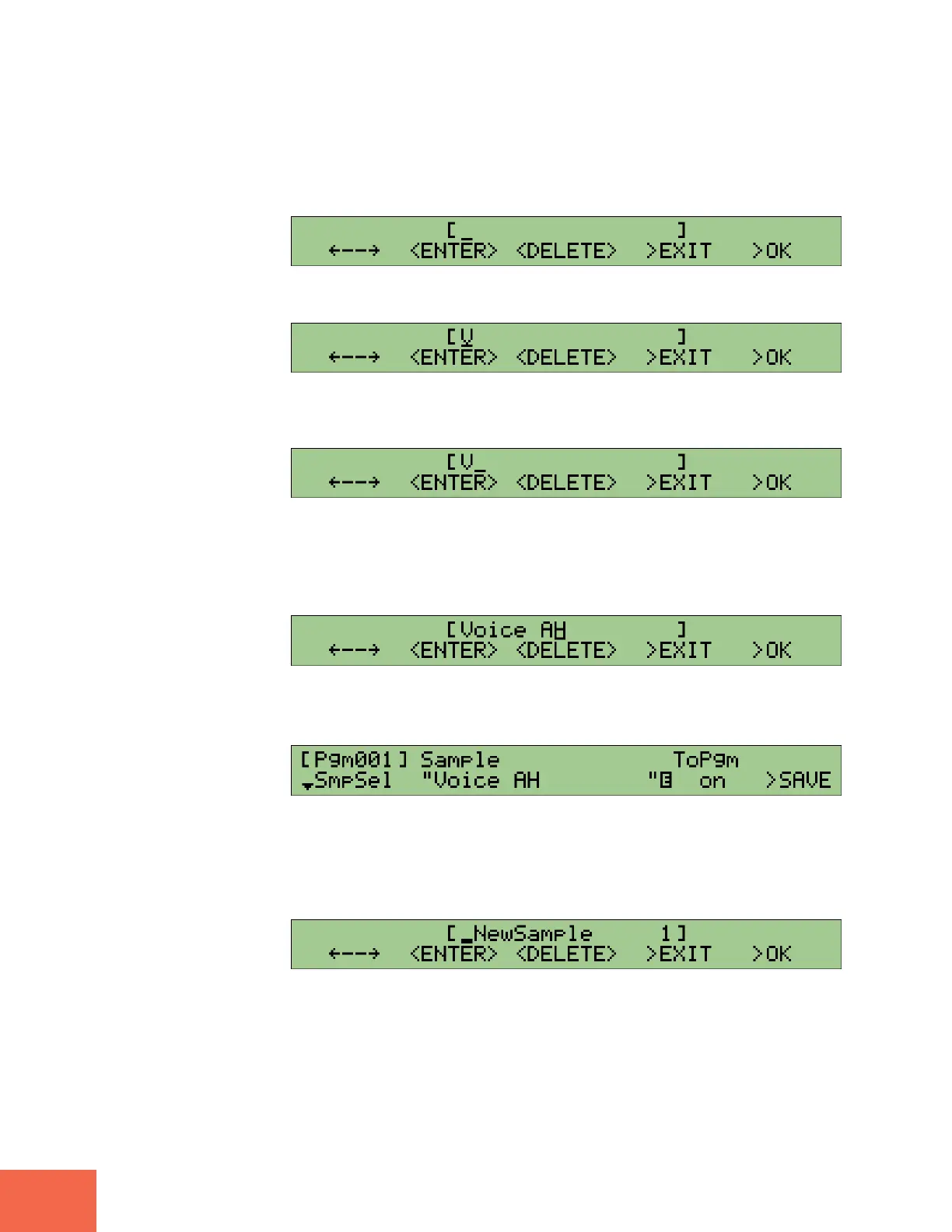
Press Knob 3 as many times as necessary to delete all of the characters in the
name.
▼The name field should now be empty.
7.
Turn Knob 2 to select V.
8.
Press Knob 2 (<ENTER>) to enter the new character and move the cursor one
space to the right.
9.
Repeat steps 7 to 8 in order to enter the rest of the name. Please set the name
to Voice AH.
Note that you will need to enter a space character between the “e” and the “A”. You can
do this by pressing Knob 1 once (without turning Knob 2) after inputting the “e”.
10.
Press Knob 5 (>OK).
▼This completes the name change. The original screen now reappears.
11.
Turn Knob 2 or Knob 3 to select _NewSample 1.
12.
Press Knob 2 or Knob 3.



 To Next Page