9-30 CELL-DYN 3000 System Operator’s Manual
9140240E — May 1995
Maintenance Chapter 9
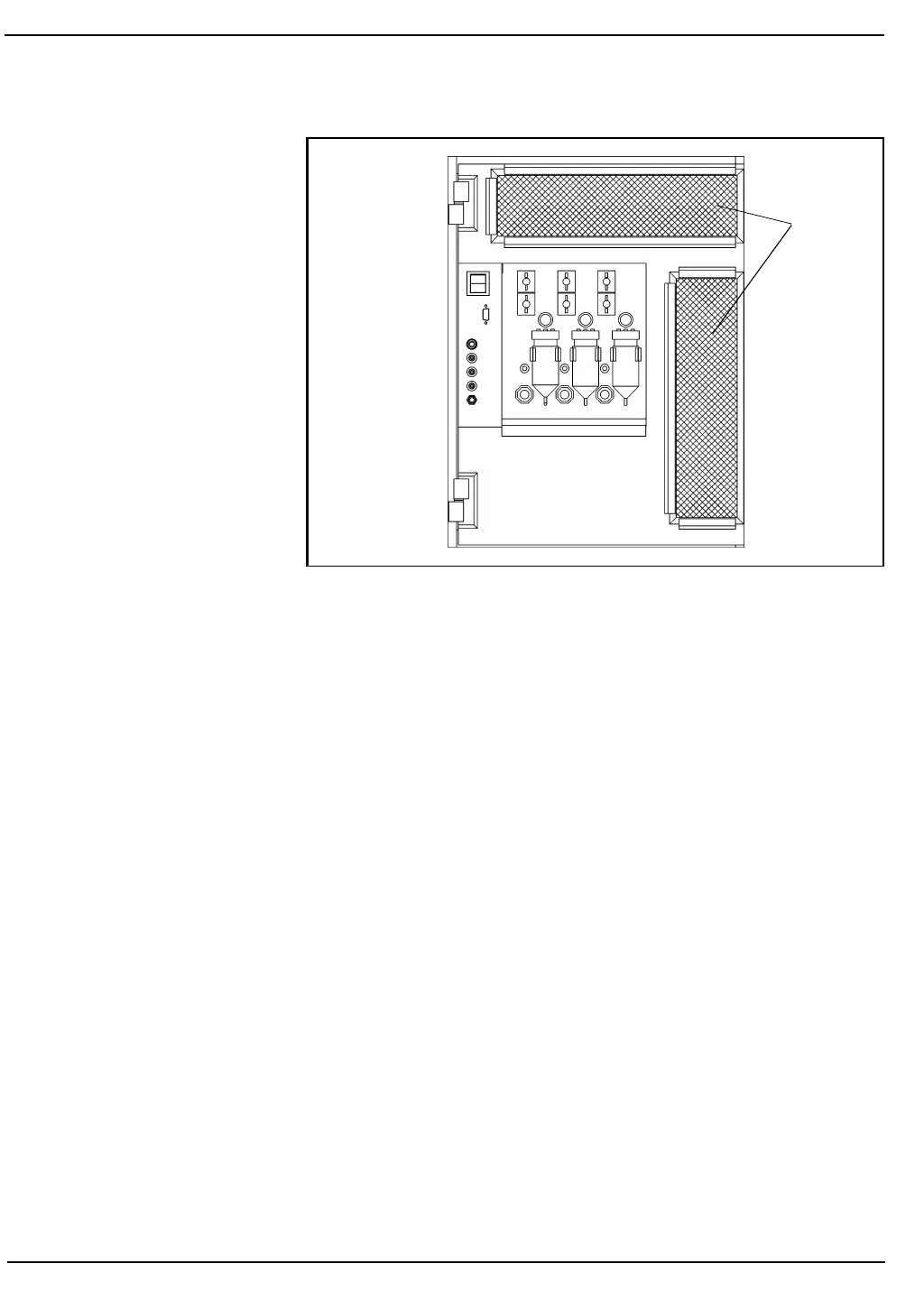
Figure 9.10: Analyzer Left Side Panel
Materials Required
1. Running water
2. Lint-free wipes or towels
3. Small vacuum cleaner (optional)
4. Gloves, lab coat, and suitable eye protection
Analyzer Filter Procedure
1. Remove the front covers to gain access to the filter holders on the left
side panel. (See Figure 9.10, Analyzer Left Side Panel.)
2. Grasp the upper filter handle and slide the holder forward to
remove it. The lower filter is removed the same way.
3. Rinse the filters with warm water from the inside to the outside to
remove the dust. Blot each filter with lint-free tissues or towels to dry
the filters completely before replacing them.
or
Clean the filters by vacuuming them.
4. Insert the upper filter holder into its slot. Slide it back into place
until the holder is flush with the front panel. Repeat this process to
install the lower filter holder. The metal side of the filter should be
facing toward the instrument.
5. Replace the front covers.
Air
Inlet
Filters



 To Next Page