6-46 CELL-DYN 3000 System Operator’s Manual
9140240E — May 1995
Calibration Chapter 6
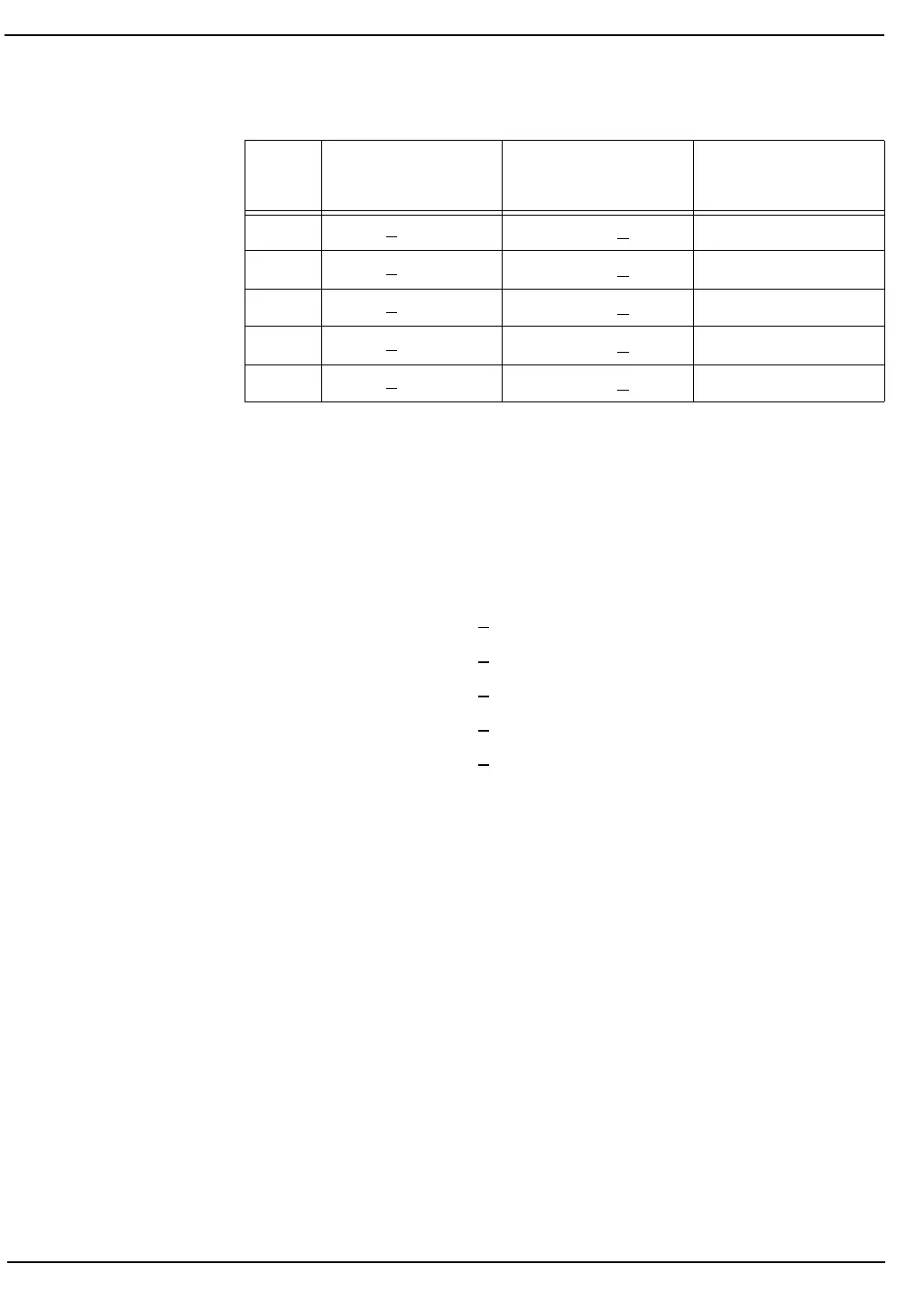
Table 6.4: Calibration Criteria Chart
Determining Which Parameters Need Calibration
1. Validation Range
If the Factor % Difference is equal to or less than the following
values, CALIBRATION IS NOT REQUIRED for that parameter as
the value is within the Validation Range.
Results EQUAL TO OR LESS THAN VALIDATION RANGE:
WBC
<1.5%
RBC
<1.0%
HGB
<1.0%
MCV
<1.0%
PLT
<3.0%
If the results for all parameters are less than the values given above,
press [QUIT AUTO-CAL] followed by [CONFIRM QUIT].
The Auto-Cal Calibration Log is available for comments only when
a calibration factor is changed or reentered. Therefore, document
the calibration in the <COMMENTS> line by accessing the log as
follows:
From the CALIBRATION MENU Screen press [ENTER
FACTOR].
Retype any existing Cal Factor. Press the Enter key on the keyboard
to save the entry and advance the cursor.
Press [RETURN].
When the CALIBRATION LOG Screen is displayed, indicate in
the <COMMENTS> line that instrument calibration was
confirmed and no changes were required. Press the Enter key on
the keyboard to save the entry and advance the cursor.
Validation Range
Cal Not Required
Calibration Range
Cal Required
Calibration Limit
Do Not Cal
WBC <1.5%
>1.5% but <10%
>10%
RBC <1.0%
>1.0% but <10%
>10%
HGB <1.0%
>1.0% but <10%
>10%
MCV <1.0%
>1.0% but <10%
>10%
PLT <3.0%
>3.0% but <15%
>15%



 To Next Page