2-6 CELL-DYN 3000 System Operator’s Manual
9140240E — May 1995
Installation Chapter 2
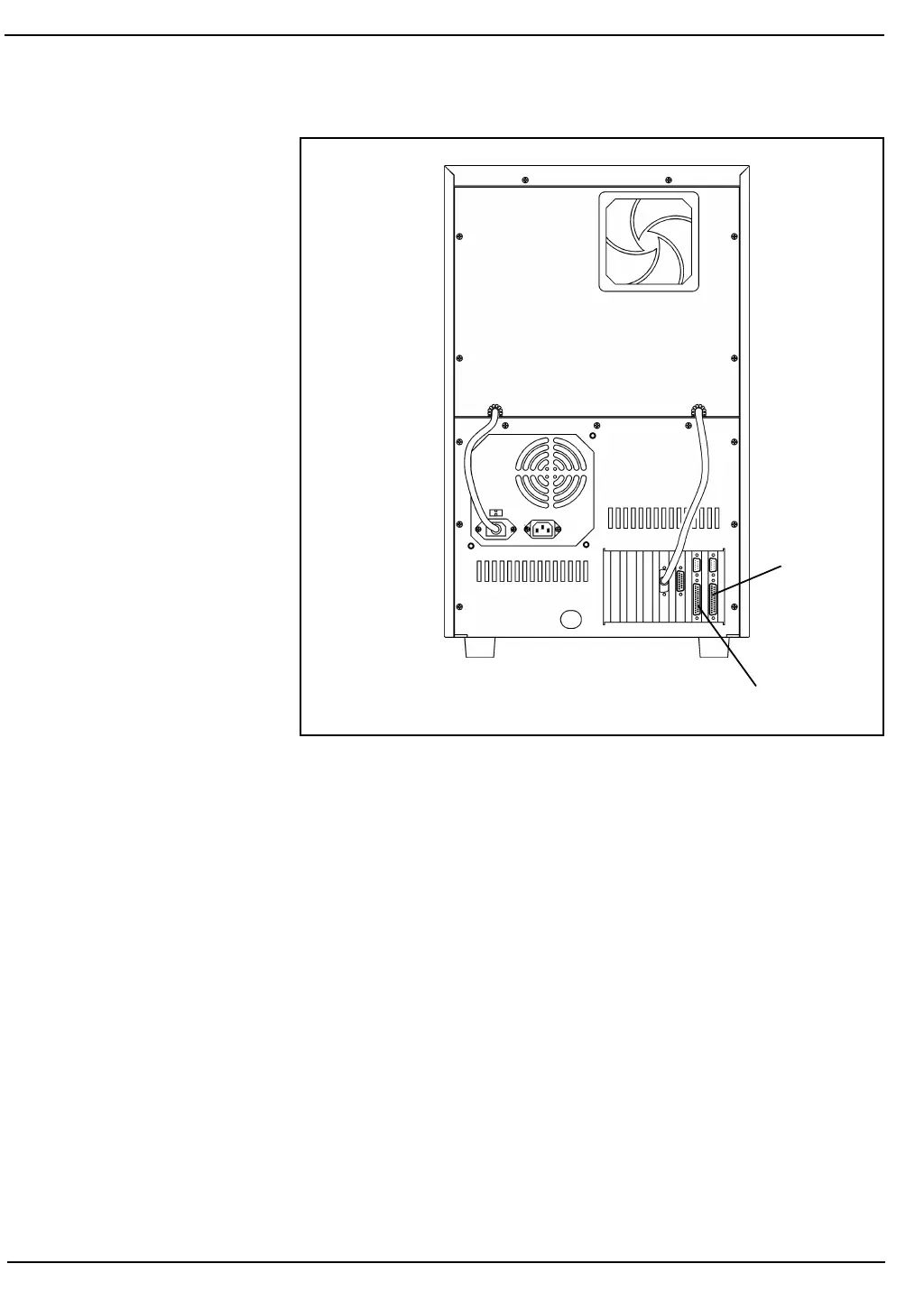
Figure 2.1: Data Station Rear Panel
1.Assemble the printer as directed in the printer manual.
2.Make sure that the printer power switch is OFF. Plug the power
cord into the back of the printer and plug the other end into a
grounded outlet.
3.Make sure that the power to the Data Station is turned OFF.
Remove the interface cable (which looks like a power cord with
two connectors) from the accessory kit and plug one end into the
port on the rear of the printer. Fasten the wire clips to the connector
for a secure connection.
4.Plug the other end of the interface cable into the ticket printer port
on the Data Station. (See Figure 2.1.) Tighten the screws on the
connector for a secure connection.
5.Install the ribbon as directed in the printer manual.
6.Load the blank, continuous-feed tickets as directed in the printer
manual, OR, if you are using pre-printed individual tickets,
continue with the following procedure.
Graphics
Printer
Port
Ticket Printer
Port



 To Next Page