CELL-DYN 3000 System Operator’s Manual 1-17
9140240E — May 1995
Chapter 1 System Description
Data Station
Overview
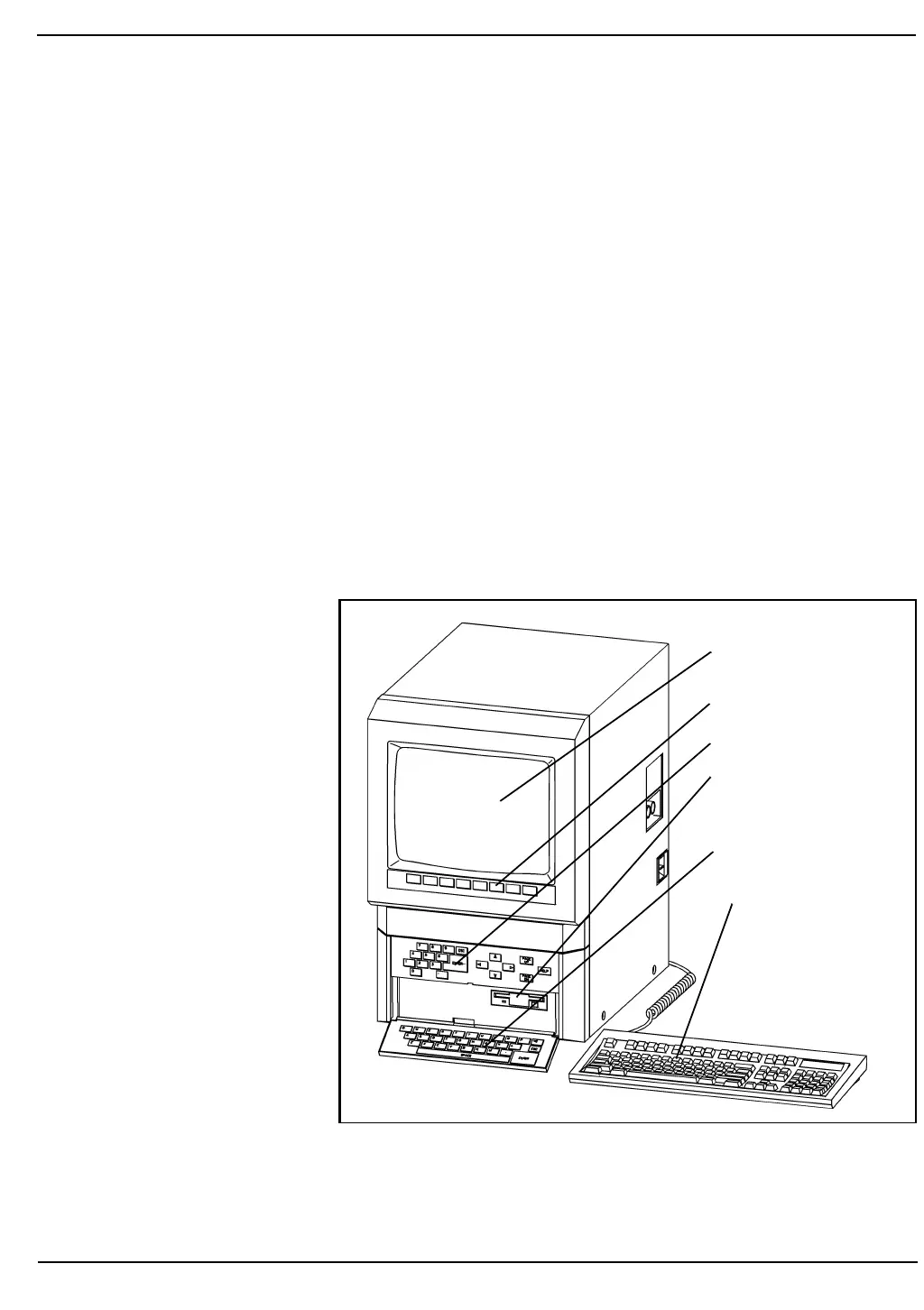
The Data Station contains the video display monitor, computer and
keyboards. The CELL-DYN 3000 operations are controlled by
high-speed microprocessors that monitor system status, perform the
various analytical routines used by the instrument, perform diagnostic
checks and store result data.
Serial data (ASCII format) may be output to a Laboratory Information
System (LIS) through an RS-232 connector. Data may be transmitted
either automatically as samples are processed or by command of the
operator. Parallel data may be output to an on-line printer.
Data Station Components
The components visible on the front and right panels of the Data Station
are shown in Figures 1.8 and 1.9. The full computer keyboard is also
shown.
Figure 1.8: Data Station Front Panel Components and Standard
Computer Keyboard
Video Display Screen
Soft Keys
Primary Keys
Floppy Disk Drive
Data Station Keyboard
Standard Computer
Keyboard



 To Next Page