Version 16.10 AF-6600 AF-5000 Series Install Manual 237
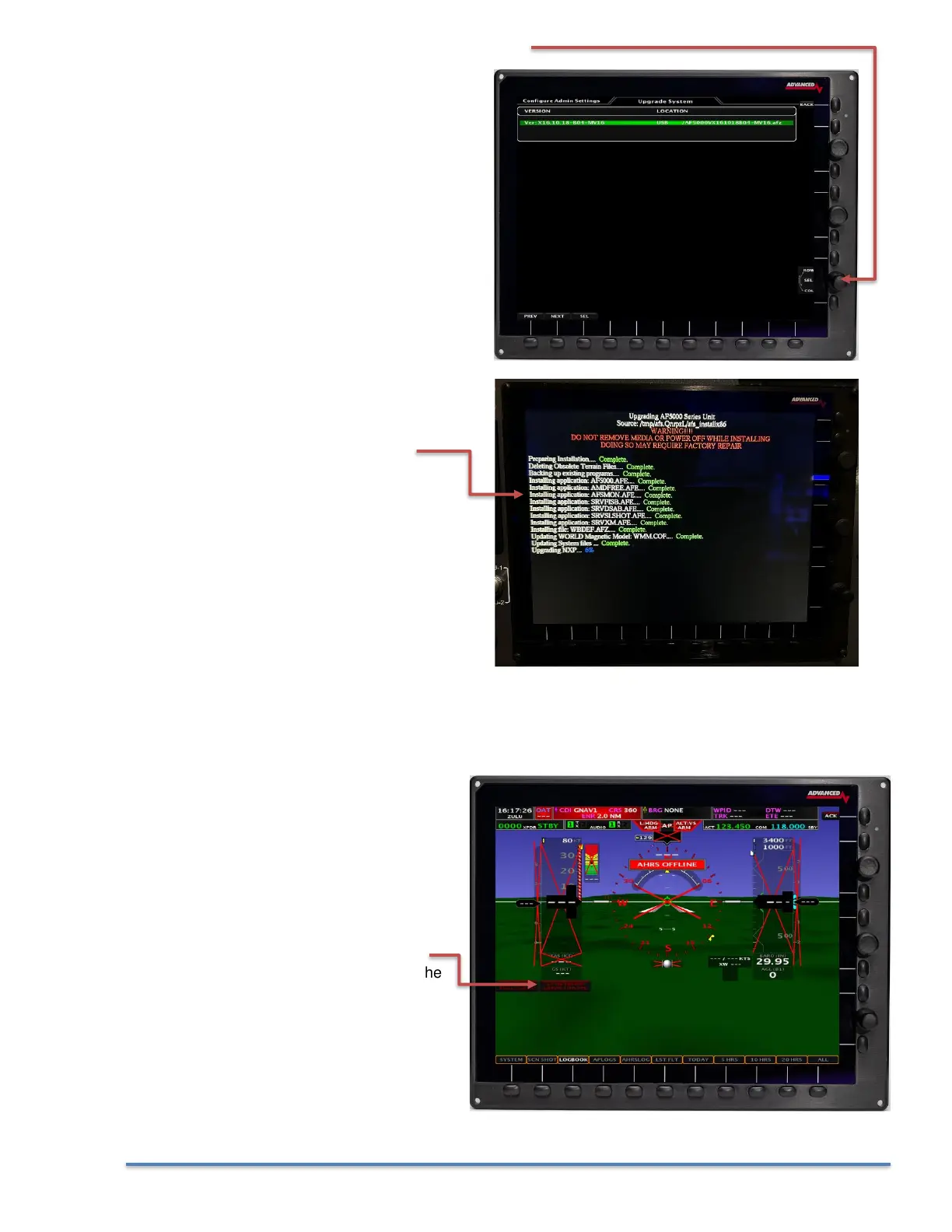
9. Use the lower right knob to select the EFIS software
10. You should get a screen that looks like this
as the system software is installed.
11. After the software installs you will get a warning message and the EFIS should reboot.
12. Repeat steps 6 – 11 for all EFIS screens in the aircraft.
13. If after installing the new software you get
a RED X over the airspeed and altimeter
and a Network Needs Updating
message you will need to update the
software on the connected Dynon
devices.
14. Touch the Network Needs Updating
message on the PFD EFIS or select the
following menu:
SET > CAL > 2. Advanced SV-Network



 To Next Page