130
Auxiliary functions
26.2.15.2. Calibration of the process set-point value and process actual
value
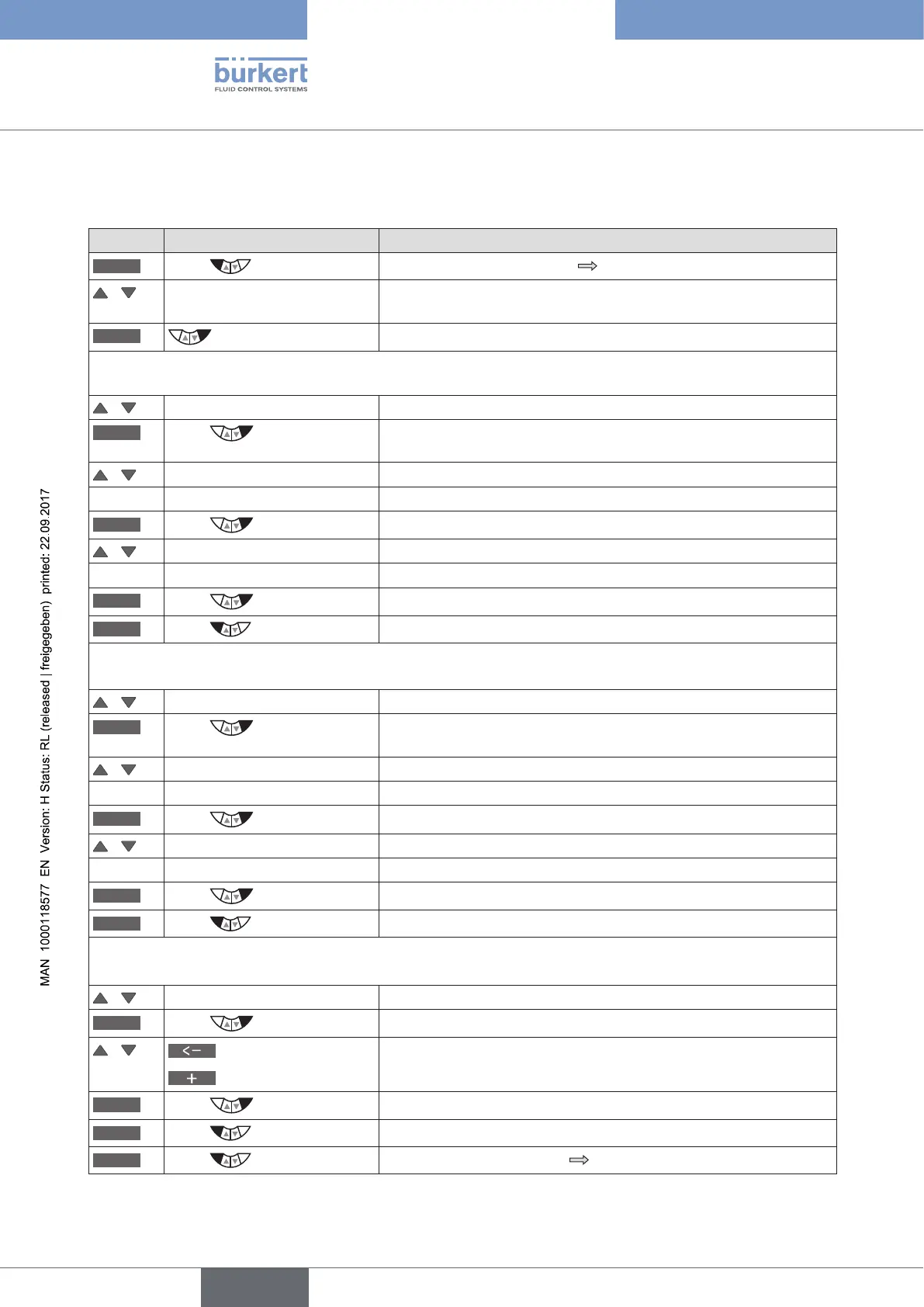
Key Action Description
MENU
Press for approx. 3 s
Switching from process level setting level.
/ Select CAL.USER (To do this, the auxiliary function must be incorporated into the main
menu).
ENTER
The submenu options are displayed.
calibr. SP - calibration of the process set-point value:
/ Select calibr.SP
ENTER
Press
The menu options for the minimum and the maximum process set-
point values are displayed.
/ Select SP 0mA (4mA/0V) The minimum value for the input signal is displayed.
- - Apply the minimum value to the input.
OK
Press
Transfer and simultaneous return to the calibr.SP menu.
/ Select SP 20mA (5V/10V) The maximum value for the input signal is displayed.
- - Apply the maximum value to the input.
OK
Press
Transfer and simultaneous return to the calibr.SP menu.
EXIT
Press
Acknowledgment and simultaneous return to the CAL.USER menu.
calibr. PV - calibration of the process actual value for input signal 4 - 20 mA:
/ Select calibr.PV
ENTER
Press
The menu options for the minimum and the maximum process actual
values are displayed.
/ Select PV 4mA The minimum value for the input signal is displayed.
- - Apply the minimum value to the input.
OK
Press
Transfer and simultaneous return to the calibr.PV menu.
/ Select PV 20mA The maximum value for the input signal is displayed.
- - Apply the maximum value to the input.
OK
Press
Transfer and simultaneous return to the calibr.PV menu.
EXIT
Press
Acknowledgment and simultaneous return to the CAL.USER menu.
calibr. PV - calibration of the process actual value for input signal Pt 100:
/ Select calibr.PV
ENTER
Press
The input screen for calibration of the temperature is opened.
/
Select decimal place
Increase number
Input the current temperature.
OK
Press
Transfer and simultaneous return to the CAL.USER menu.
EXIT
Press
Acknowledgment and simultaneous return to the main menu (MAIN).
EXIT
Press
Switching from setting level process level.
Table 66: CAL.USER; calibration of position actual value and position set-point value



 To Next Page