157
Auxiliary functions
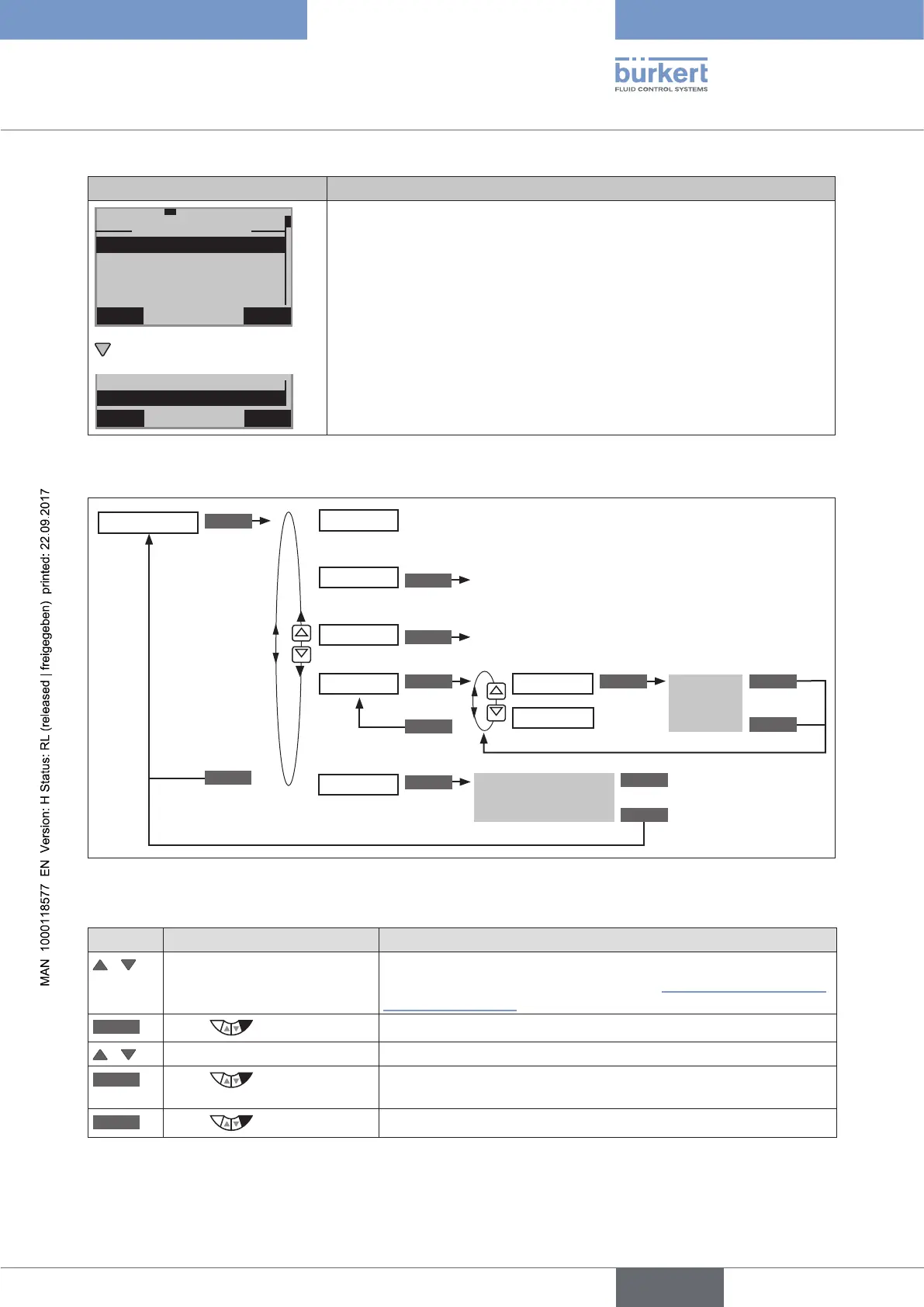
Display TEMP.CHECK Description of the functions
EXIT
29-8-1
TEMP.CHECK
CURRENT
MAX
MIN
LIMIT
21.7
*
C
21.7
*
C
21.7
*
C
CURRENT indicates the current temperature.
MAX indicates the highest temperature of the slave pointer
MIN indicates the lowest temperature of the slave pointer
The permitted temperature range can be changed in the LIMIT submenu.
A message is output if the temperature goes outside the permitted range.
The temperature range has been preset at the factory from 0 ... 60 °C.
The history entries of the last 3 messages can be viewed and deleted in
the HISTORY submenu.
EXIT ENTER
29-8-1
LIMIT
HISTORY
Table 90: TEMP.CHECK; temperature range
Operating structure:
ENTER
INPUT INPUT
ENTER
OK
ESC
EXIT
CLEAR
Input
Limit
History entry is
displayed
Lowest temperature of the slave pointer
Highest temperature of the slave pointer
Display of the current temperature
TEMP.CHECK
TEMP.MAX
TEMP.MIN
LIMIT
HISTORY
Delete history entry
EXIT
MIN
MAX
CURRENT
CLEAR
CLEAR
Delete value
Delete value
EXIT
Figure 95: Operating structure TEMP.CHECK
Specifying temperature limit for the output of messages
Key Action Description
/ Select TEMP.CHECK (To do this, the TEMP.CHECK function must be incorporated into
the DIAGNOSE main menu. See Chapter “26.2.22.4. Activation of
diagnosis functions”).
ENTER
Press
The menu is displayed.
/ Select LIMIT
ENTER
Press
The upper and lower temperature limit is displayed.
The upper limit TEMP.MAX has already been selected.
INPUT
Press
Open input screen for upper temperature limit.



 To Next Page