158
Auxiliary functions
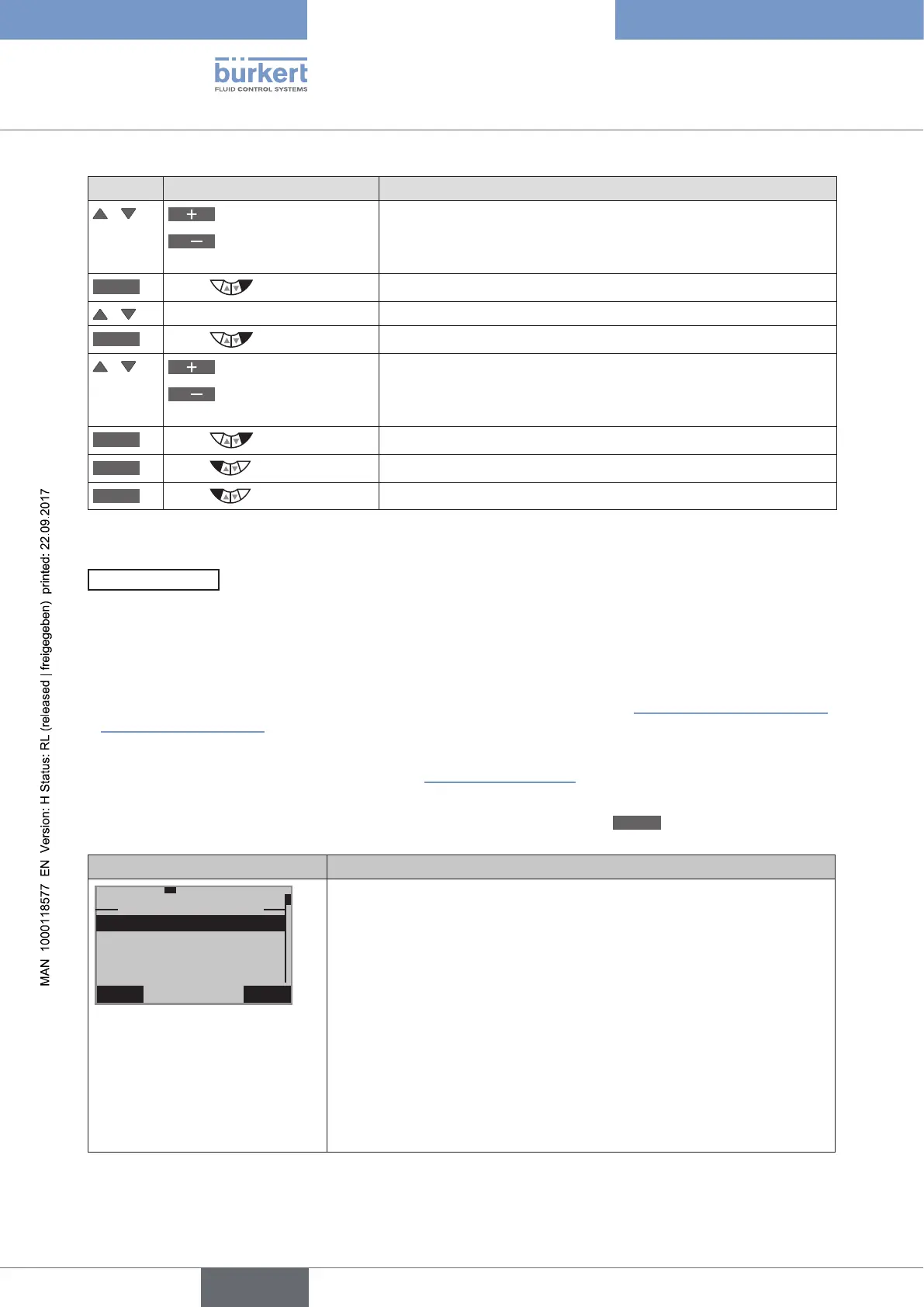
Key Action Description
/
Increase value
<
Changing the decimal
place
Input upper temperature limit TEMP.MAX.
OK
Press
Acknowledge value.
/ Select TEMP.MIN
INPUT
Press
Open factory setting for lower temperature limit.
/
Increase value
<
Changing the decimal
place
Input lower temperature limit TEMP.MIN.
OK
Press
Acknowledge value.
EXIT
Press
Return to the TEMP.CHECK menu.
EXIT
Press
Return to the DIAGNOSE main menu.
Table 91: TEMP.CHECK; specifying temperature limit.
STROKE.CHECK
– End position monitor
The STROKE.CHECK function is used to monitor the physical end positions of the armature. In this way wear marks
can be detected on the valve seat.
To do this, a tolerance band is specified for the lower end position (position 0 %) and for the upper end position
(position 100 %). If an end position exceeds or falls below the tolerance band, a message is output.
• To do this, a history entry is made in the HISTORY submenu. For description see “26.2.22.7. History entries in
the HISTORY submenu”.
• The status signal, which is assigned to the message, is indicated at short intervals on the display.
See also D.MSG and CONFIG.MSG in Chapter “26.2.22.5”, page 146.
In addition to the monitor there is an end position slave pointer. This indicates the minimum and maximum position
of the determined end positions. The slave pointer can be reset by pressing the
CLEAR
key.
Display STROKE.CHECK Description of the functions
EXIT
29-9-1
STROKE.CHECK
MAX
MIN
LIMIT
HISTORY
30. 9 %
67.6
%
MAX indicates the maximum position of the slave pointer
MIN indicates the minimum position of the slave pointer
The tolerance band for the physical end positions can be set in the LIMIT
submenu. A message is output if the temperature goes outside the per-
mitted range.
Example:
Input upper end position TOL MAX = 1 %
If the position is less than -1 %, a message is output
Input lower end position TOL ZERO = 1 %
If the position is greater than 101 %, a message is output
The history entries of the last 3 messages can be viewed and deleted in
the HISTORY submenu.
Table 92: STROKE.CHECK; end position monitor



 To Next Page