159
Auxiliary functions
CAUTION!
If a stroke limit was set in the X.LIMIT menu, the mechanical end position monitor has only limited
relevance.
The end positions indicated on the process level under POS are not the physically caused end positions
in this case. Therefore they cannot be compared with the end positions indicated in the STROKE.CHECK
menu under MIN and MAX.
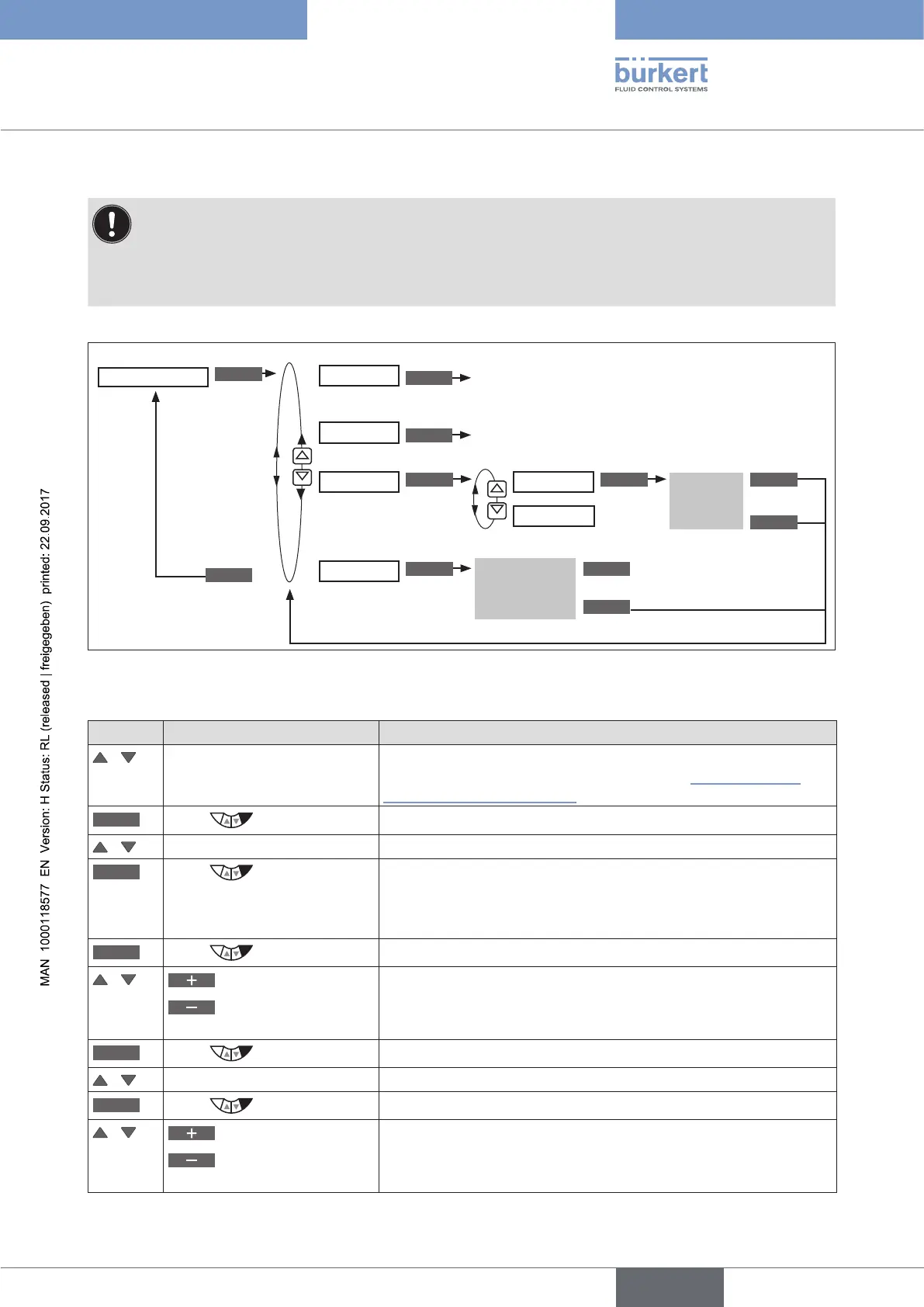
Operating structure:
ENTER
INPUT INPUT
ENTER
OK
ESC
EXIT
CLEAR
Input
Limit
History entry
is displayed
Minimum position of the slave pointer
Maximum position of the slave pointer
STROKE.CHECK
ZERO.TOL
MAX.TOL
LIMIT
HISTORY
Delete history entry
EXIT
MIN
MAX
CLEAR
CLEAR
Delete value
Delete value
Figure 96: Operating structure STROKE.CHECK
Specifying position limit for the output of messages
Key Action Description
/ Select STROKE.CHECK (To do this, the STROKE.CHECK function must be incorporated
into the DIAGNOSE main menu. See Chapter “26.2.22.4. Acti-
vation of diagnosis functions”).
ENTER
Press
The menu is displayed.
/ Select LIMIT
ENTER
Press
The submenus for inputting the lower and upper end position
tolerance are displayed.
The submenu for inputting the lower end position tolerance ZERO.
TOL has already been selected.
INPUT
Press
Open input screen for lower end position tolerance.
/
Increase value
Changing the decimal
place
Input lower end position tolerance ZERO.TOL.
OK
Press
Acknowledge value.
/ Select MAX.TOL
INPUT
Press
Open input screen for upper end position tolerance.
/
Increase value
Changing the decimal
place
Input upper end position tolerance MAX.TOL.



 To Next Page