160
Auxiliary functions
Key Action Description
OK
Press
Acknowledge value.
EXIT
Press
Return to the STROKE.CHECK menu.
EXIT
Press
Return to the DIAGNOSE main menu.
Table 93: STROKE.CHECK; end position monitor.
POS.MONITOR
–Position monitoring
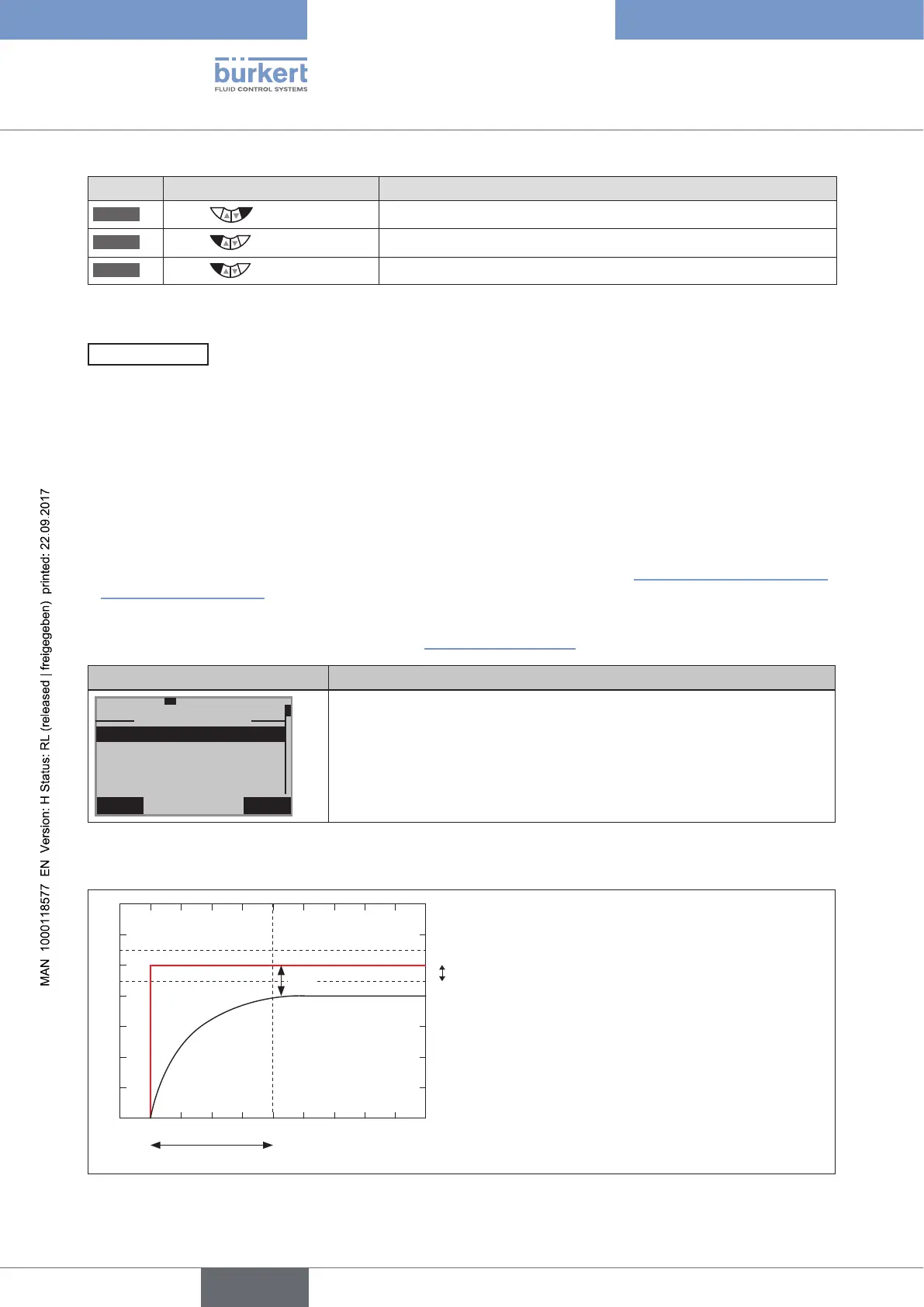
The POS.MONITOR function monitors the current position of the actuator.
The tolerance band for the set-point value is specified in the DEADBAND submenu.
A period for alignment of the actual value with the set-point value is specified in the COMP.TIME submenu
(compensation time).
The compensation time COMP.TIME starts recording as soon as the set-point value is constant. When the com-
pensation time has elapsed, monitoring starts.
If the control deviation (DEV) of the actual value is greater than the tolerance band of the set-point value during
monitoring, a message is output.
• To do this, a history entry is made in the HISTORY submenu. For description see “26.2.22.7. History entries in
the HISTORY submenu”.
• The status signal, which is assigned to the message, is indicated at short intervals on the display.
See also D.MSG and CONFIG.MSG in Chapter “26.2.22.5”, page 146.
Display POS.MONITOR Description of the functions
EXIT INPUT
29-11-1
POS:MONITOR
DEADBAND
HISTORY
COMP.TIME
10.0 sec
2.0
%
The tolerance band of the set-point value preset at the factory to 2 % can
be changed in the DEADBAND submenu.
The compensation time is set in COMP.TIME (compensation time).
The history entries of the last 3 messages can be viewed and deleted in
the HISTORY submenu.
Table 94: POS.MONITOR; position monitor
Schematic representation
0
0.2
0.4
0.6
0.8
1
1.2
1.4
0 1 2 3 4 5 6 7 8 9 10
COMP.TIME
DEADBAND
CMD
POS
DEV
Key:
DEADBAND = adjustable tolerance
band as %.
COMP.TIME = adjustable time
in seconds expected until the
control deviation is compared with
the tolerance band.
DEV = control deviation
Figure 97: POS.MONITOR; schematic representation of position monitor



 To Next Page