Hard Disk
Using imagePROGRAF Status Monitor (W indows)
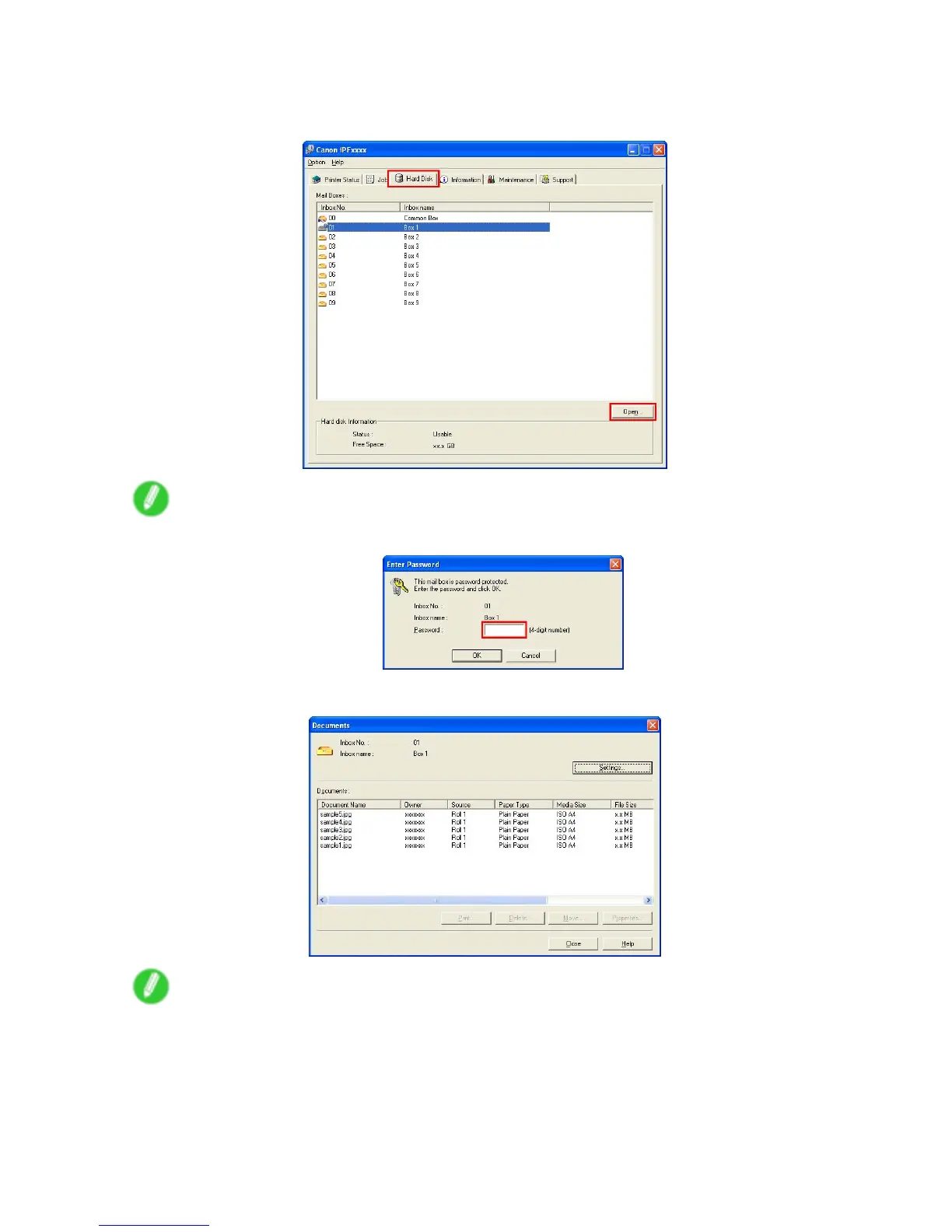
On the Hard Disk sheet, select a mail box in the list and click Open .
Note
• Enter a password if one has been set.
Jobs saved in that mail box are displayed in the Documents dialog box.
Note
• Document and owner names during HP-GL/2 printing
A job number is automatically assigned by the printer as the document name or title. GL2 JOB#001
(Range: 001-210)
The owner name is blank.
For details, refer to the imagePROGRAF Status Monitor help.
462 Hard Disk


 To Next Page
 Loading...












