Handling sheets
Clearing a Jammed Sheet
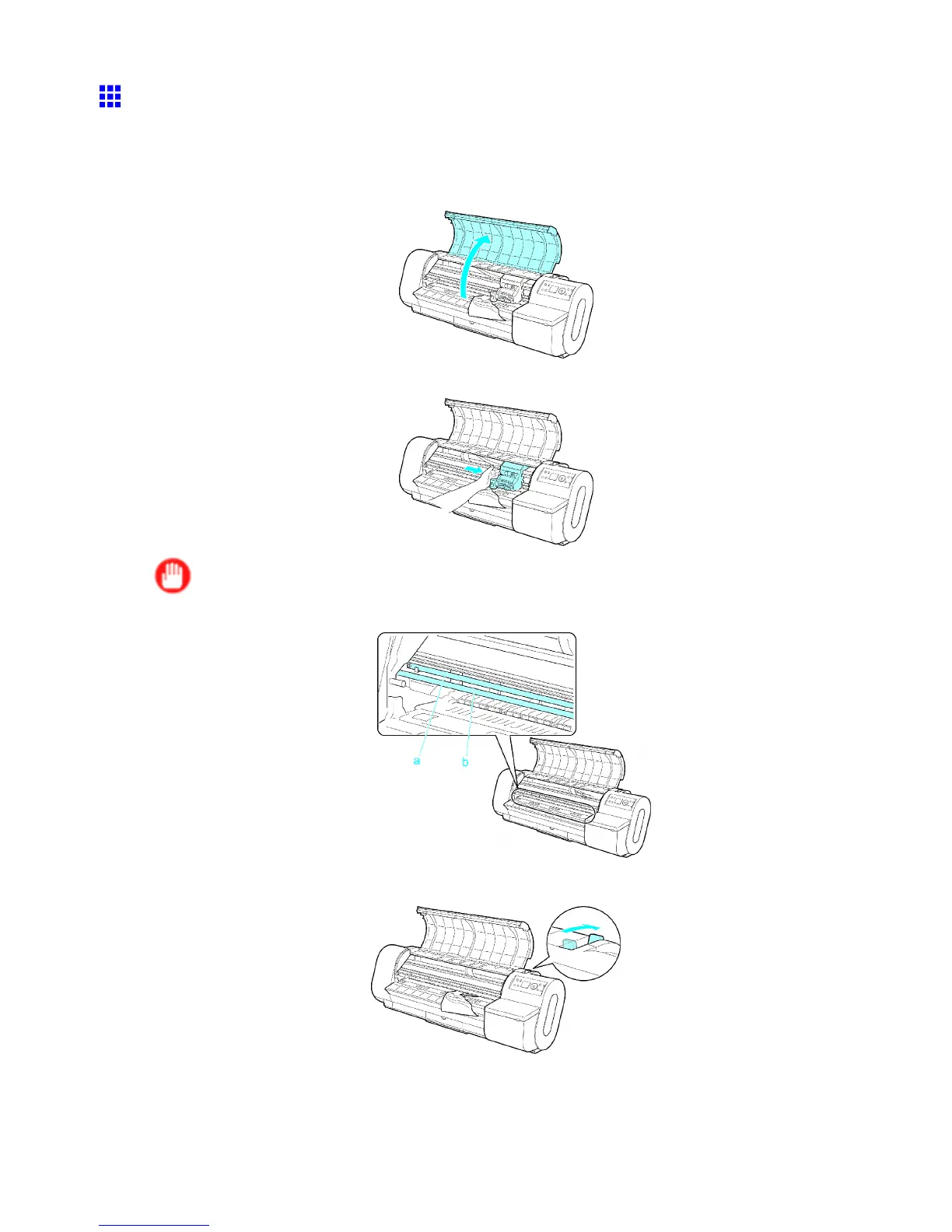
If a sheet jams, follow the steps below to remove it.
1. T urn the printer of f. ( → P .22)
2. Open the T op Cover .
3. If the Carriage is out, move the Carriage to separate it from the paper .
Important
• Do not touch the Linear Scale (a) or Carriage Shaft (b).
4. Push the Release Lever back.
138 Handling Paper


 To Next Page
 Loading...












