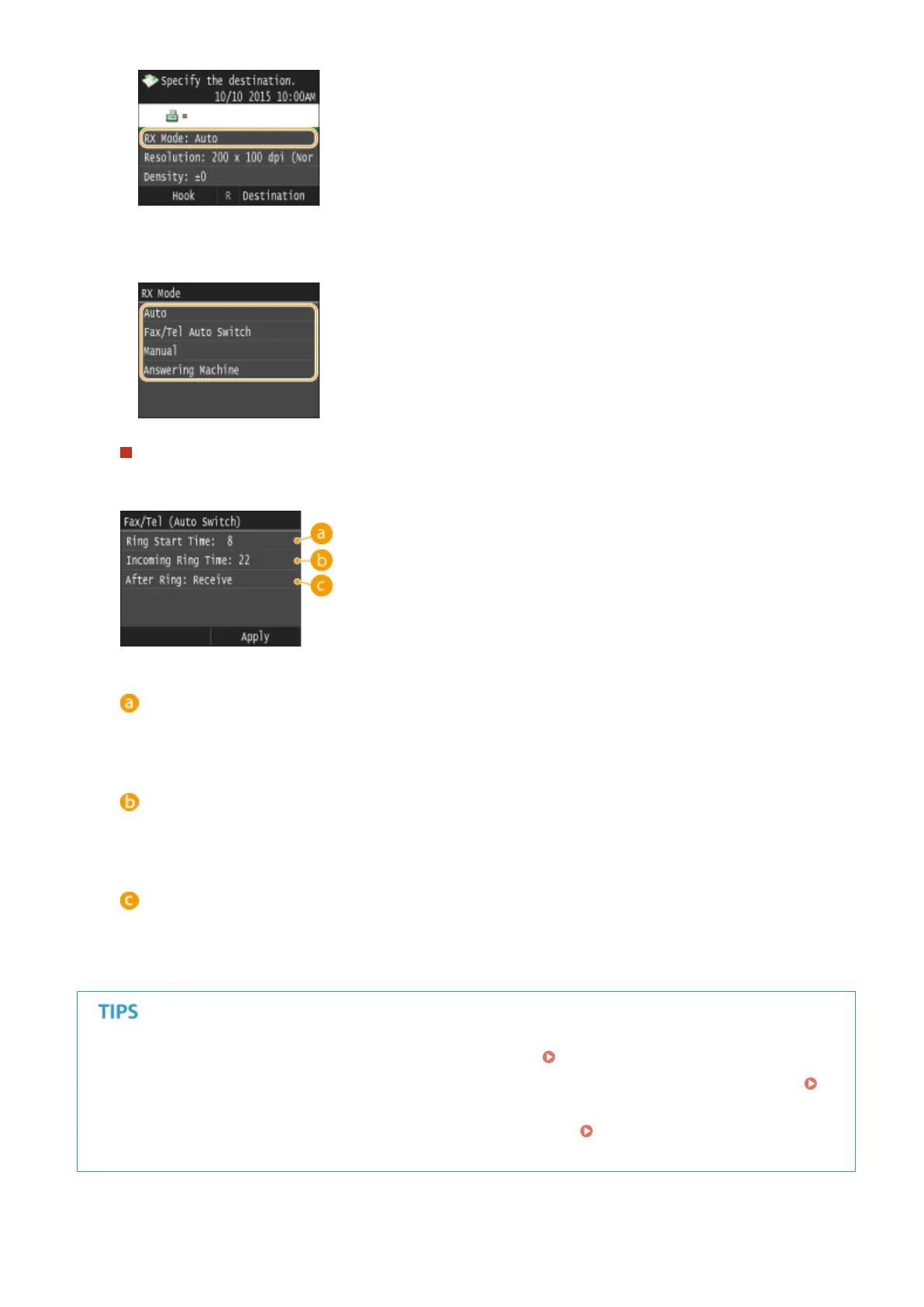
3
Select the receiving method.
When selecting <Fax/Tel (Auto Switch)>
Specify the following three settings as necessary. When the setting is complete, tap <Apply>.
<Ring Start Time>
Enables you to specify the duration during which the machine determines whether an incoming call is a fax
or a telephone call. (Setting values: 5 to 30 seconds; default setting: 8 seconds)
<Incoming Ring Time>
Enables you to specify the duration during which an incoming call rings for a telephone call. (Setting values:
15 to 300 seconds; default setting: 22 seconds)
<After Ring>
Enables you to specify how the machine operates if you do not pick up the handset while an incoming call is
ringing. Select <End> to disconnect the call or <Receive> to receive an incoming fax. (Default setting:
<Receive>)
● If you want to print received documents on both sides of paper: Print on Both Sides(P. 663)
● If you want to print information, such as reception date and time, at the bottom of received documents:
RX Page Footer(P. 664)
● If you want to continue printing even when the toner cartridge is low: Continue Printing When Amount
in Cartridge Is Low(P. 664)
Faxing
181











 To Next Page