5
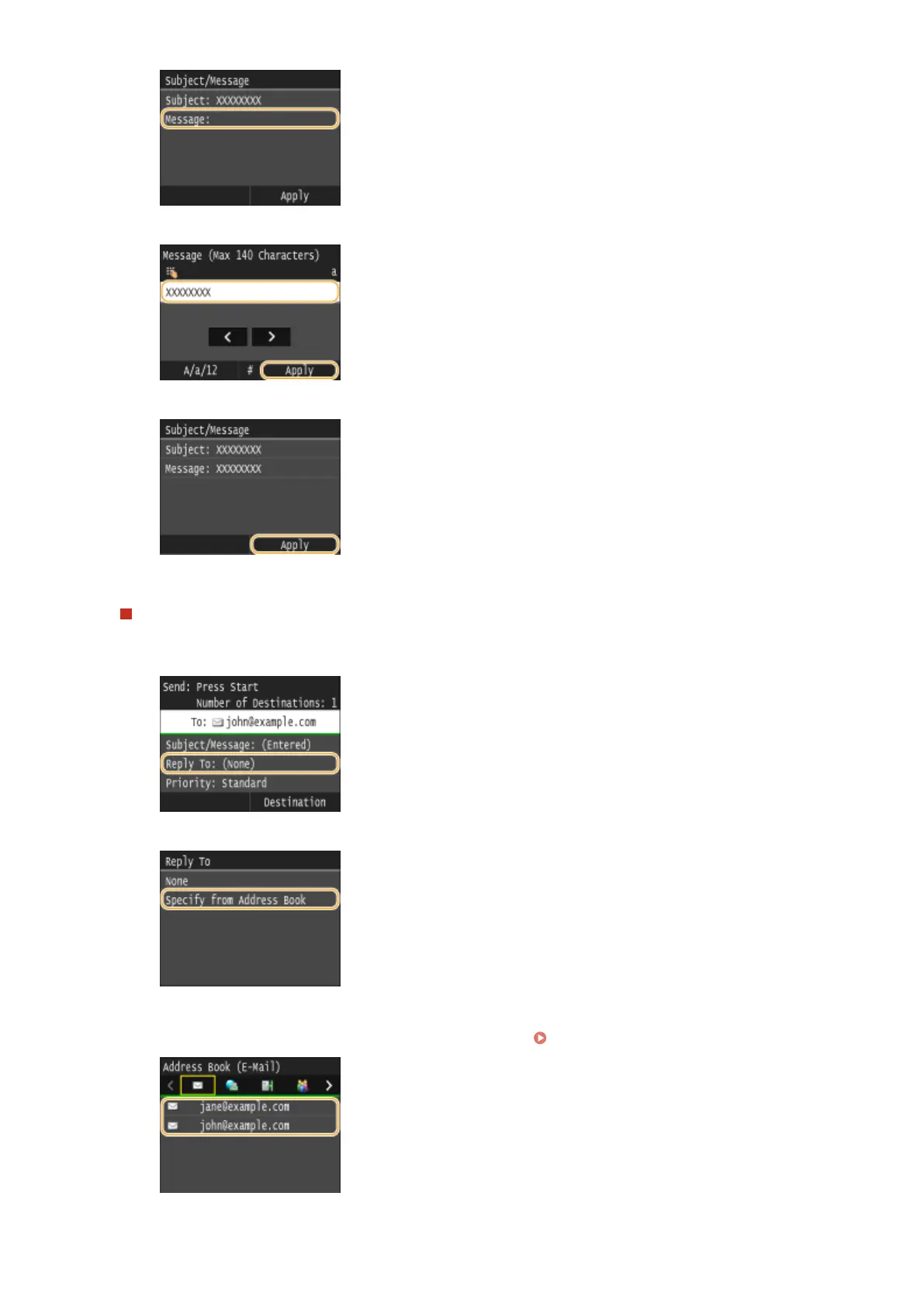
Enter the body using the numeric keys, and tap <Apply>.
6
Tap <Apply>.
To specify reply-to address
1
Tap <Reply To>.
2
Tap <Specify from Address Book>.
3
Select a reply-to address from the Address Book.
● For instructions on how to use the Address Book, see Specifying from Address Book (P. 362) .
Using the Machine as a Scanner
338











 To Next Page