97
Update
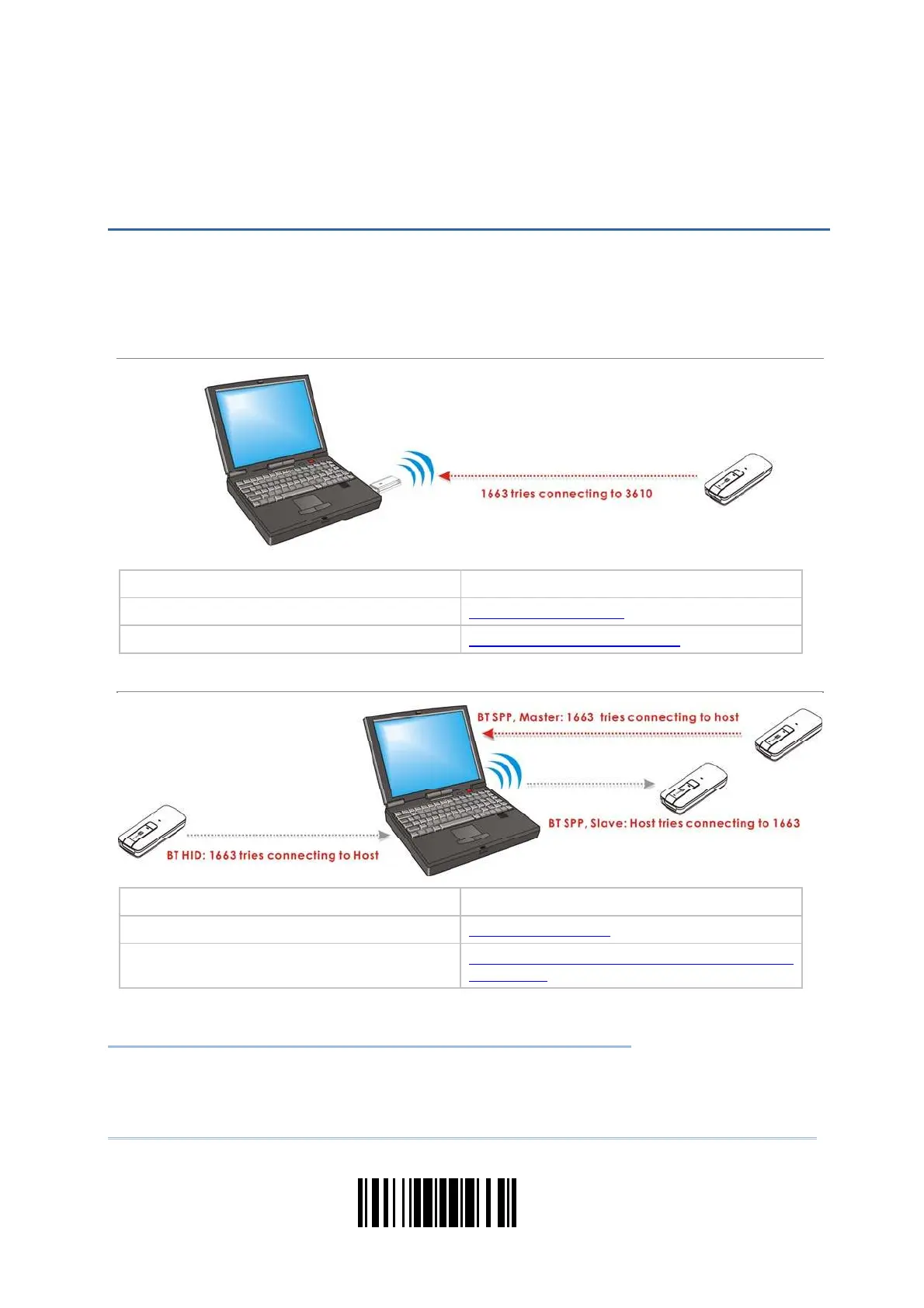
The scanner can be configured to send data t o a host com puter wirelessly via t he 3610
dongle, or to a not ebook com puter or PDA with Bluetooth
®
wireless technology. Upon
powering up, the scanner will be ready to est ablish a WPAN connect ion.
To establish a connection via 3610 after reading “Set Connection” and “Serial No.” barcodes …
I nt er face Option Re fer en ce
USB HI D 2.4 USB HI D via 3610
USB Virt ual COM 2.5 USB Virtual COM via 3610
To establish a connection via Bluetooth
®
dongle after pairing…
I nt er face Option Re fer en ce
Bluetooth
®
HI D 2.1 Bluet oot h® HI D
Bluetooth
®
SPP 2.2 Bluetoot h® SPP Slave, 2.3 Bluet oot h®
SPP Master
IN THIS CHAPTER
3.1 Connecting via 3610 .................................................. 98
3.2 Connecting via Bluet oot h
®
Dongle ............................... 100
Chapter 3
SET UP A WPAN CONNECTION



 To Next Page