207
Update
Appendix I Firmware Upgrade
4) Read t he “ Updat e” barcode for the scanner to resum e its operation ( exit t he
configurat ion m ode) .
Update
UPGRADE 3610 USB BRIDGE FIRMWARE
1) Read t he following barcodes in sequence for 3610 to enter t he download mode. The
Com m unicat ion LED on 3610 will be flashing red to indicate it is ready for
downloading.
Enter Setup
Download 3610
USB Bridge Firmware
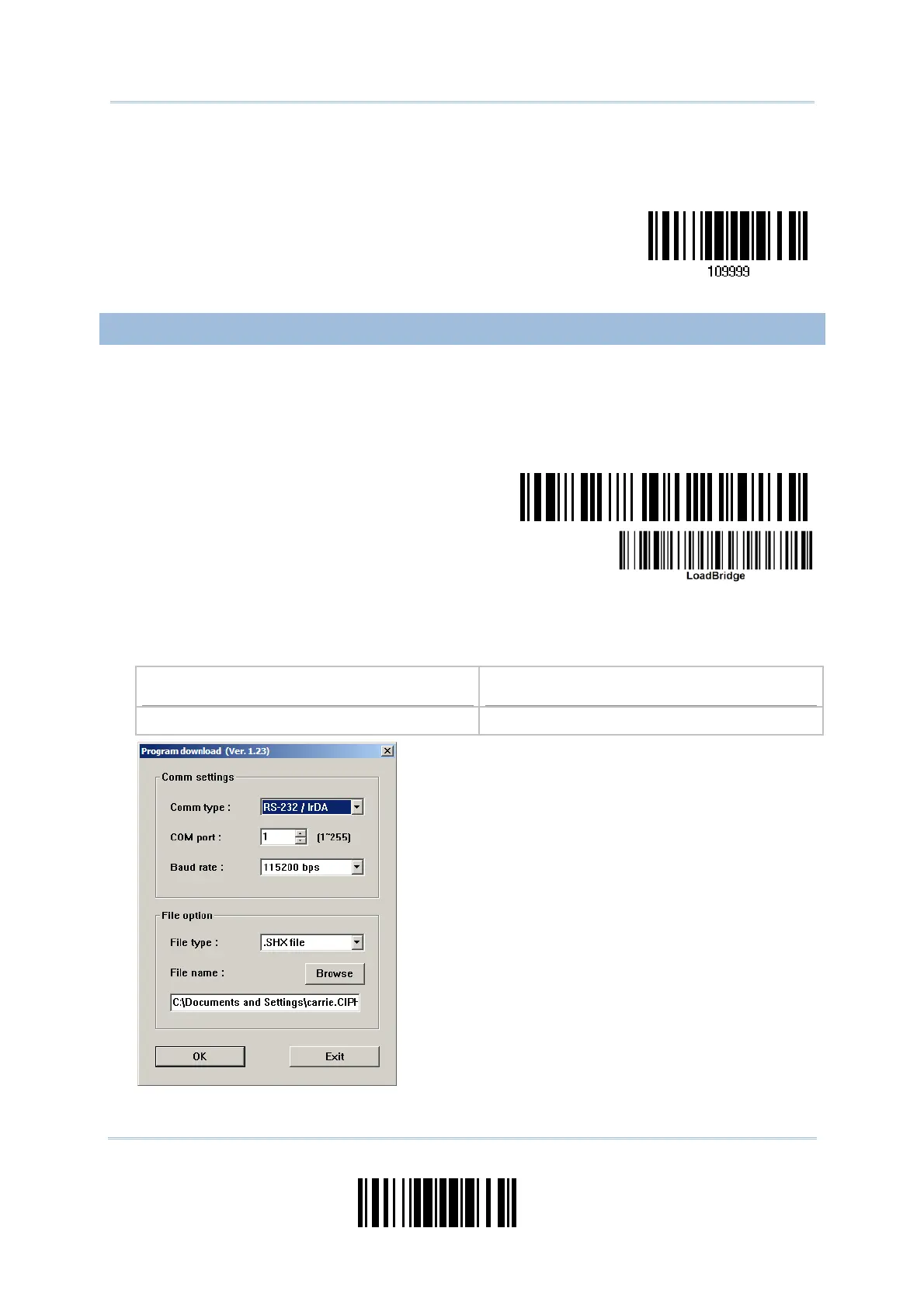
2) Run t he download ut ility “ProgLoad.exe” on your com puter.
Kernel Program
User Program
K3610Bridge_V* .shx STD3610Bridge_V* .shx
For the com m unication set tings, select
“ RS-232” and the correct COM port for USB
Virtual COM interface.
I gnore the baud rat e set t ing.
For the file opt ion, click [ Browse] to select
the target file for firm ware update.
Click [ OK] .



 To Next Page