64
Enter Setup
1663 Barcode Scanner User Guide
Numeric Transmission
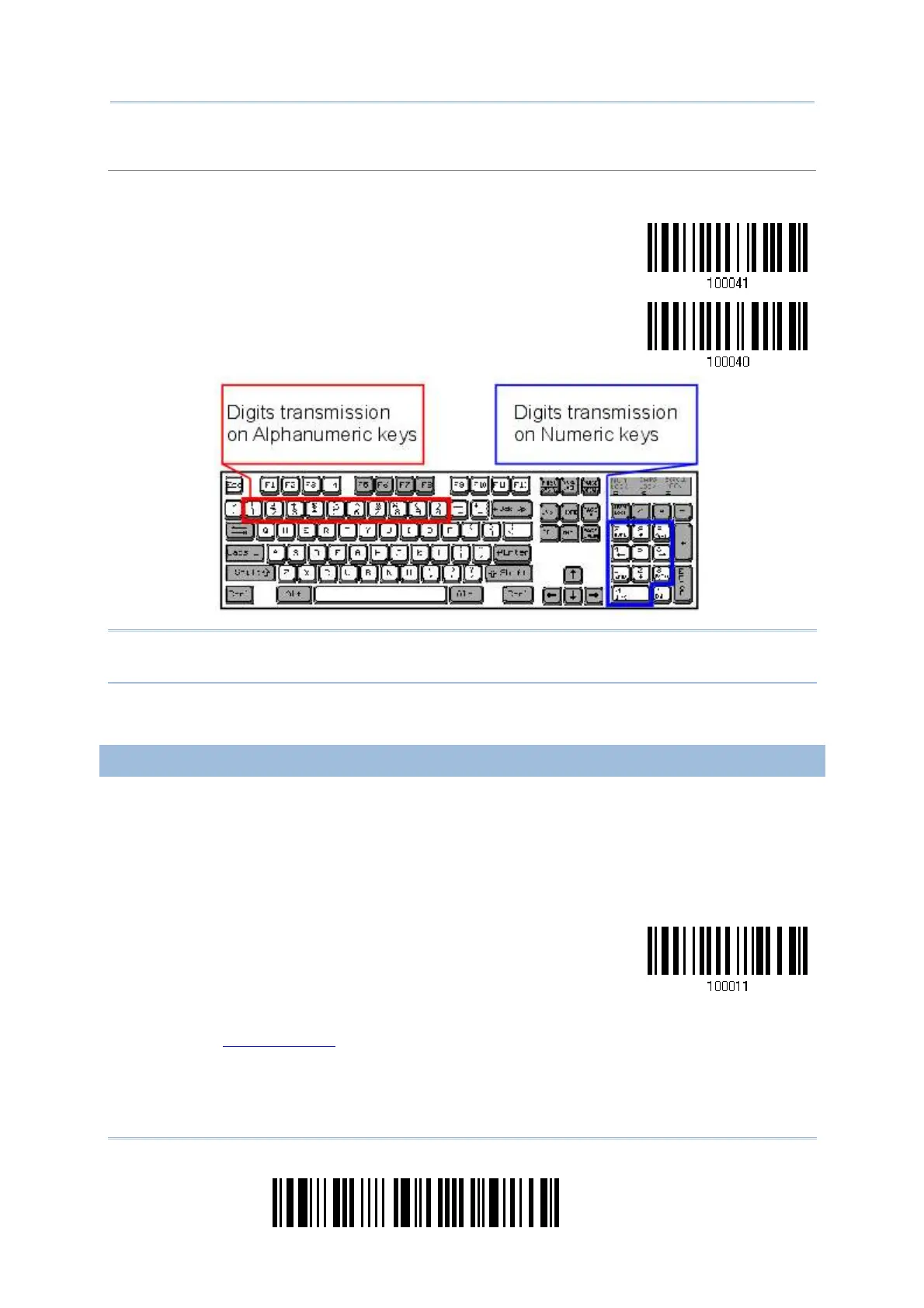
By default , the alphanum eric keypad is used for transm it ting digits. Select “ Num eric Keypad” if you
wish to use the keys on the num eric keypad.
Numeric Key
*Alphanumeric Key
Not e: I f you select “ Num eric Keypad”, the Num Lock st atus of the physical keyboard
should be “ ON” . This setting is not supported on PDAs.
2.1.4 INTER-CHARACTER DELAY
By default, the inter-charact er delay is set t o zero. Specify a value, ranging from 0 t o
254 in unit s of m illiseconds, to m at ch the computer response tim e of the keyboard
int erface. Such delay tim e is insert ed bet ween every character being transm itt ed. The
longer the delay t im e is, t he slower the transm ission speed will be.
Inter-Character
Delay… (*0~254)
1) Read t he barcode above to specify the int er-character delay.
2) Read t he “
Decimal Value” barcode on page 219 for t he desired inter-character delay
( in m illiseconds).
3) Read t he “ Validat e” barcode on t he sam e page t o com plet e t his set t ing.



 To Next Page