203
Update
Appendix I Firmware Upgrade
USE DIRECT USB VIRTUAL COM
1) Use the provided USB cable t o connect 1663 to t he USB port of PC. You will need to
inst all it s driver first !
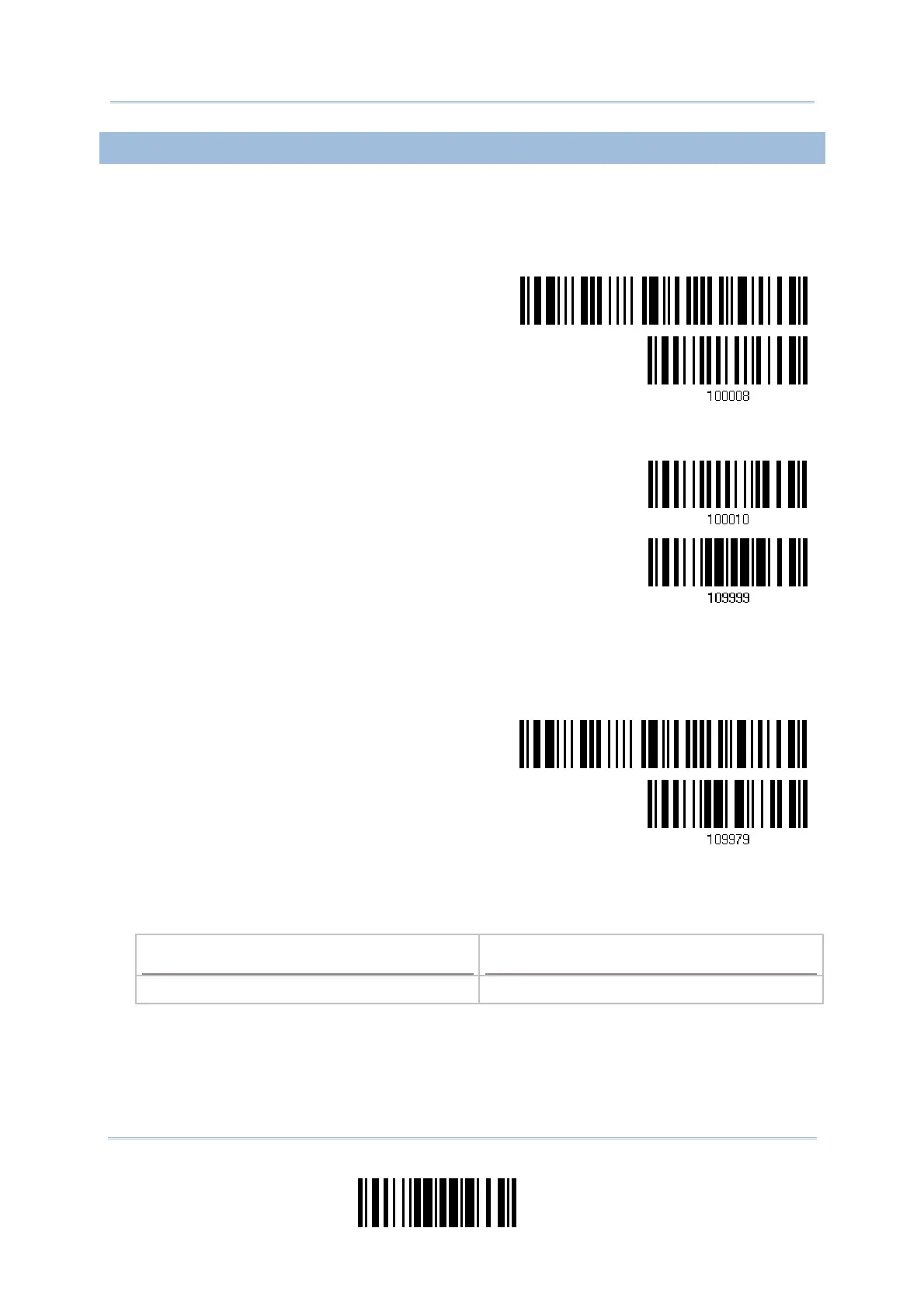
2) Read t he following barcodes in sequence to configure 1663 to use Direct USB Virtual
COM as t he download int erface ( read eit her barcode label ‘100008’ or ‘100010’) .
Enter Setup
Activate Direct USB
Virtual COM
Or
Activate Direct USB
Virtual COM_CDC
Update
3) And then read the following barcodes in sequence for the scanner t o ent er download
m ode. The scanner will respond w it h beeps to indicat e it is ready for downloading.
Enter Setup
Download
4) Run the download utilit y “ProgLoad.exe” on host com puter.
Kernel Program
User Program
K1663_V* .shx STD1663_V* .shx



 To Next Page