3
Update
Introduction
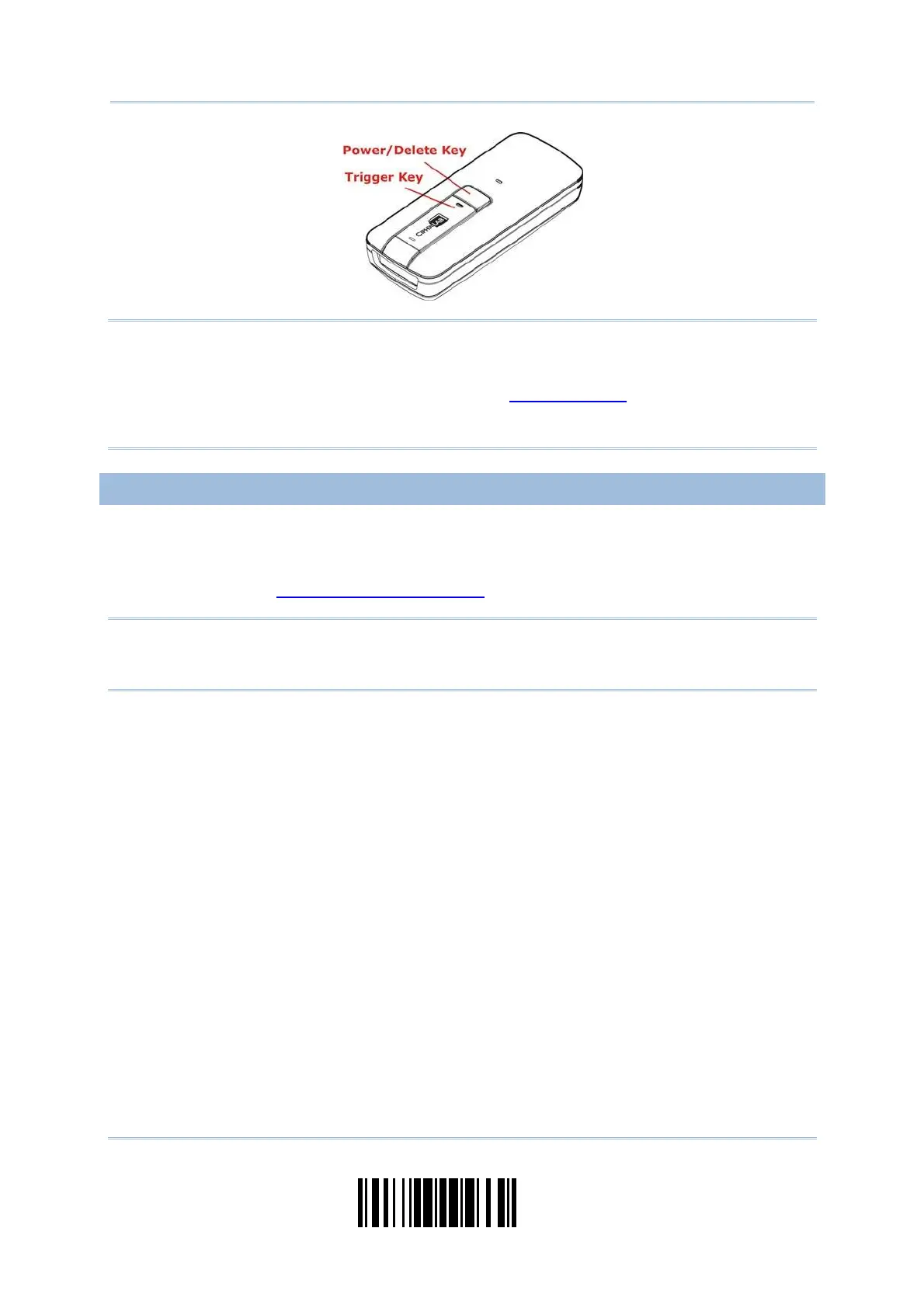
Not e: (1) To turn off the scanner, press the [ Power/ Delet e] key for 2 seconds. The
scanner will respond wit h two short beeps (high tone) and the LED will becom e
solid red. Release t he key. Otherwise, let t he scanner turn off aut om at ically in
specific circum stances. Refer to settings of “
Aut o Power Off”.
(2) For shipping and storage purposes, rem ove the bat t ery from the scanner. This
will keep the batteries in good condit ion for future use.
CHARGE THE BATTERY
The batt ery m ay not be fully charged for shipm ent . For initial use, it is recomm ended to
fully charge t he battery before using the scanner. You can use the Direct USB cable t o
connect the scanner to PC for charging. I t takes approxim at ely 4 hours t o fully charge
the battery. Refer t o
1.14 Use Direct USB Cable.
Not e: Bat t ery charging st ops when the tem perature drops below 0° C or exceeds 40° C. I t
is recom m ended to charge the battery at room tem perature ( 18° C to 25° C) for
optim al perform ance.
1) I nst all the batt ery to 1663.
2) Connect 1663 to host com puter or notebook via the USB cable.
3) The scanner LED will flash red during charging.
When t he charging is com plet e, t he LED will t urn off.
When charging errors occur, t he LED will t urn solid red.



 To Next Page